A dental management system is the central platform that runs your practice operations. Scheduling, records, billing, communication, reporting, it all flows through one tool. Choosing the right one is a decision you live with for years, and switching later is disruptive and expensive. That makes the initial evaluation worth doing slowly.
Most buyer’s guides hand you a feature checklist. Useful, but incomplete. The features that matter on day one are not always the features that matter on day three hundred. Here’s what to evaluate beyond the checklist.
TL;DR
Choosing a dental management system is less about feature count and more about long-term operational fit.
Here are the 7 factors that matter most:
- Usability: Your team should move quickly through daily tasks without excessive clicks or training.
- Integration: The system must connect cleanly with imaging, billing, communication, and accounting tools.
- Cloud vs. On-Premise: Cloud-based platforms reduce IT overhead and simplify updates for most practices.
- Support & Training: Strong onboarding and responsive support directly affect adoption and efficiency.
- Scalability: The platform should support future providers, locations, and operational complexity.
- Data Migration: Switching systems is disruptive, so migration quality and planning matter heavily.
- Total Cost of Ownership: Compare implementation, add-ons, training, and support costs — not just monthly pricing.
The right dental management system quietly improves scheduling, collections, communication, and team efficiency over time. The wrong one creates years of workflow friction.
7 Things to Look for in a Dental Management System
Most dental management systems can handle the basics like scheduling, billing, and patient records. What actually separates a strong platform from a frustrating one is how well it supports your day-to-day workflows, team efficiency, integrations, reporting, and long-term growth. Before comparing feature lists or pricing, evaluate these seven areas that have the biggest impact on how effectively your dental management system performs over time.
1. Usability Over Feature Count
A system with two hundred features your team struggles to use is less valuable than a system with fifty features your team uses daily. Usability shows up in small things:
- Number of clicks to schedule, chart, or pull a report
- Consistency of the interface across modules
- How quickly a new hire becomes productive
- Whether common tasks feel natural or feel like work
During demos, watch how many steps each task takes. If the vendor needs to explain every click, picture your front desk doing the same thing during a Monday morning rush. That picture tells you more than any feature list.
2. Integration with Your Existing Tools
No management system does everything. You’re likely using separate tools for imaging, communication, marketing, payments, or accounting. The management system should connect cleanly to all of them through APIs or built-in integrations.
Specifically confirm integration with:
- Your imaging hardware and image management software
- The clearinghouse you use for claims
- Your patient communication platform if you keep it separate
- Accounting, payroll, and any HR tools your office uses
Broken integrations create manual workarounds. Manual workarounds become permanent. Hours per week disappear into them. Confirm the integrations work as advertised before signing.
3. Cloud vs On-Premise
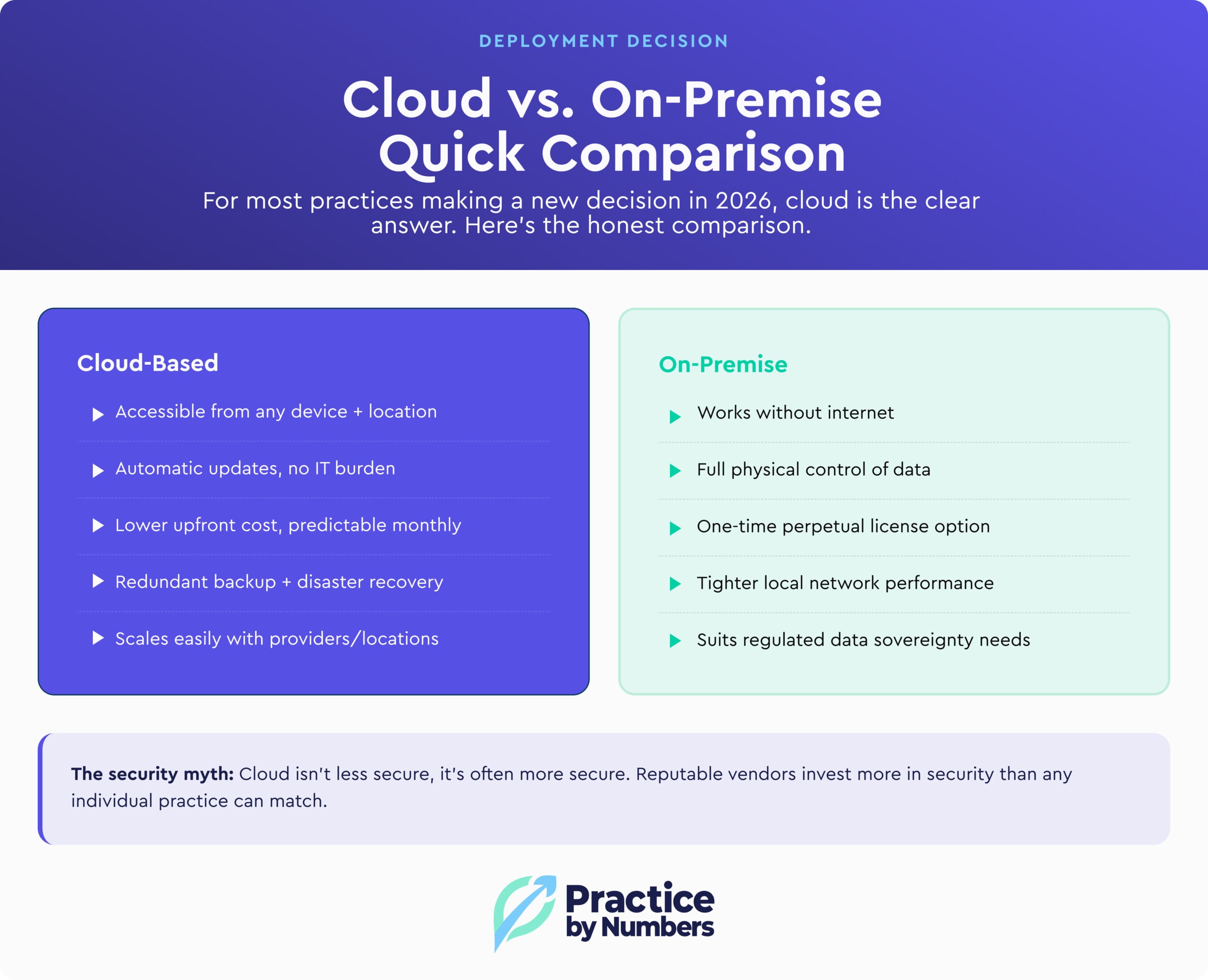
The dental software market has shifted decisively toward cloud. For most new buyers, cloud is the more practical choice because it removes server hardware, manual updates, and most IT involvement. Data is accessible from any device, backups are automatic, and software runs the latest version everywhere.
On-premise systems still keeps strong stand in a few cases:
- Unreliable internet access in your region
- Specific data sovereignty requirements
- A legacy investment that still meets every need
Unless one of those applies to you, default to cloud and verify the vendor’s compliance and security credentials.
👉 Here’s a Detailed Breakdown of Cloud-Based vs On-Premise Dental Software
4. Support and Training Quality
Software is only as good as the support behind it. Two practices buying the same product can have wildly different experiences depending on how the vendor handles onboarding, training, and ongoing support.
Evaluate these specifics:
- Live training during implementation vs. self-serve videos only
- Phone support during business hours vs. email tickets only
- Average response time on support inquiries
- Active user community or forums for peer support
- A named onboarding contact during the first ninety days
Ask the vendor for support metrics directly. If they hesitate, that’s data.
5. Scalability
If you plan to add providers, locations, or patient volume over the next three to five years, the system needs to scale with you. A platform that works for a solo practice can become limiting at three providers or two locations.
Confirm:
- Multi-provider scheduling and reporting
- Multi-location administration and consolidated reporting
- Role-based access controls
- Enterprise pricing model and contract structure
- How adding a new location actually works operationally
Migrating systems during a growth phase is far more disruptive than migrating when you’re stable. Better to choose a scalable platform now than re-shop in two years.
👉 Learn How PbN AI Transforms Practice Management
6. Data Migration and Switching Costs
If you’re replacing an existing system, migration becomes one of the most important factors in your evaluation. Ask each vendor:
- What data can be migrated (demographics, clinical history, financials, images)?
- How long does migration take and who runs it?
- Is there a dedicated migration team or is it self-serve?
- What’s the contingency plan if migration hits problems?
Practices that underestimate migration complexity often face months of operational disruption. Plan for it, and budget for some manual cleanup after go-live.
7. Pricing Transparency and Total Cost of Ownership
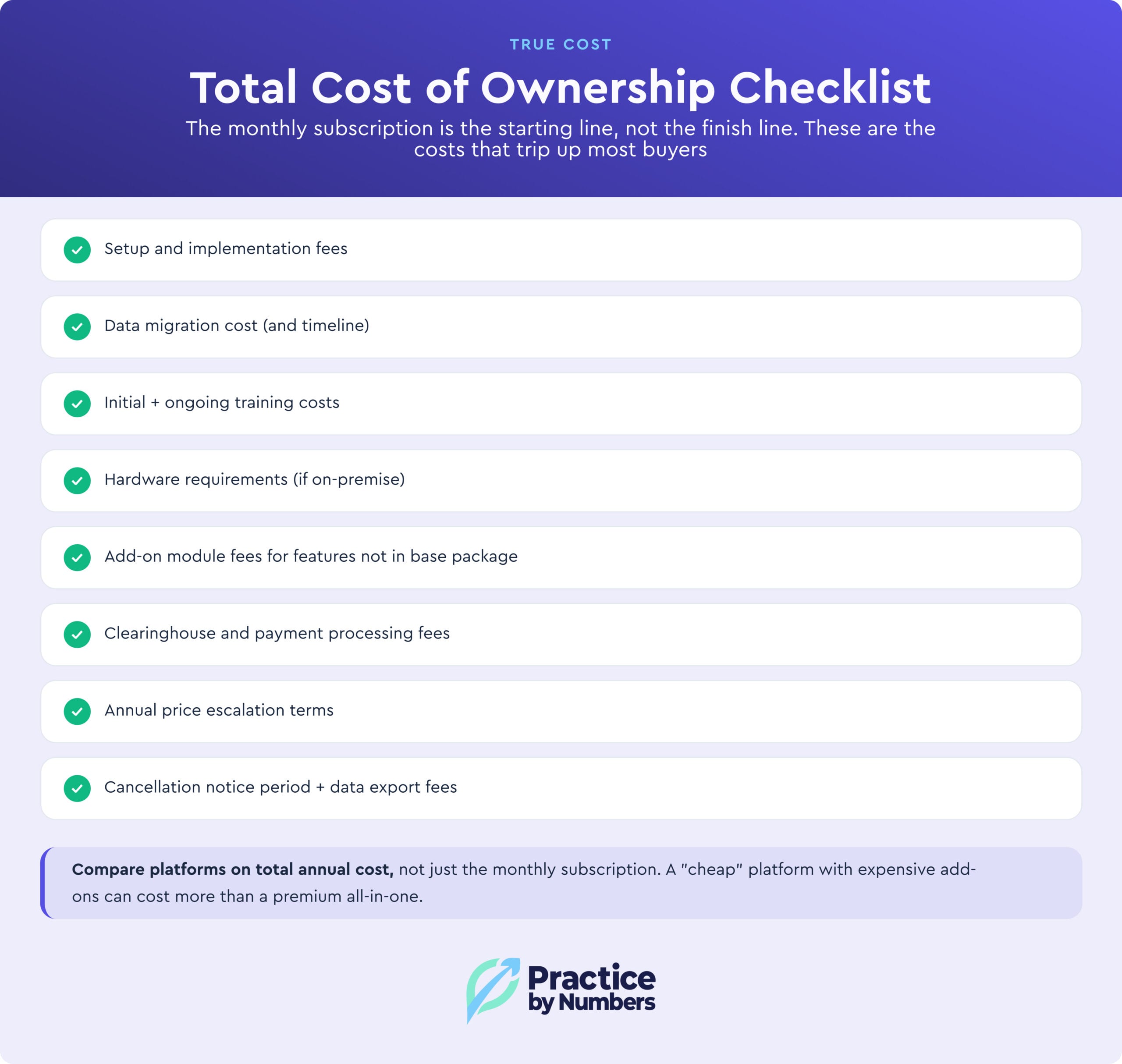
Dental software pricing ranges from clean monthly subscriptions to complex models with setup fees, per-user charges, module add-ons, training fees, and clearinghouse charges. Compare on total annual cost, not just the headline subscription number.
The full cost includes:
- Monthly subscription or licensing fee
- Implementation and setup fees
- Data migration costs
- Initial and ongoing training
- Hardware requirements for on-premise systems
- Add-on modules for features not in the base package
- Payment processing and clearinghouse fees
- Annual price escalation built into the contract
Ask each vendor for a written total cost of ownership estimate covering the first three years. That’s the only number that lets you compare options accurately.
Why More Practices Are Consolidating Their Tech Stack With PbN
Most dental management systems are designed to handle transactions and recordkeeping. What they often lack is operational visibility: understanding where recall is underperforming, where collections are slowing down, or how scheduling inefficiencies impact revenue in real time.
Practice by Numbers approaches this differently by combining analytics, patient communication, scheduling, payments, reputation management, and automation into one connected operational platform. Instead of relying on separate tools and manual reporting, practices get centralized visibility into production, collections, recall, case acceptance, and patient engagement.
The platform also automates routine workflows like insurance verification, reminders, review requests, intake forms, and follow-ups, reducing administrative overhead for the team.
Because PbN integrates with major dental practice management systems, practices can strengthen operational performance and visibility without immediately replacing their existing PMS.
Key Takeaways
- Usability beats feature count over time, so demo with your real workflows and watch click counts
- Integration with your existing tools is non-negotiable; broken integrations become permanent manual workarounds
- Cloud is the default choice for new buyers unless a specific reason requires on-premise
- Support quality varies more than vendors advertise; ask for response times and onboarding details
- Scalability matters even if you’re solo today; planning prevents a forced migration during growth
- Total cost of ownership is the only fair comparison metric, not the monthly subscription quoted in the demo
FAQs
Q. How long does it usually take to implement a new dental management system?
Implementation timelines range from two to eight weeks depending on practice size, data migration complexity, and training needs. Cloud-based systems generally deploy faster than on-premise installations because there’s no server setup. Plan for some operational slowdown during the first two weeks after go-live; that’s normal.
Q. Can I try a dental management system before committing?
Most vendors offer live demos and many provide sandbox environments or short trial periods. Always test with your own workflow scenarios rather than the vendor’s scripted demo. The scripted demo shows the product at its best; your workflows show whether it fits your reality.
Q. What happens to my data if I decide to leave the vendor later?
Ask about data export options before signing. Reputable vendors allow you to export your data in standard formats and document the process in the contract. If the contract doesn’t address data portability, negotiate it before committing.
Q. Should every team member be involved in the evaluation?
At least one representative from each role that uses the software daily should weigh in. Front desk, billing, and clinical perspectives often catch issues that a practice owner wouldn’t notice. Their daily friction with the software determines whether it actually gets used as intended.
Q. How do I know when my current system has outgrown my practice?
When chronic workarounds, missing features, declining support, or growth ceilings are costing your team more time than the switching cost would. If the team is fighting the software more than using it, the math has flipped in favor of switching.