Insurance verification and HIPAA compliance are two pillars of a healthy dental practice, and they are more connected than they first appear. Verification mistakes lead to claim denials. HIPAA mistakes lead to fines. Both can cost a practice money and, just as importantly, patient trust.
The good news is that both are very manageable with a few steady habits. This guide covers how to verify insurance accurately, how to protect patient information throughout the process, and how automation is making both easier for modern practices.
- Verification and HIPAA are connected: every verification step involves protected patient information.
- Thorough verification before the visit prevents most denials and surprise bills.
- Verify benefits, not just active coverage, and re-check before every visit.
- HIPAA covers how patient information is used, secured, and shared at each step.
- Automation improves accuracy and lowers HIPAA risk by reducing manual handling.
Why Insurance Verification Matters More Than You Think
Every dental practice verifies insurance. Not every practice does it thoroughly, and the difference shows up later.
When verification is incomplete, the downstream problems are predictable: claims get denied, patients receive surprise bills, and the team spends hours redoing work. Reworking a denied claim is widely estimated to cost somewhere in the range of tens of dollars each once you account for staff time, and in a practice submitting hundreds of claims a month, that adds up quickly. (Rework-cost figures vary by source; treat this as a general industry estimate rather than an exact number.)
Thorough verification before the patient sits in the chair prevents most of these issues. It confirms coverage, identifies benefit limits, catches waiting periods, and flags frequency limitations that affect what can be billed on a given visit.
👉 See Where the Hidden Revenue Lies In Every Dental Practice
The Verification Process, Step by Step
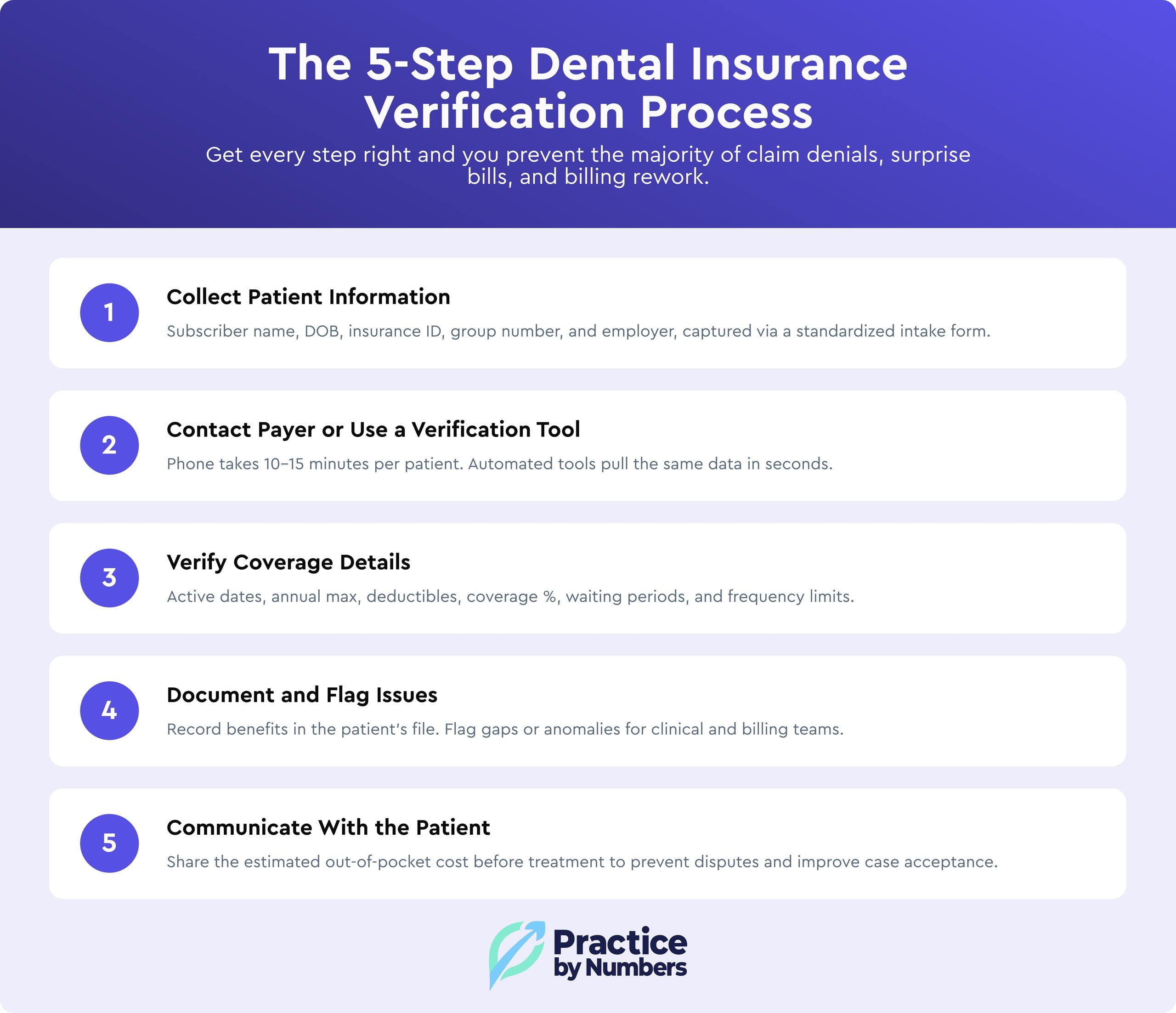
Dental insurance verification follows a predictable workflow. Getting each step right prevents problems later.
1. Collect patient information: Start with the subscriber’s name, date of birth, insurance ID, group number, and employer. A standardized intake form, paper or digital, helps capture these fields consistently for every patient.
2. Check eligibility: This can be done by phone, through the payer’s online portal, or with automated verification software that pulls the data electronically. Phone verification works but is slow, often ten to fifteen minutes per patient. Automated tools do it in seconds.
3. Verify the coverage details: Confirm active coverage dates, annual maximums, deductibles met and remaining, coverage percentages by category (preventive, basic, major), waiting periods, and frequency limitations, such as two cleanings a year or one set of bitewings per twelve months.
4. Document and flag issues: Record the verified benefits in the patient’s file, and flag any gaps or limitations the clinical and billing team needs to know before treatment begins.
5. Communicate with the patient: Let them know their estimated out-of-pocket cost before treatment. This kind of transparency prevents billing disputes and helps patients feel confident saying yes to care.
Common Verification Mistakes That Cost Money
A few missteps come up again and again, and each one is avoidable.
- Verifying coverage but not benefits. Active insurance is only the first check. Without confirming maximums, deductibles, and frequencies, claims that look correct still get denied on benefit-level rules.
- Relying on stale data. Benefits reset annually, so a patient verified in January may have different remaining benefits in November. Re-verify before major procedures.
- Skipping coordination of benefits. Patients with dual coverage need the primary and secondary payer confirmed, or both claims can be rejected.
- Verifying only new patients. Established patients change jobs, switch plans, or lose coverage between visits, so it helps to verify before every visit.
Where Verification and HIPAA Intersect
Insurance verification involves handling protected health information: patient names, insurance IDs, dates of birth, and treatment details. Every touchpoint in the process is a HIPAA touchpoint, which is simply a reminder to handle each one with care.
Phone verification means confirming the identity and authority of anyone you share information with. Digital tools should use encrypted connections and, if they store or transmit patient data, have a signed Business Associate Agreement (BAA) with your practice. Paper forms with insurance information should be stored securely and disposed of properly, since a stack of printouts left in a shared area is an easy compliance risk to avoid.
👉 See How You Can Transform Your Dental Practice Communication With PbN Voice
What HIPAA Compliance Looks Like in a Dental Practice
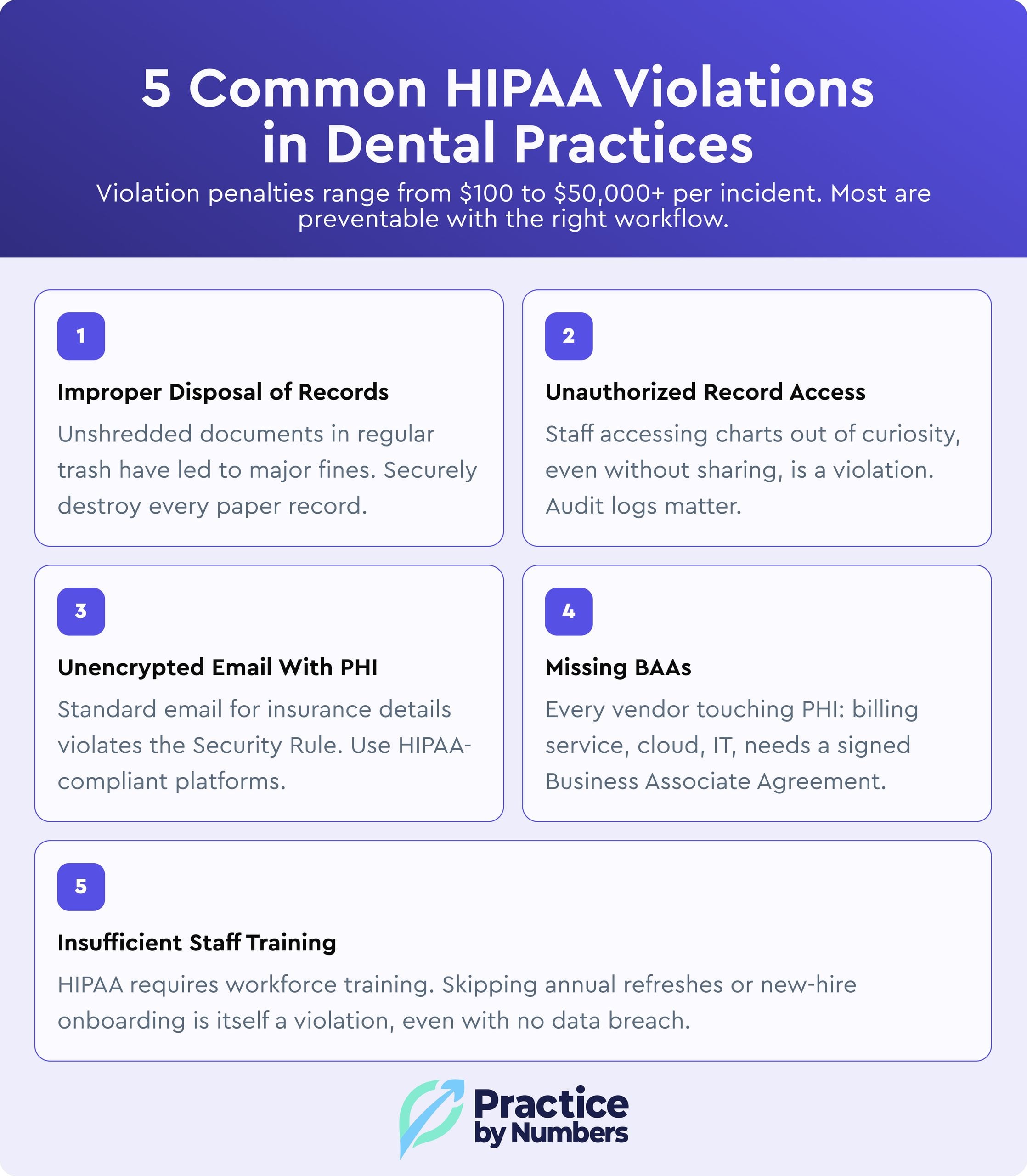
HIPAA compliance for a dental practice covers three areas: the Privacy Rule, the Security Rule, and the Breach Notification Rule.
The Privacy Rule governs how patient information is used and disclosed. Patients have the right to access their records, request corrections, and know who has seen their information. Your practice needs a Notice of Privacy Practices and patient authorization before using information beyond treatment, payment, and healthcare operations.
The Security Rule requires administrative, physical, and technical safeguards for electronic patient information: access controls like unique logins and role-based permissions, encryption for data in transit and at rest, audit logs, and physical security for devices.
The Breach Notification Rule requires notifying affected patients, HHS, and in some cases the media when a breach of unsecured patient information occurs. Having a simple response plan ready before anything happens makes all the difference.
Common Dental HIPAA Violations to Avoid
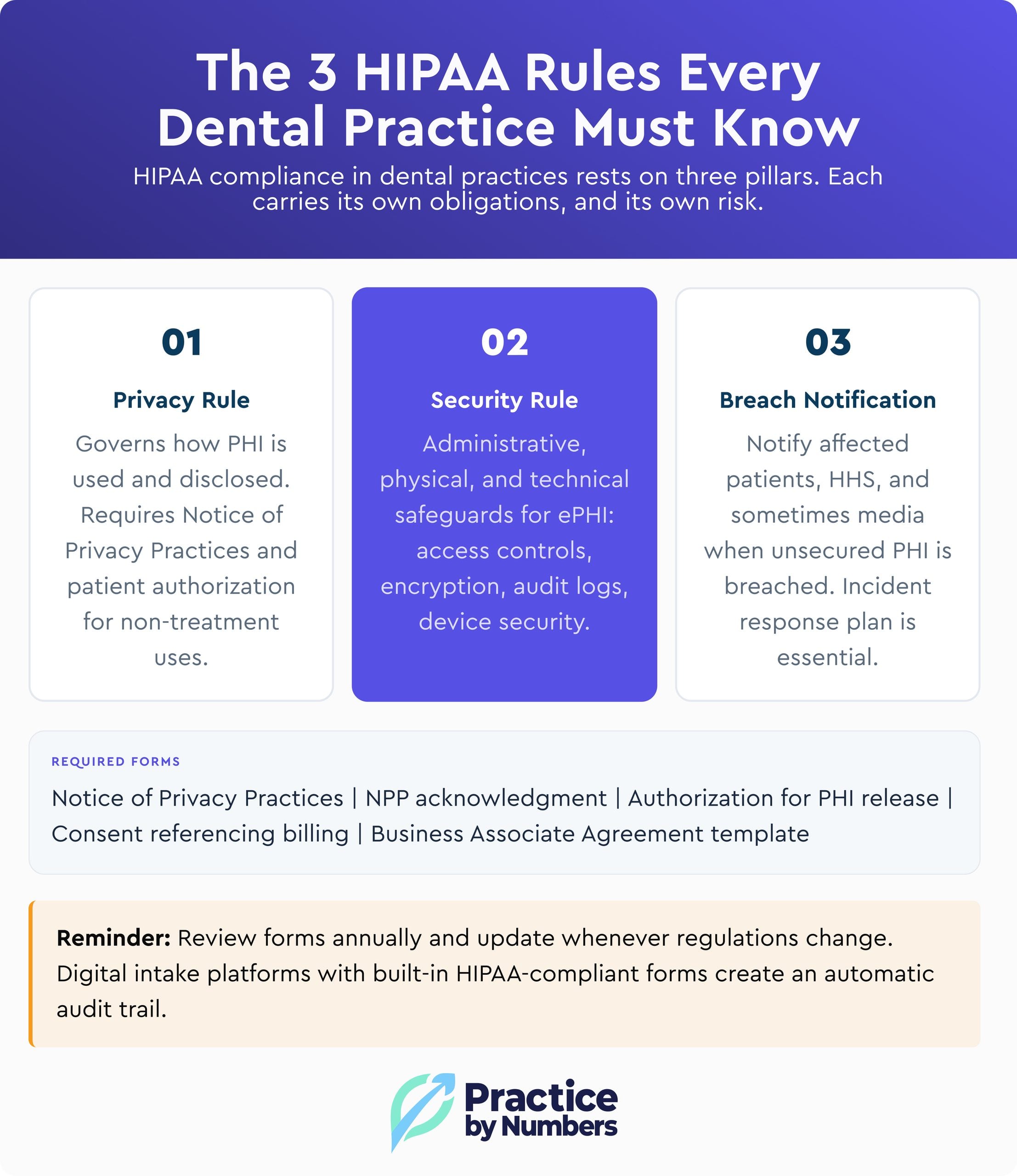
Knowing where others have slipped helps your team stay on the safe side. The most common issues are improper disposal of records (paperwork with patient information should be shredded, not thrown in regular trash), accessing records without a work reason, sending patient information over unencrypted email, missing Business Associate Agreements with vendors, and skipping annual staff training. Each of these is straightforward to prevent with a clear protocol and a little consistency.
HIPAA-Compliant Forms Every Practice Needs
At a minimum, a dental practice should have a Notice of Privacy Practices, a signed acknowledgment that the patient received it, authorization forms for releasing information to third parties, treatment consent forms that reference billing and insurance use, and a Business Associate Agreement template for vendors. Reviewing these once a year, and whenever rules change, keeps them current. Digital intake platforms with built-in compliant forms make this easier and create an automatic record.
How Automation Improves Verification and Compliance
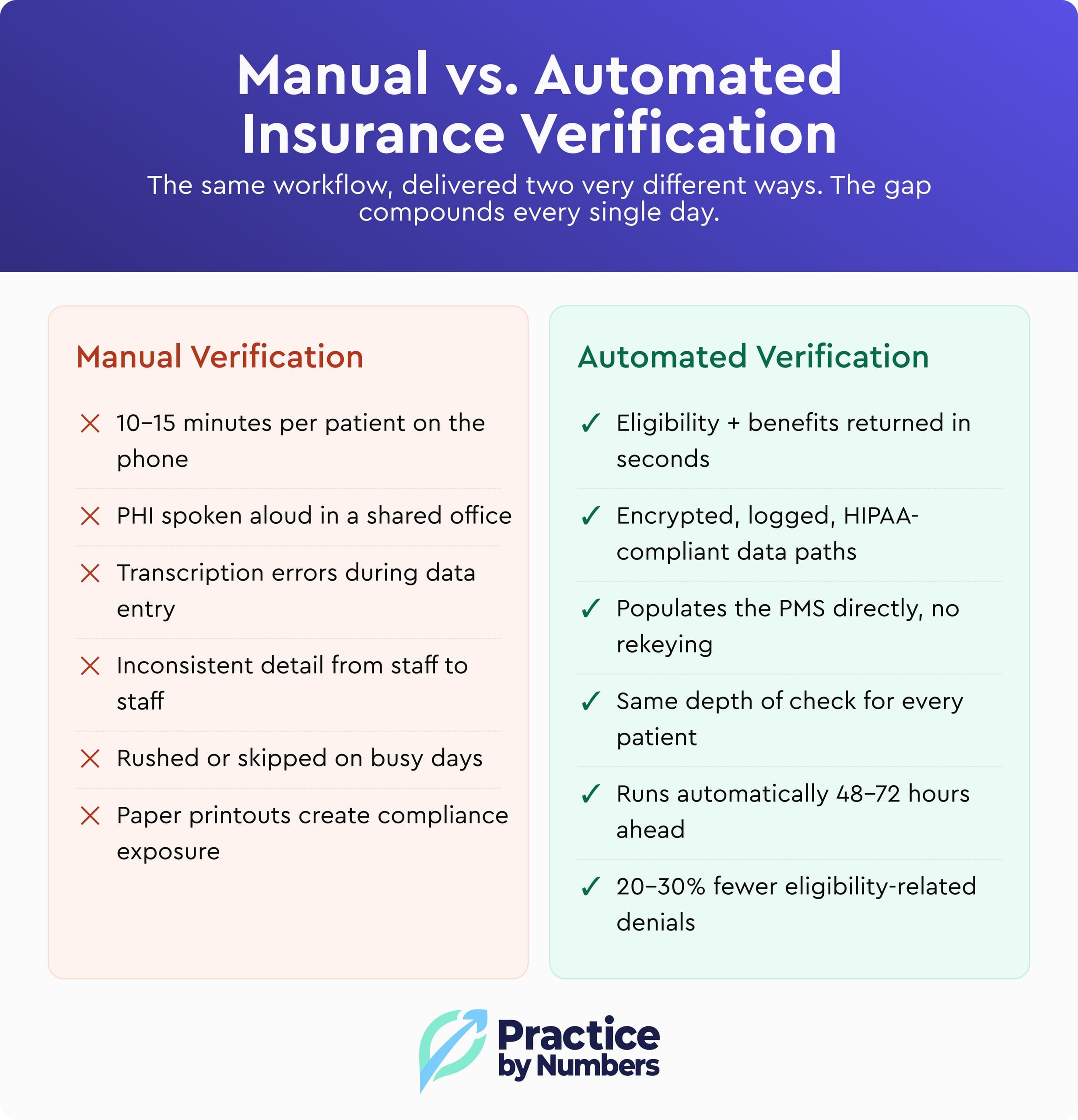
Automated verification does more than save time. It also lowers HIPAA risk. Manual processes involve phone calls where information is spoken aloud, paper forms that can be misplaced, and data entry that invites small errors. Automated systems move data through encrypted channels, log every transaction, restrict access, and reduce the paper trail that creates exposure.
The most helpful tools connect directly to your practice management system, check benefits in real time, and store the results securely in the patient record. No printouts left out, no sticky notes with insurance IDs, and far fewer moments where patient information is read aloud in a busy office.
How Practice by Numbers Supports Verification and Compliance
Accurate insurance verification depends on both reliable information and careful data handling. Practice by Numbers helps bring these processes together, reducing manual work while giving your team a more consistent way to manage patient information.
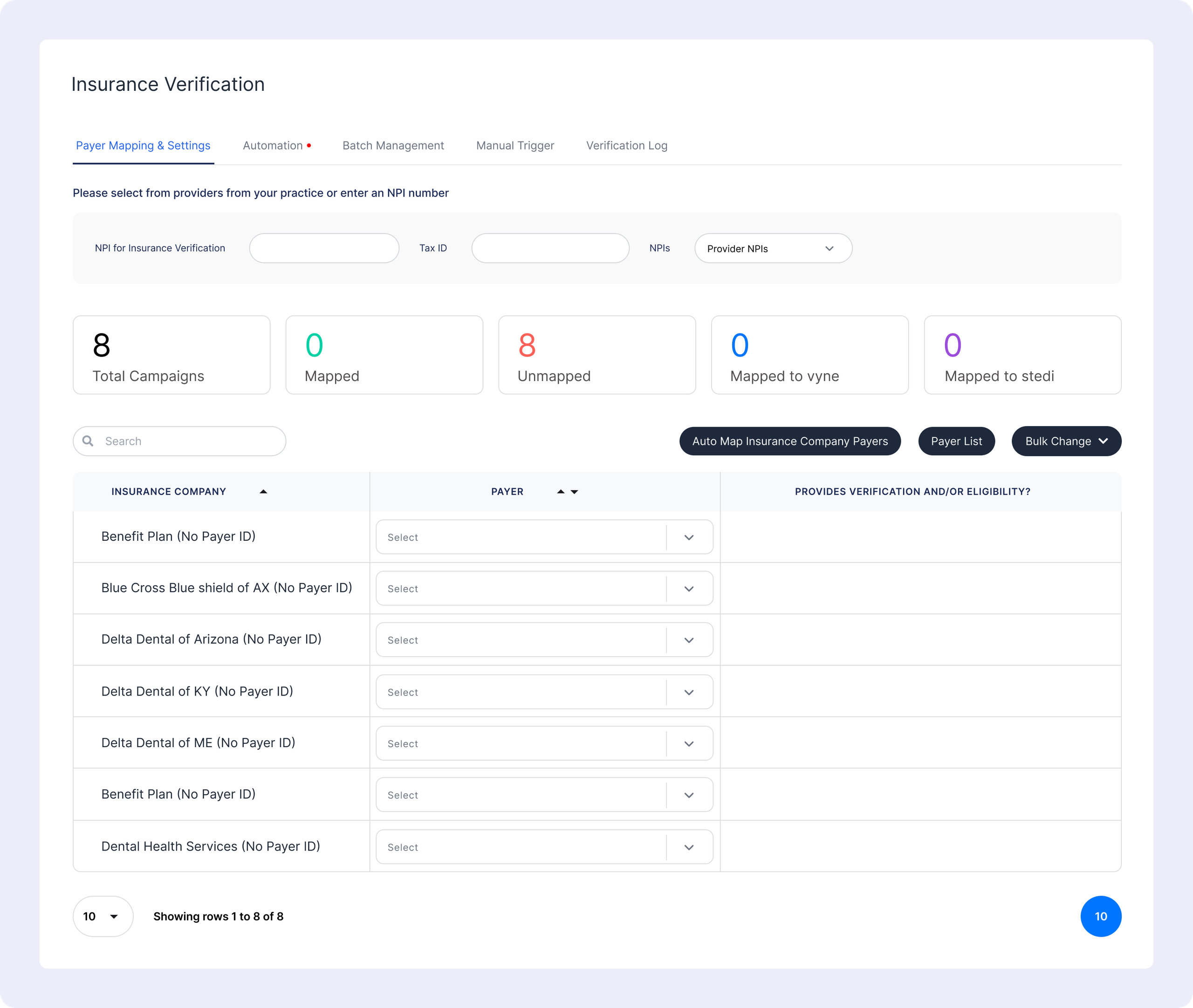
- Automated insurance verification: Checks eligibility and benefits electronically and keeps verification results connected to the patient record, so your team can review information instead of manually re-entering it.
- Secure data handling: Uses encrypted data transmission, access controls, and audit logs to help protect sensitive patient information and support HIPAA compliance.
- Less manual handling: With verification information and patient records connected, teams spend less time switching between systems, making phone calls, or duplicating information.
The result is a more efficient verification workflow with better visibility and fewer opportunities for manual errors.
👉 See How Patient Relationship Management Boosts Practice Revenue