The dental front desk runs on tools. They manage patient communication, insurance verification, collections, intake paperwork, scheduling, and patient experience, all while keeping the day running on time. Without the right technology, even the best team spends hours on repetitive administrative work. With the right tools, a small front desk can operate with the efficiency of a much larger team.
This guide explains the essential front desk software stack, how the tools work together, and how to identify technology gaps that may be slowing your practice down.
TL;DR
- Every dental front desk relies on five core technology categories: practice management software, patient communication tools, insurance verification, payments, and analytics.
- The biggest productivity gains come from integration, not simply adding more software.
- Your practice management system serves as the system of record, while connected tools automate communication, collections, and administrative tasks.
- Insurance verification, patient messaging, and digital forms are often the biggest time-saving opportunities.
- Front desk teams should spend less time on repetitive administrative work and more time helping patients.
- An integrated platform such as Practice by Numbers can connect analytics, patient engagement, payments, forms, and operational workflows into a single ecosystem.
Why Front Desk Efficiency Matters in Practice Growth
The front desk is where operational efficiency and patient experience meet. Patients judge a practice by how easy it is to schedule appointments, complete paperwork, receive updates, and make payments. At the same time, practice owners depend on the front desk to keep schedules full, insurance information accurate, and collections on track.
When systems are outdated or disconnected, common problems emerge:
- Long hold times
- Appointment scheduling errors
- Insurance delays
- Incomplete patient information
- Missed patient messages
- Slow payment collection
- Increased staff burnout
The right technology doesn’t replace your team. It removes repetitive work, so your team can focus on higher-value interactions that require a human touch.
👉 Here are 10 Dental Practice Management Tips Every Office Should Try
The Front Desk Software Stack
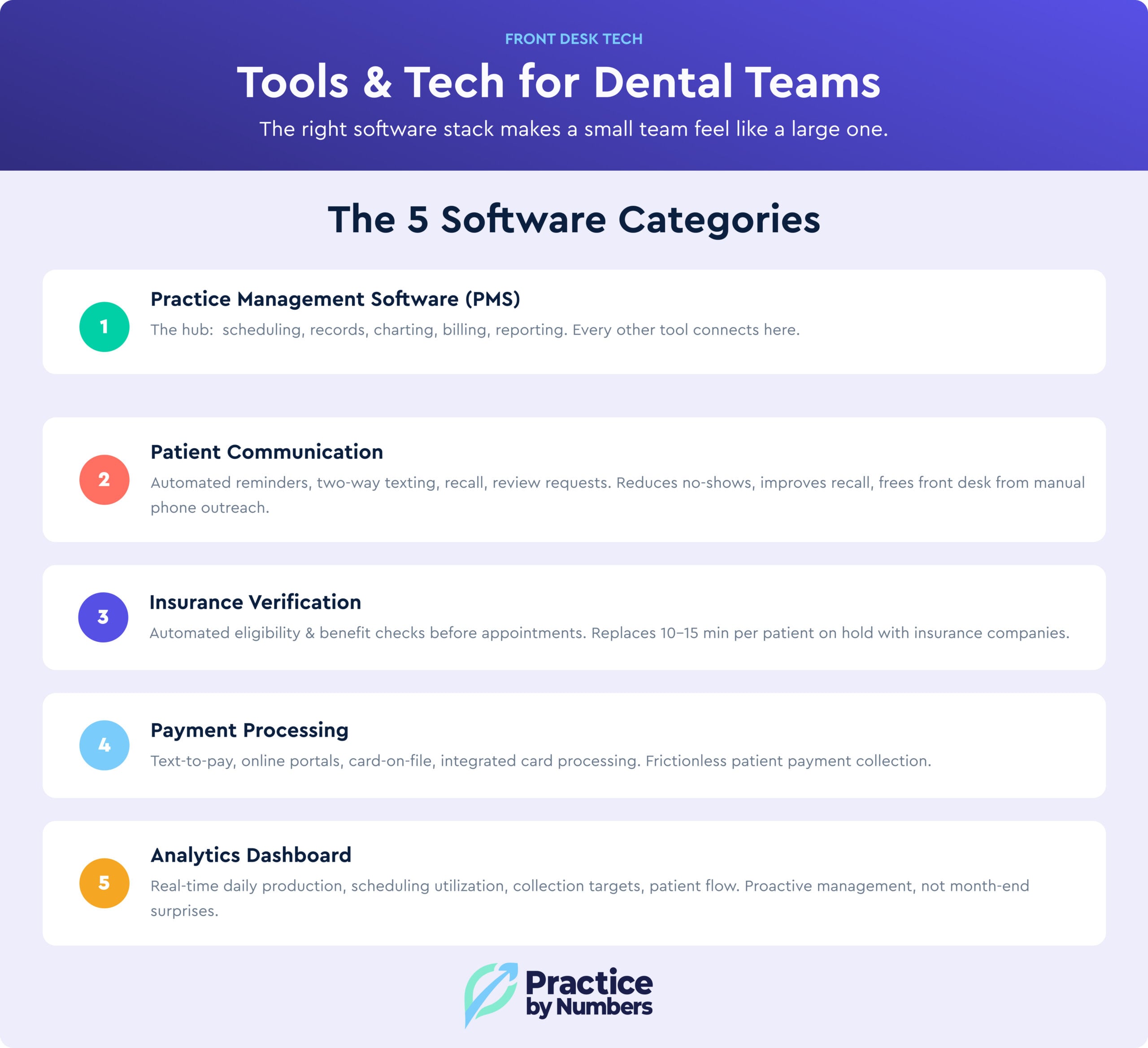
A well-equipped front desk usually uses five kinds of software: practice management, messaging, insurance verification, payments, and analytics. Some platforms bundle several of these together. Others are separate tools that connect to each other.
1. Practice Management Software (PMS)
Practice management software is the operational foundation of a dental practice. It stores patient records, appointment schedules, treatment plans, insurance information, clinical notes, and billing data. Nearly every front desk workflow begins inside the PMS.
Typical daily activities include:
- Scheduling appointments
- Reviewing patient records
- Posting payments
- Managing insurance details
- Creating treatment estimates
- Running operational reports
Because the PMS acts as the central source of patient data, every additional tool should integrate smoothly with it.
What to look for:
- Reliable scheduling functionality
- Fast patient lookup
- Strong reporting capabilities
- PMS integrations
- Ease of use for front desk staff
2. Patient Messaging Platform
Phone calls remain important, but patients increasingly expect convenient digital communication. Patient engagement platforms help practices automate routine communication while keeping conversations organized.
Common capabilities include:
- Appointment reminders
- Recall campaigns
- Two-way texting
- Review requests
- Missed appointment follow-up
- Online appointment requests
- Patient portals
Why it matters?
Many front desk interruptions come from simple questions:
- “Can I confirm my appointment?”
- “Do I have a balance?”
- “Can I reschedule?”
When patients can handle these requests through text or digital channels, staff spend less time answering repetitive calls and more time helping patients who need personal assistance. Integrated communication systems can also improve appointment attendance and patient retention.
3. Insurance Verification Tool
Insurance verification remains one of the most time-consuming front desk responsibilities. Traditionally, staff members spend significant time contacting carriers, confirming eligibility, reviewing benefits, and documenting coverage details.
Modern verification tools automate much of this process.
Key Benefits:
- Faster eligibility checks
- Reduced manual phone calls
- More accurate benefit information
- Fewer claim issues
- Better patient financial conversations
Automated verification systems can verify coverage before appointments and provide benefit information directly within existing workflows.
Questions every practice should ask:
- How many hours per week are spent verifying insurance?
- How often do coverage surprises occur at check-in?
- How many claims are delayed because eligibility wasn’t confirmed?
If these issues occur frequently, insurance automation is often one of the fastest-return investments available.
4. Payment Processing
Collections don’t end when a patient leaves the office. Today’s patients expect convenient payment experiences similar to other consumer services.
Modern payment solutions support:
- Text-to-pay
- Online payment links
- Card-on-file
- Payment plans
- Automated payment reminders
- Integrated payment posting
Why it matters?
The harder it is to pay, the longer balances remain outstanding. Integrated payment systems reduce administrative work while helping practices collect faster. The best systems allow front desk teams to manage payments without switching between multiple platforms.
👉Here’s How You Can Find Hidden Revenue in Your Practice
5. Analytics Dashboard
Most front desks spend their day reacting to problems. Analytics help them get ahead of them.
A real-time dashboard gives visibility into:
- Daily production
- Collection performance
- Schedule gaps
- Appointment utilization
- Patient flow
- Treatment acceptance trends
Why analytics matter
Without visibility, managers discover problems after revenue has already been lost.
With visibility, teams can:
- Fill openings before they become lost production
- Prioritize overdue collections
- Monitor scheduling efficiency
- Track performance against goals
The most effective dashboards turn data into actionable insights rather than simply generating reports.
👉 Learn How to Diagnose Front-Desk Conversion Loss Without Listening to a Single Recording
How These Tools Work Together
Technology creates the greatest impact when systems communicate automatically.
Consider a typical patient journey:
- A patient requests an appointment online.
- Appointment confirmations are sent automatically.
- Digital forms are delivered before the visit.
- Insurance eligibility is verified ahead of time.
- The patient checks in with minimal paperwork.
- Treatment is completed.
- Insurance claims are submitted.
- Remaining balances are delivered via text or email.
- Payments are collected digitally.
- Production and collection results appear in management dashboards.
Every automated step removes friction for both patients and staff. When systems are disconnected, the front desk becomes the integration layer, manually transferring information between platforms, correcting errors, and duplicating work.
Checking Your Current Front Desk Tech
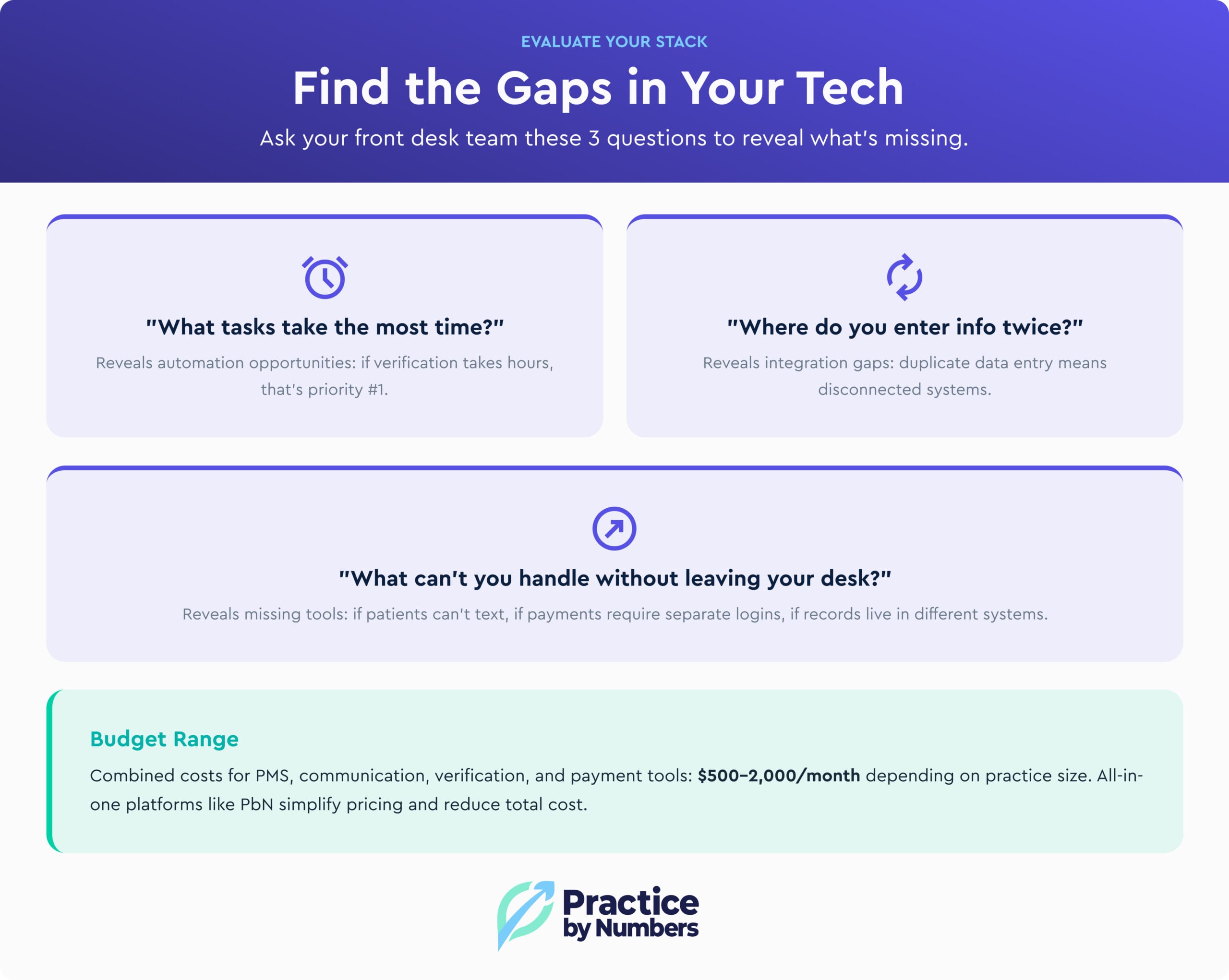
Ask your front desk team three simple questions:
- What tasks take the most time?
- Where do you have to type the same information twice?
- What patient requests can’t you handle without leaving your desk?
The answers reveal your gaps. If insurance checks take hours, automation is the priority. If patients can’t text the office, you need messaging. And if payments require separate logins and manual posting, you need integrated payment tools.
How Practice by Numbers Helps Connect the Front Desk Workflow
Many front desks struggle with disconnected systems that create extra work, duplicate data entry, and communication gaps. Practice by Numbers helps bring key front office workflows together in one connected platform.
With capabilities including:
- Automated patient communication that reduces phone volume and improves responsiveness
- Digital forms and online check-in that eliminate paperwork and speed up patient intake
- Insurance verification tools that help staff spend less time chasing benefits information
- Integrated payment workflows that make it easier to collect balances and reduce outstanding A/R
- Real-time analytics and operational insights that help teams stay ahead of schedule and collection goals
By connecting these workflows, practices can reduce administrative burden, improve patient experience, and give front desk teams more time to focus on patients instead of managing multiple systems.