Most dental practices use only a fraction of what Dentrix can do. The platform has tools for scheduling, treatment planning, billing, payments, and day-to-day workflow management, but many of these features never become part of the team’s routine. That doesn’t necessarily mean the features are difficult to use. Often, the issue is simply that no one has taken the time to configure them around the way the practice actually operates.
The result is a familiar pattern. Staff members repeat tasks manually, enter the same information more than once, search for appointments that could have been easier to schedule, or spend time following up on balances that could have been handled more efficiently.
The good news is that some of these time-savers are already part of the Dentrix features your practice has access to.
Here are several underused Dentrix features worth revisiting and how they can make everyday workflows faster, more consistent, and easier for your team.
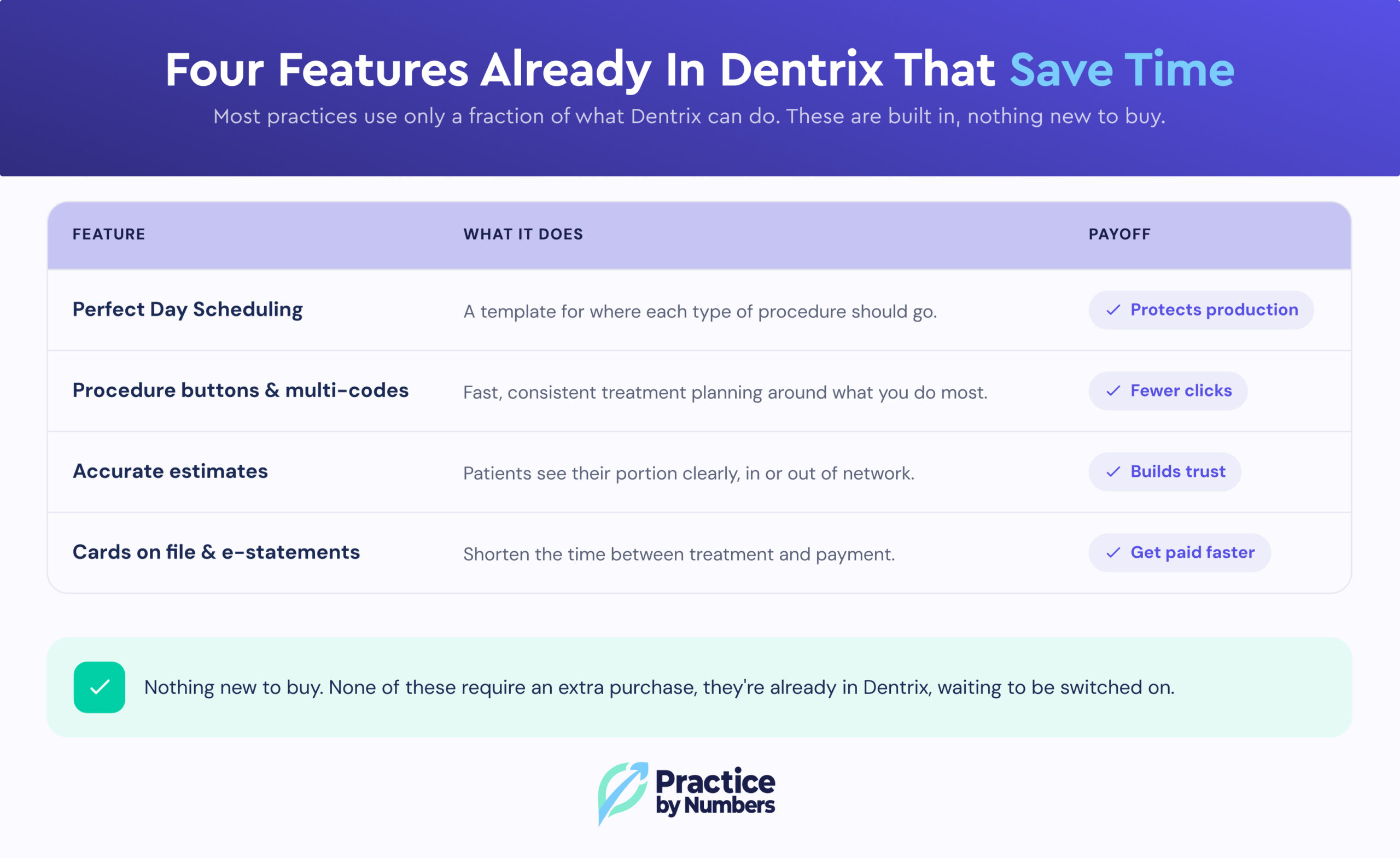
- Perfect Day Scheduling gives your team a visual roadmap for building a productive schedule while protecting time for the procedures and appointments your practice prioritizes.
- Procedure buttons and multi-codes reduce repetitive data entry when charting, scheduling, and posting procedures.
- Accurate treatment estimates help patients understand their expected financial responsibility before treatment, making financial conversations more straightforward.
- Cards on file and electronic statements simplify payment collection and reduce manual billing work.
- The biggest opportunity isn’t adding more software. It’s making better use of the tools your team already has.
- Practice by Numbers connects with Dentrix to turn the activity happening in your practice into actionable analytics and visibility across key performance areas.
Perfect Day Scheduling: A Roadmap for the Schedule
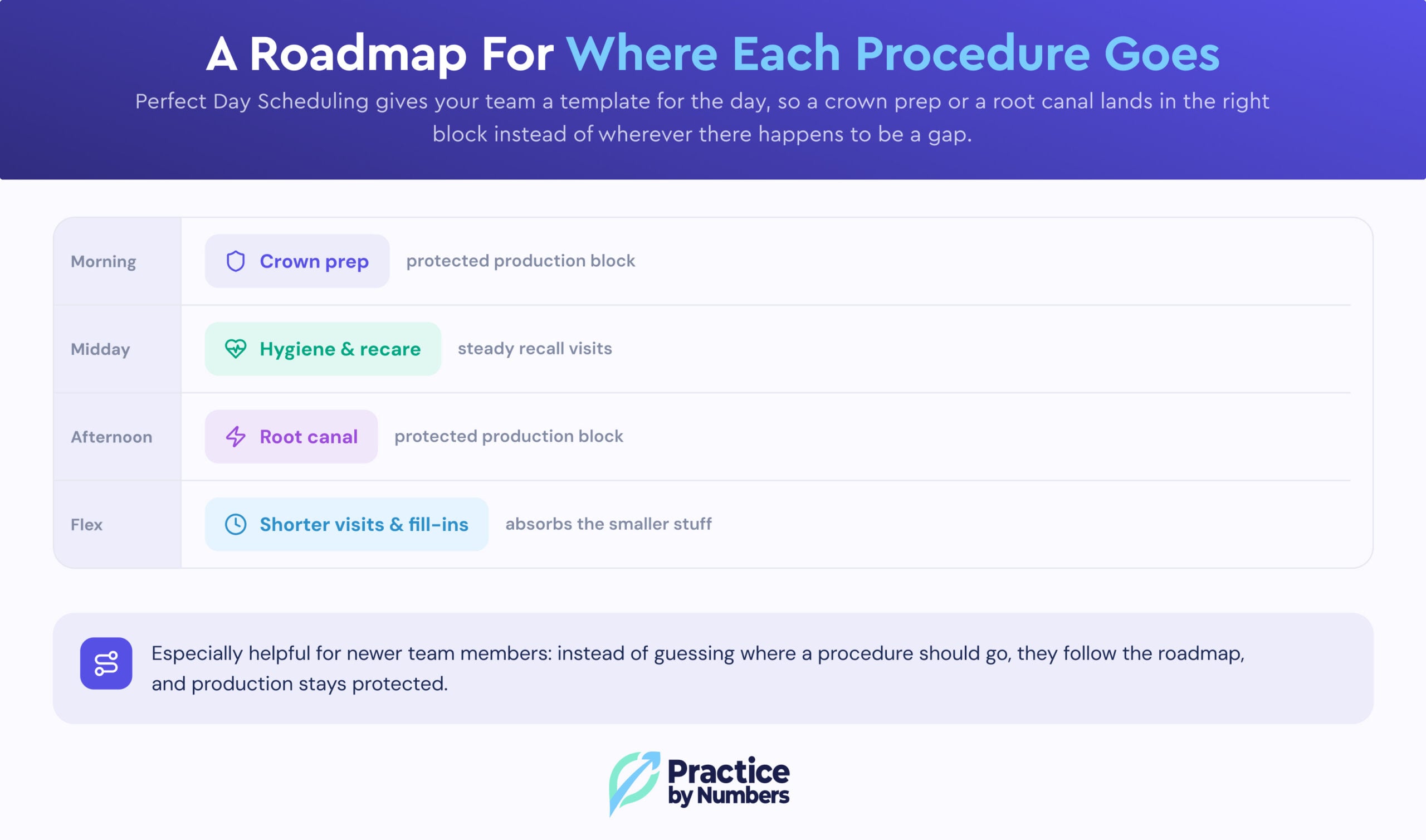
One of the most valuable and underused features in Dentrix is Perfect Day Scheduling. It gives your scheduling team a roadmap: a template for how an ideal day should be built, so appointments land in the right places and the schedule hits its production goal with room for new patients.
This is especially helpful for newer team members. Instead of guessing where a crown prep or a root canal should go, they follow the roadmap. The day is less stressful, and the practice protects its most productive time without anyone having to rebuild the schedule from scratch each morning.
Faster Treatment Planning with Procedure Buttons and Multi-Codes
Treatment planning touches the whole team, from the clinical staff entering the plan to the coordinator presenting it. Dentrix makes this faster with well-set-up procedure buttons and multi-codes that group several procedures into one quick entry.
Set these up around the procedures your practice does most, and treatment planning stops being a slow, click-heavy task. The plan gets built the same way every time, which makes the handoff to the patient smoother.
👉 Here’s a Simple Guide to Adding Practice by Numbers to Dentrix Ascend
Accurate Estimates Patients Can Understand
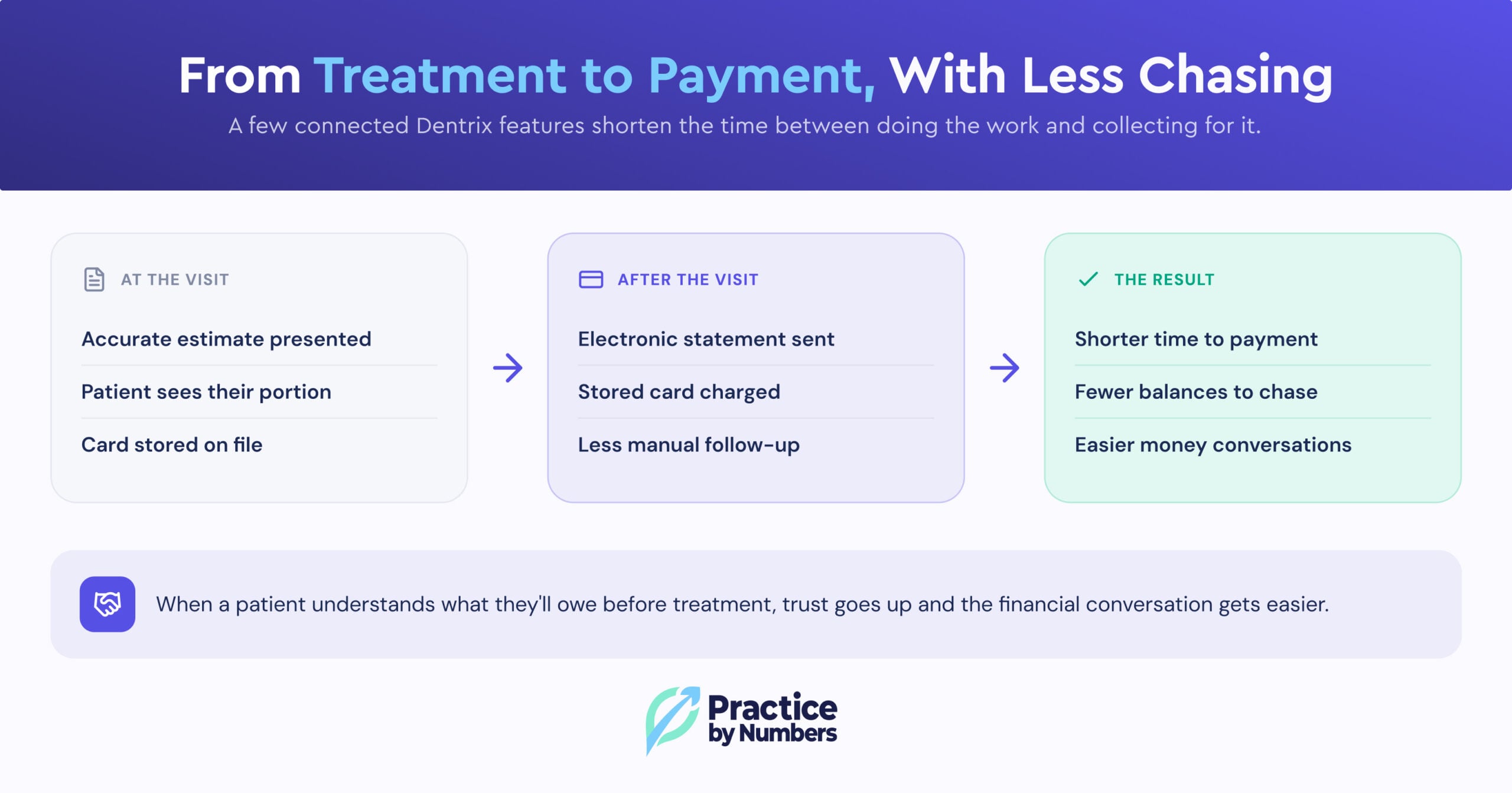
Dentrix lets a practice present accurate treatment estimates whether you’re in network or out of network. Patients can see their own portion clearly, which is one of the most important moments in case acceptance.
When a patient understands what they’ll owe before treatment, trust goes up and the financial conversation gets easier. Accurate estimates also make same-day collection far more likely, because there are no surprises later.
👉 See How Dentrix + Practice by Numbers Integration Works
Store Cards on File and Send Electronic Statements
The money side of the practice gets easier with a few connected Dentrix features. You can store payment cards on file for follow-up on balances, and send electronic and text statements instead of relying only on paper.
These small tools shorten the time between treatment and payment. They also cut the manual work of chasing balances, which frees the front desk for patient-facing tasks.
Small Setup, Big Daily Payoff
What these features share is that a little setup produces a daily payoff. A roadmap built once guides the schedule for months. Procedure buttons configured once speed every treatment plan. They go unused for one simple reason: no one turned them on.
If your team has never explored these, that’s a quick, high-value conversation to have with a trainer or your support resources.
How Practice by Numbers Fits Alongside Dentrix
Getting more out of Dentrix is one part of improving practice operations. The next question is whether your team can easily see what all that activity means. That’s where Practice by Numbers fits alongside Dentrix.
Practice by Numbers connects with Dentrix to bring key practice activity into a centralized analytics view, helping teams monitor areas such as production, collections, case acceptance, recall, and other operational metrics.
Dentrix remains the system your team uses to manage day-to-day practice activity. Practice by Numbers adds another layer, giving visibility into performance and the trends behind that activity.
Instead of simply having the data, your team can use it to identify where the practice is performing well and where there may be an opportunity to improve.
👉 Learn More About How the Integration