If you’ve been thinking about adding a smarter operational and AI layer to your Dentrix Ascend setup but worried about the time and effort involved, here’s exactly what to expect, explained in simple terms.
The most common reason practices put off adding new tools is simple: they assume it’ll take weeks of meetings, IT calls, and team training. With Practice by Numbers, that’s not how it works.
Setup is handled almost entirely by the PbN team. Your involvement is small, and most practices are up and running within 1 to 3 hours. Here’s what the process actually looks like, what your team is responsible for, and what you’ll see when you log in for the first time.
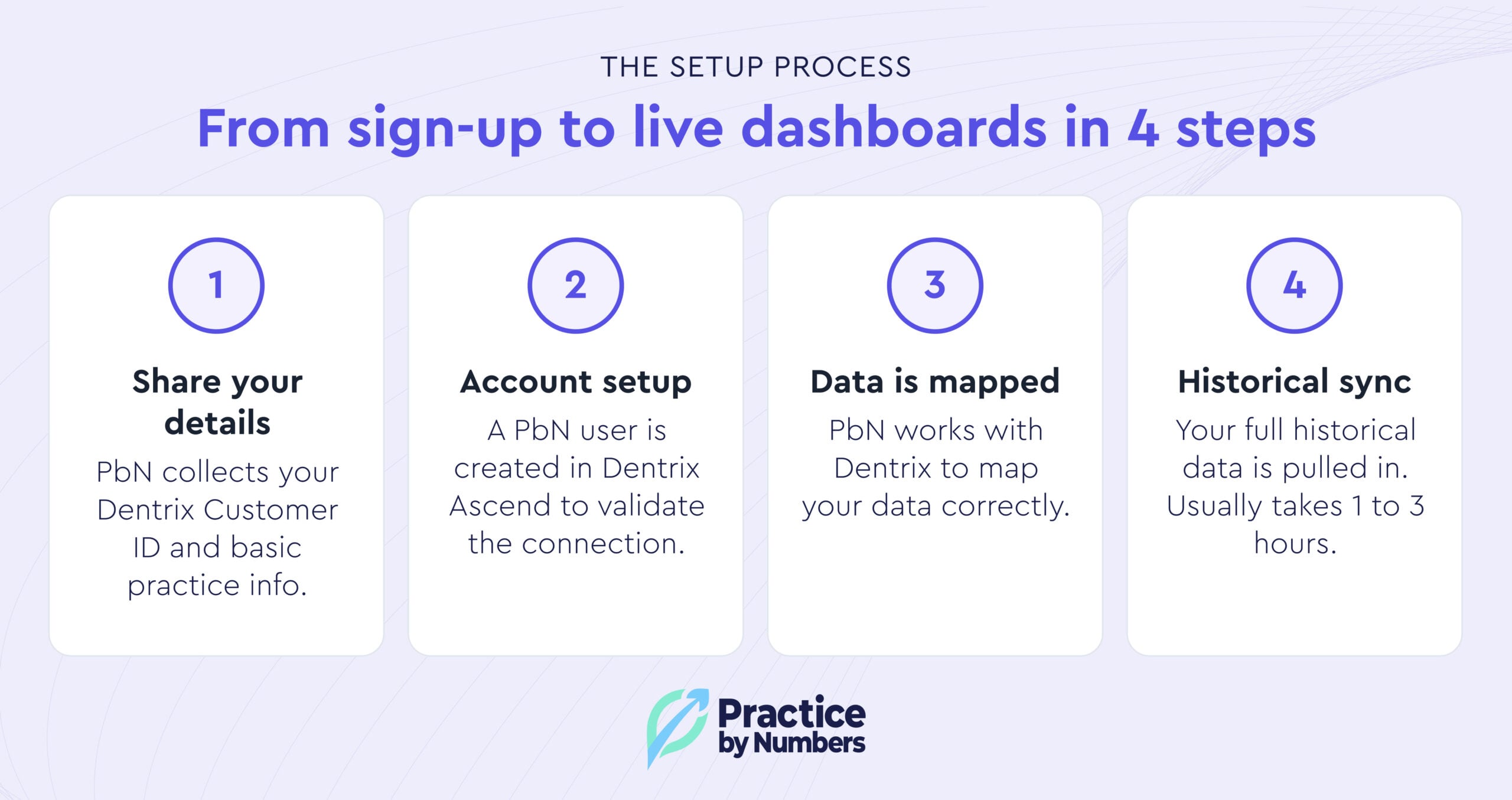
The Setup Process: 4 Simple Steps
Practice by Numbers walks you through a four-step process to connect to Dentrix Ascend. The PbN technical team manages each step, so your team doesn’t need any technical expertise.
Good to know
If you run multiple locations, the same process is repeated for each one, and all sites roll up into a single group-level dashboard.
What Your Team Actually Does
This is the part most owners want to understand before signing up. The honest answer: very little. Most of the work is handled by the PbN team behind the scenes.
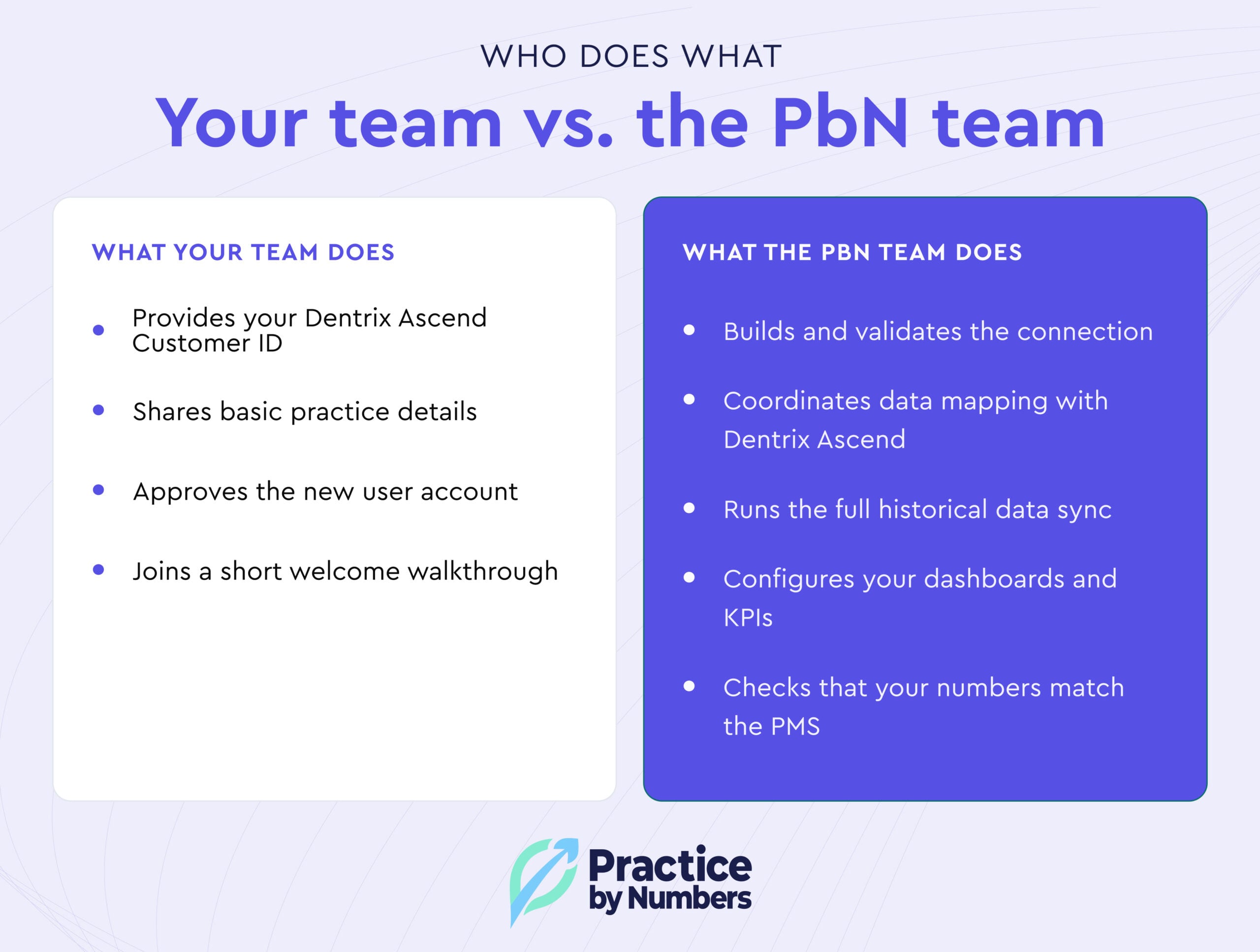
How PbN helps
No IT involvement, no spreadsheet exports, no week-long onboarding meetings. Your team’s role is small, and you don’t need any technical expertise to get started.
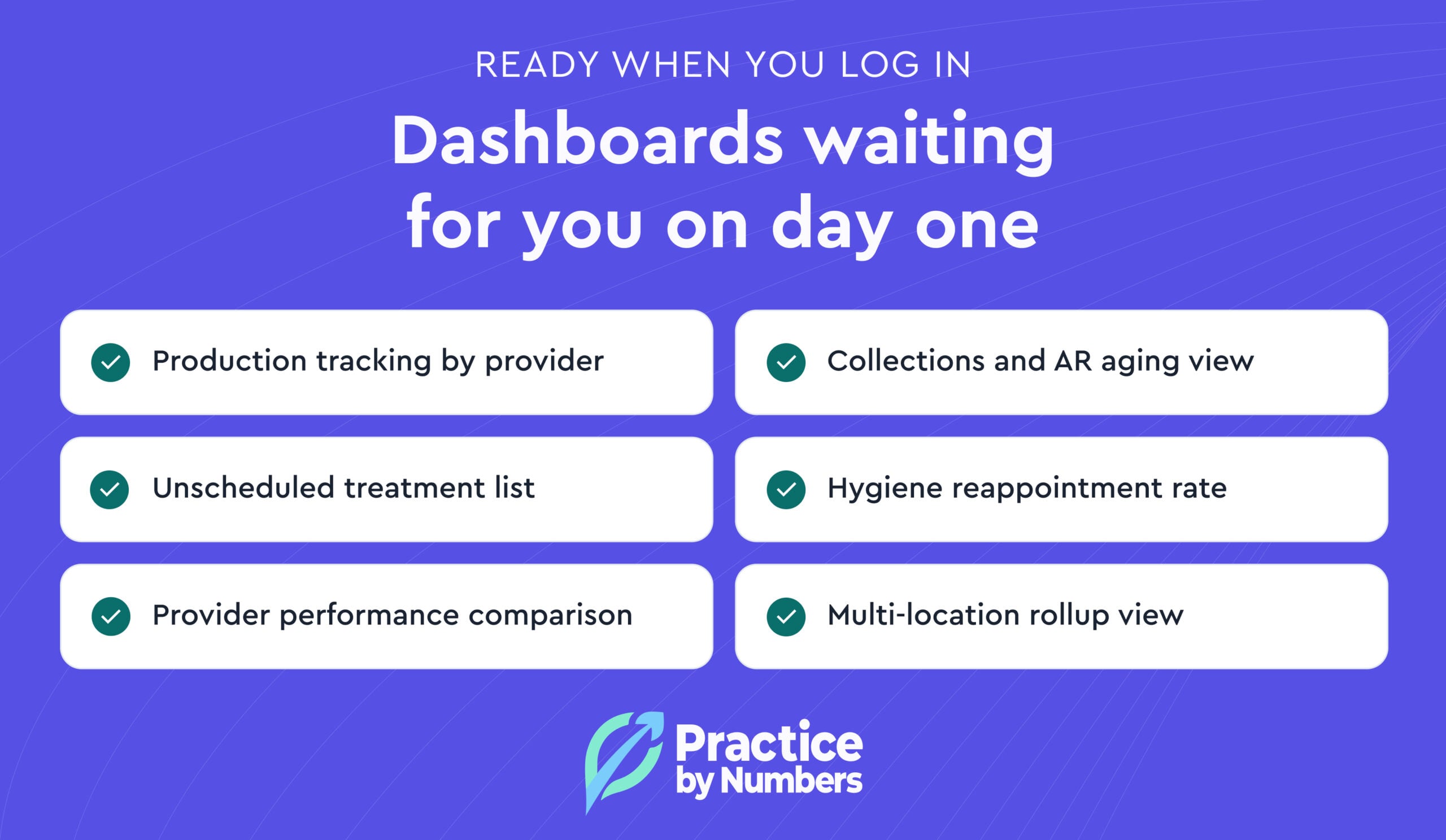
What You’ll See On Day One
Because PbN syncs all your historical Dentrix Ascend data during setup, you don’t have to wait weeks for your dashboards to fill up. The first time you log in, your real practice data is already there.
Here’s what’s ready to use right away:
What Happens After You Go Live
Once your setup is complete, Practice by Numbers first pulls in your historical Dentrix Ascend data. After that, both systems stay continuously connected through incremental syncs that refresh every 2–60 minutes, so updates like appointments, treatment plans, clinical procedures, production and collections, and more automatically appear in your PbN dashboards.
It also works the other way around. When your team sends a text reminder, completes a patient call, or collects a form through PbN, those updates are written back into the patient’s record in Dentrix Ascend automatically. That means your front desk and clinical team always see the same up-to-date information, no matter which system they’re working in.
👉 See How Dentrix Ascend and Practice by Numbers Work Together to Grow Your Dental Practice
The Bottom Line
Adding Practice by Numbers to Dentrix Ascend isn’t a big project. It’s a short, guided process that the PbN team handles for you. Your team’s role is small, the historical data is ready on day one, and you can start using the dashboards the same day the setup is complete.
If you’ve been holding off because you assumed it would be a heavy lift, this is the part of the conversation worth picking up again.