Ask the person responsible for Google reviews at your practice who that actually is. You’ll probably get: “Me, I guess?” or “We rotate” or the most honest answer is “Whoever remembers.”
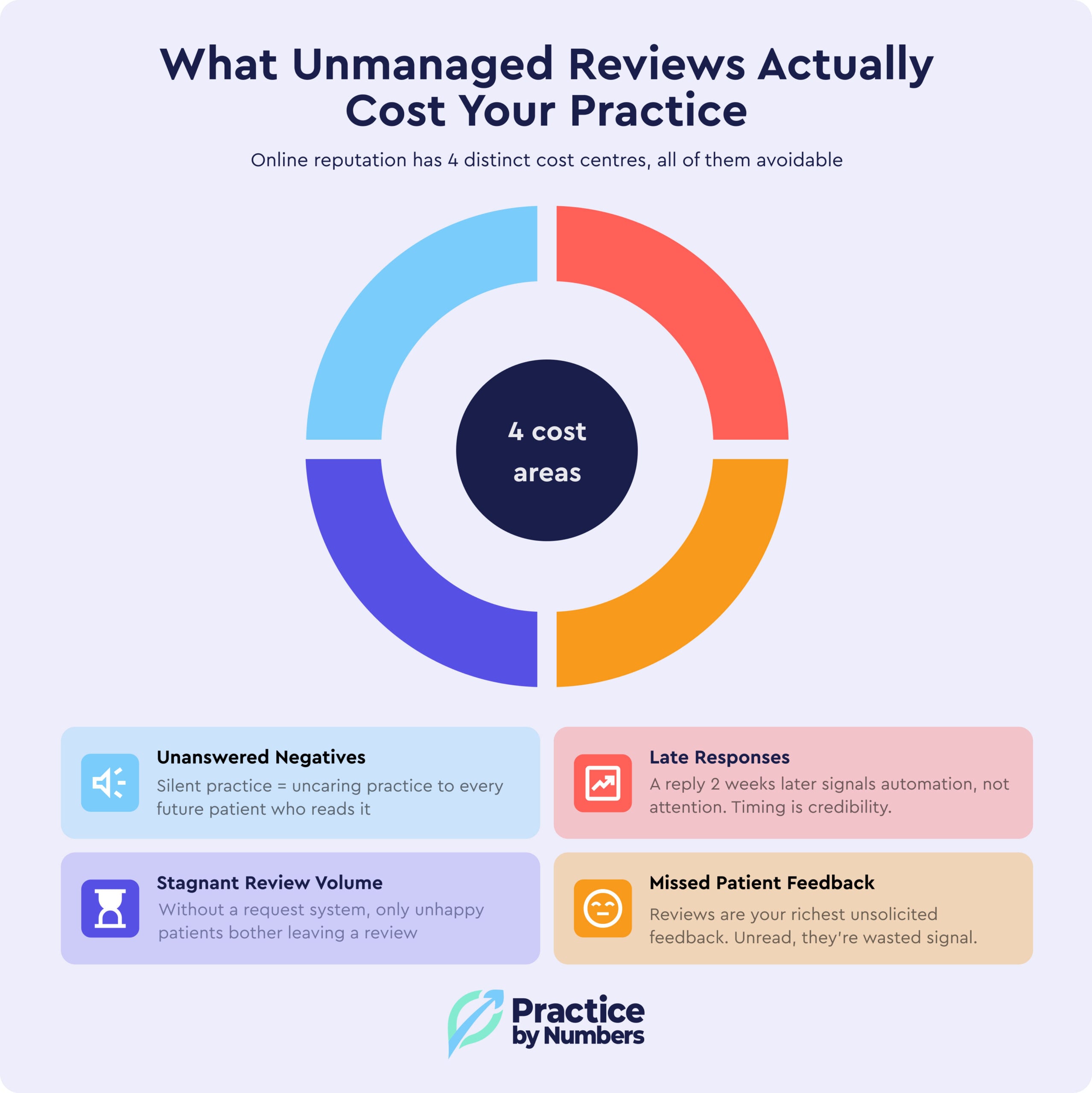
That’s not a system. It’s a hope. And hope doesn’t manage reviews consistently. So reviews sit unanswered for weeks. Negative feedback goes unaddressed. New patients land on your Google page, see no responses, and assume your practice doesn’t care enough to reply. You’re actually communicating carelessness through silence.
The good news is that review management doesn’t have to be manual or time-consuming. Here’s how to make it run itself while your team stays in control of what matters.
TL;DR
- Google reviews are often the first thing a new patient sees before calling. But most dental practices manage reviews the hard way, manually requesting them, checking daily, and writing responses from scratch each time.
- A system that works has three parts:
- Automatic requests: Reviews are requested right after positive visits, when patients are most likely to respond
- 24/7 monitoring: Every new review is caught and categorized automatically. Negative reviews trigger priority alerts.
- AI-drafted responses: Your team reviews and approves response drafts instead of writing from scratch. Personalization stays, but the workload drops dramatically.
- The result: consistent five-star presence, faster response times, and review management that takes minutes per week instead of hours.
Why Does Review Management Always Get Neglected?
The tasks themselves aren’t complex.
- Requesting reviews requires time.
- Responding requires thought.
- Monitoring requires someone to remember to check.
The problem is all of this is manual, scattered across different people, and nobody owns it as a full responsibility.
So it doesn’t happen. Not because your team doesn’t care. But because reviewing and replying to Google reviews doesn’t feel urgent until a negative review sits unanswered for a week and a new patient calls to ask about it.
What Does Automated Review Management Actually Look Like?
When you hear “automated,” you might worry it sounds robotic. Done right, it’s actually more human. Automation handles the timing and the work, so your team only shows up when it matters. You stay in control. The system just removes the busywork.
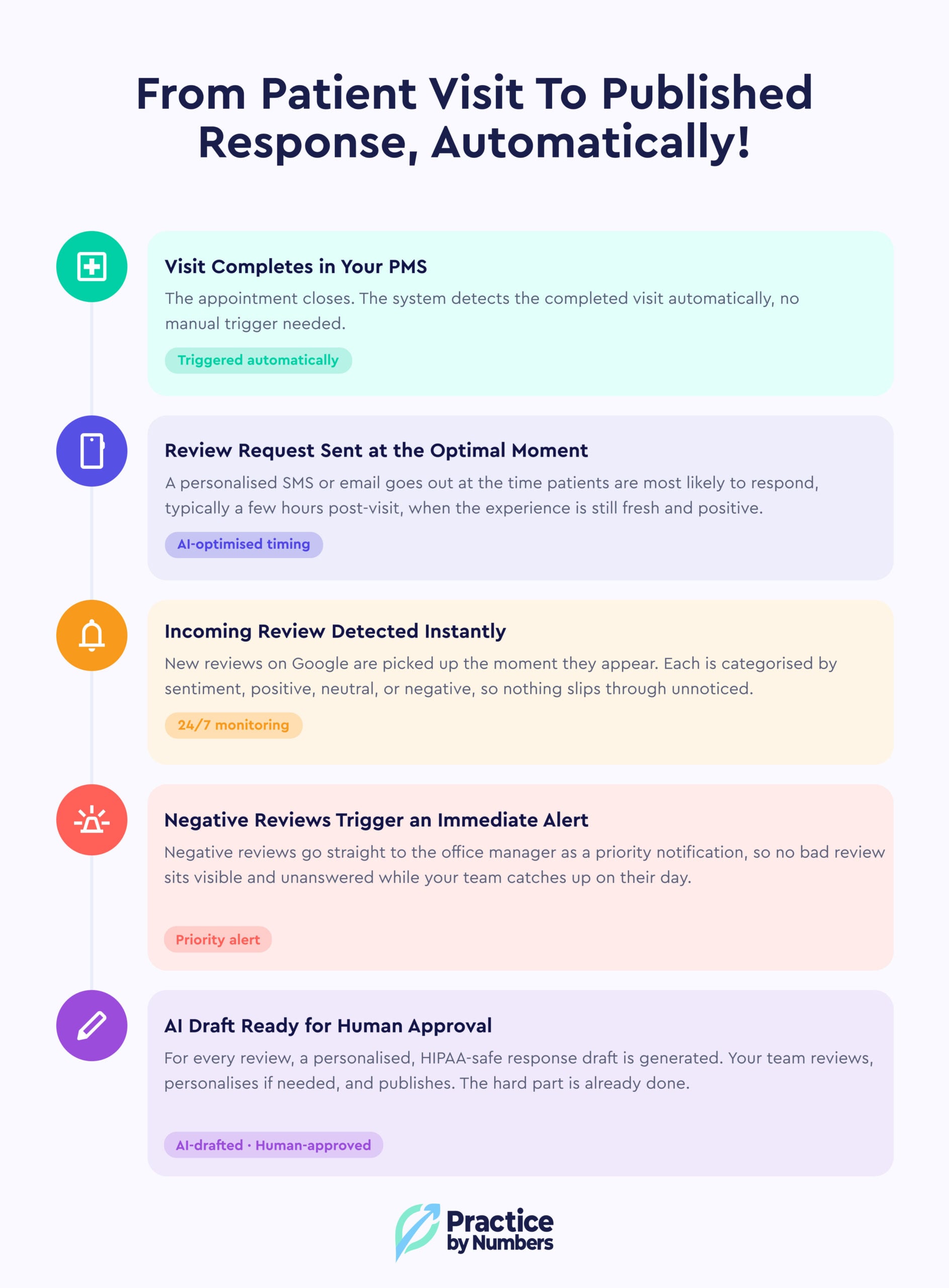
Here’s how the flow works:
Step 1: Automatic Review Requests After Positive Visits
When an appointment ends in your PMS, the system automatically sends a text or email asking for a review, at the moment patients are most likely to respond. No manual trigger. No one has to remember. It just happens.
Step 2: Instant Detection and Categorization
New reviews appear on Google constantly. Instead of someone manually checking daily, new reviews are detected the moment they go live. They’re automatically categorized as positive, neutral, or negative, so nothing slips through.
Step 3: Alerts for Negative Reviews
A negative review doesn’t sit invisible for a week. It immediately alerts your office manager or whoever owns reviews. Speed matters. So, a response within 24 hours signals that you actually care.
Step 4: AI-Drafted Responses Ready to Approve
For every review, positive or negative, AI drafts a response that’s thoughtful and HIPAA-safe. Your team reads it, personalizes it if they want, and publishes. The hard part is done. You just add the human touch.
👉 Here are 10 Dental Practice Management Tips Every Office Should Try
How Do You Handle Negative Reviews Without Making Things Worse?
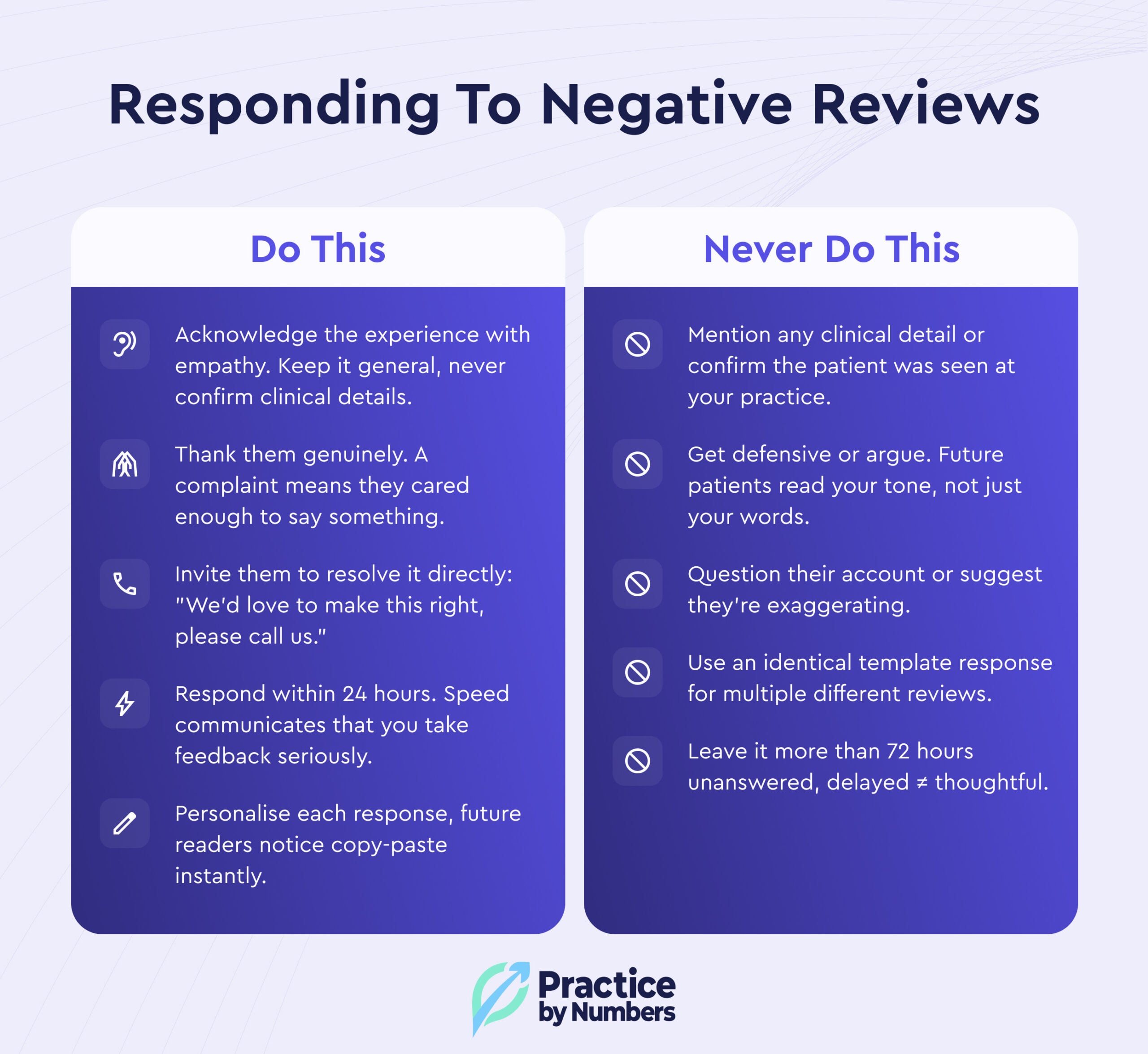
This is where most practices mess up. A bad response to a negative review can escalate the problem, sound defensive, or accidentally share patient information. A few simple rules make all the difference:
- Acknowledge the experience with empathy: Keep it general, never confirm clinical details or patient information.
- Thank them for saying something: Taking time to leave a review, especially a negative one, shows something mattered enough to mention.
- Invite them to resolve it: Encourage them to contact your office directly so concerns can be addressed. “We’d love to make this right, please give us a call.”
- Respond within 24 hours: Speed communicates that you take feedback seriously.
- Personalize every response: Generic copy-paste replies are easy to spot. Each review should feel specific and human.
What not to do: Never mention clinical details, never get defensive, never argue with the reviewer, never use identical templates for multiple reviews.
👉 See How PbN AI Transforms Practice Management
What Should Review Management Actually Take Time-Wise?
The goal isn’t zero effort. It’s creating a process that stays consistent without adding more work to your team. Automation handles repetitive tasks. Your team steps in where human judgment matters.
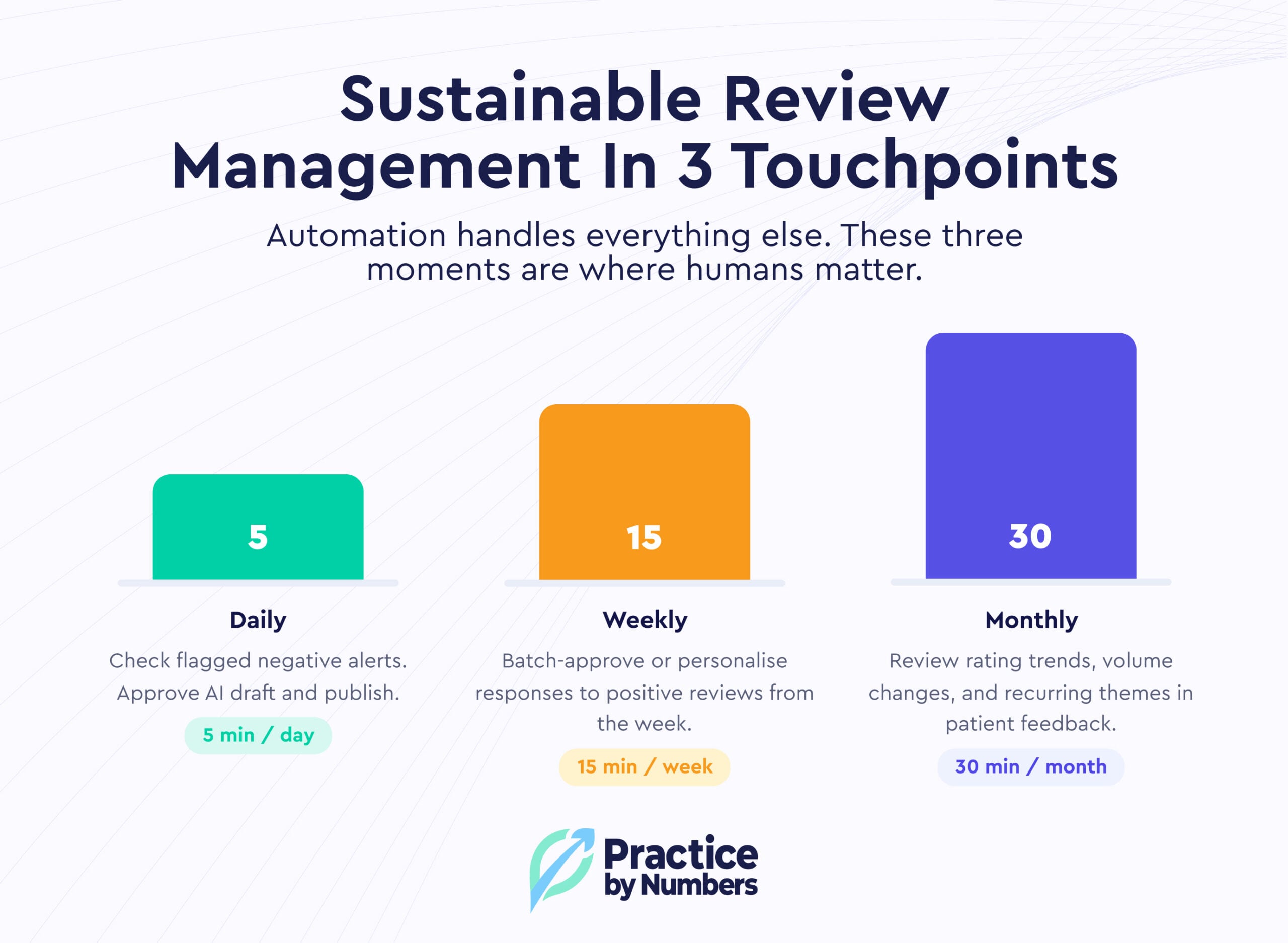
Here’s what review management should realistically look like:
- Daily (5 minutes): Check alerts for negative reviews. Approve and publish the AI draft.
- Weekly (15 minutes): Batch-approve or personalize positive review responses from the week. Review new feedback, approve responses, and personalize replies where needed.
- Monthly (30 minutes): Look for patterns. Are ratings improving? Are the same complaints showing up repeatedly? What are patients consistently mentioning?
That’s less than an hour a month of active engagement. Compare that to the current approach, where review management either doesn’t happen or becomes a daily stress.
Reviews Are Also Your Richest Feedback Channel
One thing practices often miss is that reviews aren’t just for new patients. They’re also one of your most honest sources of patient feedback.
When patients repeatedly mention the same issues, whether it’s long wait times, scheduling friction, front desk experiences, or communication gaps, patterns start to emerge.
An automated review system helps you:
• Surface recurring themes automatically
• Identify operational bottlenecks faster
• Turn patient sentiment into measurable insights
• Prioritize improvements based on real patient experiences
You’re not just collecting reviews to attract patients. You’re using them to understand what patients experience when they walk through your doors. And it’s like getting free data on what’s working and what needs fixing.
👉 See How Patient Relationship Management Boosts Practice Revenue
How Practice by Numbers Automates Your Online Reputation Management
Managing reviews isn’t just about getting more of them. It’s about responding faster, identifying patterns, and reducing the admin burden on your team. With Ops AI Review Management from Practice by Numbers, your practice can:
- Generate thoughtful, context-aware responses for both positive and negative feedback.
- Adjust response tone based on your communication style and practice preferences.
- Maintain a more consistent patient experience across every interaction.
- Reduce delays in review responses so feedback never sits unanswered.
- Turn review management from a manual task into a streamlined workflow.
Instead of treating reviews like another inbox to manage, Practice by Numbers turns them into a source of operational insight and patient experience intelligence.
The result: faster response times, less administrative work, and a more proactive approach to reputation management.
FAQs
Q. How important are Google reviews for a dental practice?
Very important. Studies show that over 90% of patients check reviews before choosing a business, including dentists. Practices with higher review volume and better ratings get more new patient calls. It’s often the first impression a prospective patient has before they ever call or visit.
Q. How quickly should a dental practice respond to Google reviews?
Within 24 hours is the standard that shows you’re actively managing your reputation. A response after a week or two signals that review management isn’t a priority. Negative reviews especially need fast responses. The longer they sit unanswered, the more damage they do to potential patients reading your page.
Q. What should you say when responding to a negative dental review?
Acknowledge their experience with empathy, thank them for the feedback, and invite them to resolve it directly (off the platform). Never mention clinical details or confirm the patient was seen at your practice, that’s a HIPAA risk. Keep responses under 150 words, professional, and personalized. Each response should be unique, not a template.
Q. How often should patients be asked to leave reviews?
Request reviews from happy patients after positive experiences, especially comprehensive treatments or situations where patient satisfaction is high. Most practices benefit from requesting reviews from 20-30% of patients each month. Don’t bombard the same patients repeatedly. New patients and long-term patients who’ve just completed significant treatment are your best opportunities.
Q. Can AI-drafted review responses really sound personal and genuine?
Yes, when AI drafts personalized responses based on the specific review content and your practice voice. The AI isn’t writing generic responses, it’s using the patient’s actual feedback to create relevant replies. Your team then approves, personalizes further if desired, and publishes. The result reads like a thoughtful human response, because it is, the human just doesn’t have to write from scratch.