Ask a practice with clean data & reports it can trust and how they got there. The answer is rarely a clever trick. It’s a routine. The same is true in Eaglesoft. Keeping your Eaglesoft data accurate and your reports reliable requires more than setting up the system once. Regular data checks, updates, and maintenance can help keep your schedule accurate, your reports reliable, and your practice data secure.
This article breaks down those Eaglesoft best practices into a simple daily, weekly, and monthly routine so your team knows what to check and when to check it.
- Trustworthy numbers come from routine, not from one big cleanup once a year.
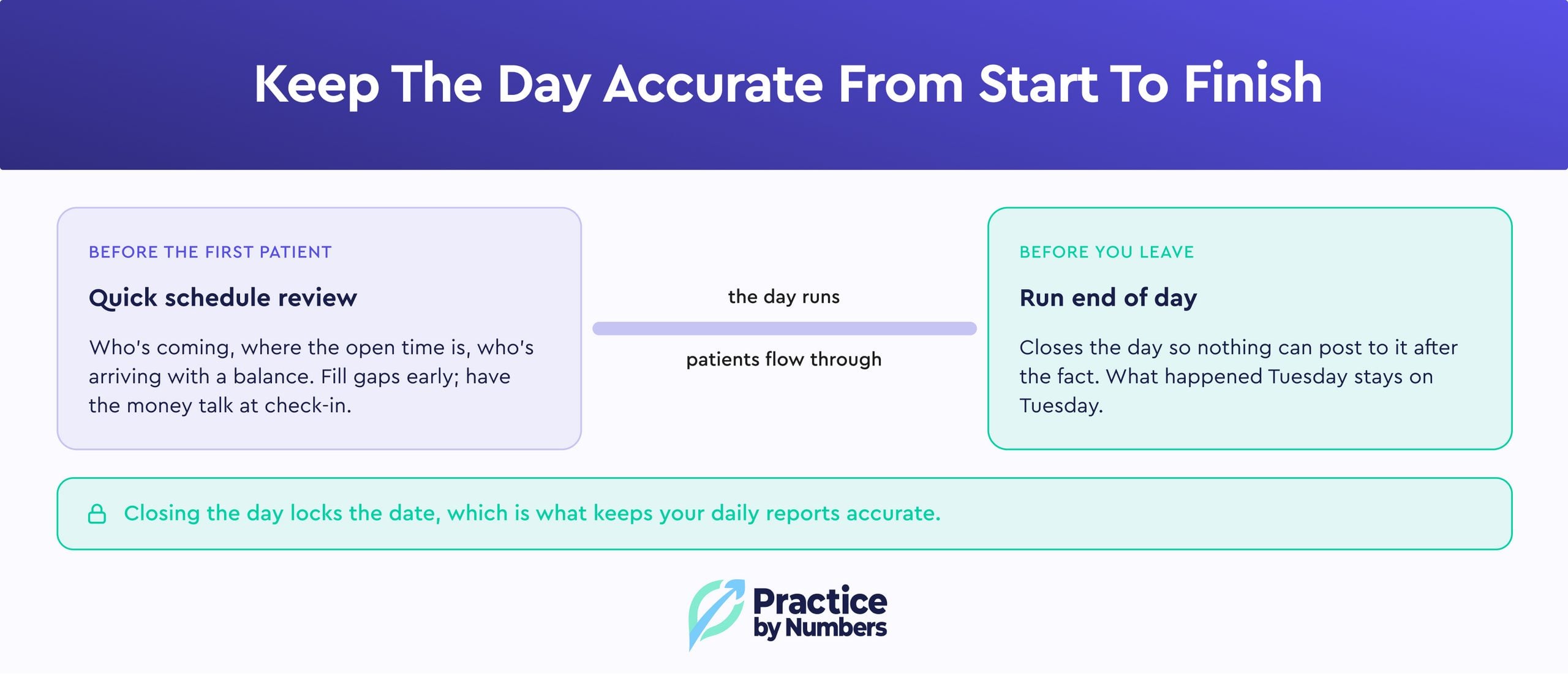
- Every day: start with a quick schedule review and finish by running end of day.
- Closing out the day keeps transactions on the right date and your daily reports accurate.
- Every week: work your follow-up lists and check outstanding balances and claims.
- Every month: close the month and confirm your fee schedules are still current.
- Ongoing: keep data backed up and access appropriate so a bad day never becomes a disaster.
Maintain Your Data as You Go
The most important mindset shift is to treat data maintenance as a regular routine rather than a project that needs attention only when something goes wrong. Small checks done consistently can help catch issues early, keep your data accurate, and prevent minor problems from turning into larger cleanup projects. When these tasks are left for months or years, they become more time-consuming and harder for anyone to take ownership of.
The routines below are designed to keep the work manageable by spreading it across daily, weekly, and monthly habits so no single task becomes overwhelming. The value comes from consistency because a few minutes of maintenance at the right time can help keep your Eaglesoft data accurate, reliable, and ready to use.
👉 Learn How You Can Keep Your Eaglesoft Practice Secure and Compliant
Every Day: Open Well and Close the Day Out
Start with a quick schedule review
Before the first patient, take a few minutes to look at the day: who’s coming in, what’s scheduled in each chair, where the open time is, and which patients are arriving with an outstanding balance. A short morning look lets you fill gaps early and have the money conversation at check-in instead of chasing it later. It sets the tone for a day that flows instead of one you spend reacting to.
Finish by running end of day
One of Eaglesoft’s quiet strengths is that you close out the day. Once you run end of day, that day is done, and transactions can’t be posted to it after the fact. That matters because it keeps your day-to-day reporting accurate: what happened on Tuesday stays recorded on Tuesday. Making the end-of-day close a non-negotiable part of the closing routine is one of the simplest ways to keep your numbers accurate.
Every Week: Work Your Lists and Check the Money
A weekly rhythm catches the things that slip through daily cracks. Set a standing time and work through a short list:
- Fill the schedule: reach out to patients who want to come in sooner and to those with recommended treatment that was never booked.
- Check outstanding balances: follow up on what patients owe before it ages and gets harder to collect.
- Review claims: make sure claims are moving, and nothing is stuck waiting on a missing piece.
- Tidy as you go: reject declined treatment options and clear up anything that would throw off a report.
None of this takes long when it’s done weekly. It only becomes a burden when it’s allowed to pile up.
👉 See How to Handle Insurance and Collections Well in Eaglesoft
Every Month: Close the Month and Sanity-Check
At month end, close the month so your monthly reporting reflects a settled, accurate picture. It’s also the natural moment for two sanity checks:
- Confirm your fee schedules are current. If fees have changed and the software hasn’t been updated, your estimates will be off, and that shows up as under-collecting at checkout or awkward conversations later.
- Look at the month against your goal. Seeing how the month actually landed helps you plan the next one instead of being surprised by it.
Keeping fee schedules honest is easy to forget precisely because nothing breaks loudly when they’re stale, so building the check into the monthly routine is what keeps estimates trustworthy.
Ongoing: Protect the Practice’s Data
The last habit isn’t on a daily clock, but it’s the one you’ll be most grateful for if something goes wrong. Because Eaglesoft is traditionally installed on the practice’s own network, protecting that data is partly the practice’s responsibility.
Two basics matter most:
- Make sure your database is backed up reliably, and keep access appropriate so team members can do their jobs without having the run of settings they don’t need.
- Confirm how your backups work and how you would restore from them, and check with Patterson or your IT support on the current recommendations for your setup. It’s the safety net behind everything else.
The Routine at a Glance
The goal is not to add more work to your team’s day, but to build a simple rhythm that keeps Eaglesoft data accurate and useful. Daily checks help keep schedules and numbers current, weekly reviews help maintain follow-up and financial momentum, monthly checks keep reporting and fee schedules aligned, and ongoing maintenance helps protect data and prevent larger cleanup projects. Together, these small habits create a more reliable system your team can trust throughout the year.
Cadence |
|
|
|---|---|---|
|
|
|
Every week |
| Keeps the schedule full and the money moving |
|
|
|
|
|
|
How Practice by Numbers fits alongside Eaglesoft
A good routine keeps your Eaglesoft data clean. Practice by Numbers is how you see the payoff. PbN connects to Eaglesoft and brings the results of these habits into one live view: schedule and open time, production and collections, outstanding balances, and recall, all in a dashboard the whole team can check at a glance.
PbN also automates a lot of the weekly outreach, like reminders and recall, so fewer openings ever appear. Eaglesoft stays the system you run the routine in, PbN turns that consistent work into visibility you can act on.