A Practice Management System (PMS) is the core system a dental office uses to run scheduling, patient records, treatment planning, billing, and reporting in one place. Most are built with general dentistry in mind, which leads a lot of specialists to ask a fair question: will a general-purpose Practice Management System (PMS) actually fit the way my practice works, or do I need one built for my specialty? This article walks through where specialty needs differ, the trade-offs between a general and a specialty-specific PMS, and what to look for either way.
- A Practice Management System (PMS) runs the core of any dental office, but specialties have different workflows.
- Orthodontics, oral surgery, perio, endo, and pediatrics each put pressure on different parts of a PMS.
- A well-configured general PMS fits many specialists; others benefit from specialty-specific features.
- The right question isn’t “general or specialty,” it’s “does this PMS fit how we actually work?”
- Look at scheduling, treatment tracking, referrals, billing, and reporting against your real workflow.
- Practice by Numbers works alongside your PMS whatever specialty you run, bringing your numbers into one view.
Why the Question Comes Up
General dentistry and specialty care don’t run on the same rhythm. A general practice sees a broad mix of hygiene and restorative visits. A specialty practice tends to do a narrower set of procedures in a very particular pattern, often tied to referrals and longer courses of treatment. When the day-to-day looks that different, it’s natural to wonder whether a PMS designed for general dentistry can keep up. The honest answer is: sometimes a general PMS fits beautifully, and sometimes a specialty has needs that are worth matching more closely.
Where Specialty Needs Differ
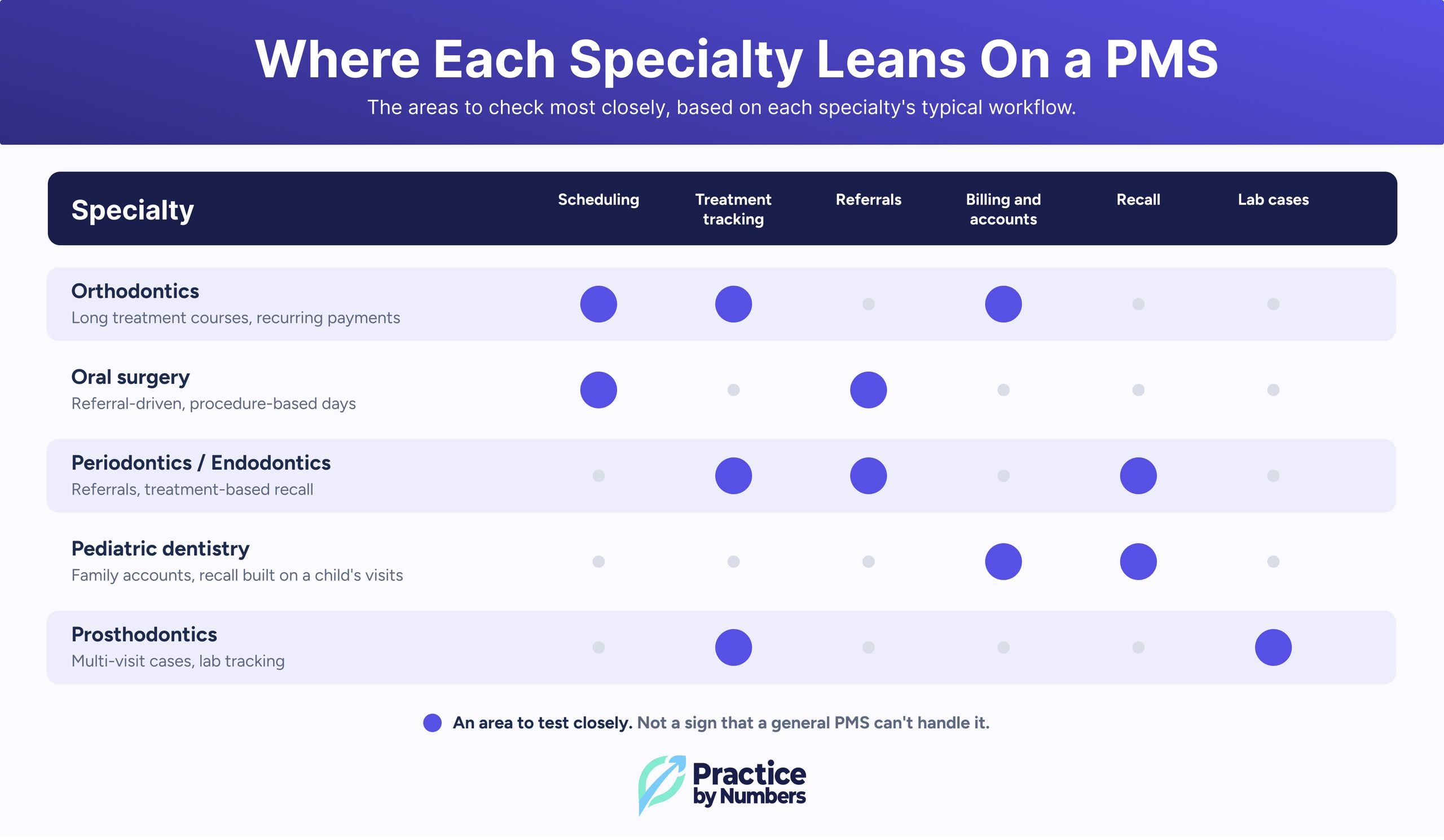
Each specialty leans on the PMS in its own way. Here’s a simple look at where the differences usually show up.
Specialty | What it tends to need from a PMS |
|---|---|
Orthodontics | Long courses of treatment, periodic visits over months or years, and recurring patient payment arrangements to track. |
Oral surgery | Heavy referral activity, procedure-based scheduling, and coordination with referring general dentists. |
Periodontics / Endodontics | Referral tracking, treatment-based recall, and clear records tied to specific procedures rather than routine hygiene. |
Pediatric dentistry | Guardian and family account handling, and recall built around a child’s visit schedule. |
Prosthodontics | Multi-visit treatment and lab case tracking across appointments. |
None of this means a general PMS can’t handle specialty work. It means these are the areas to look at closely when you judge whether a given PMS fits your practice.
General PMS vs. Specialty-Specific PMS
There are two broad paths, and each has real trade-offs.
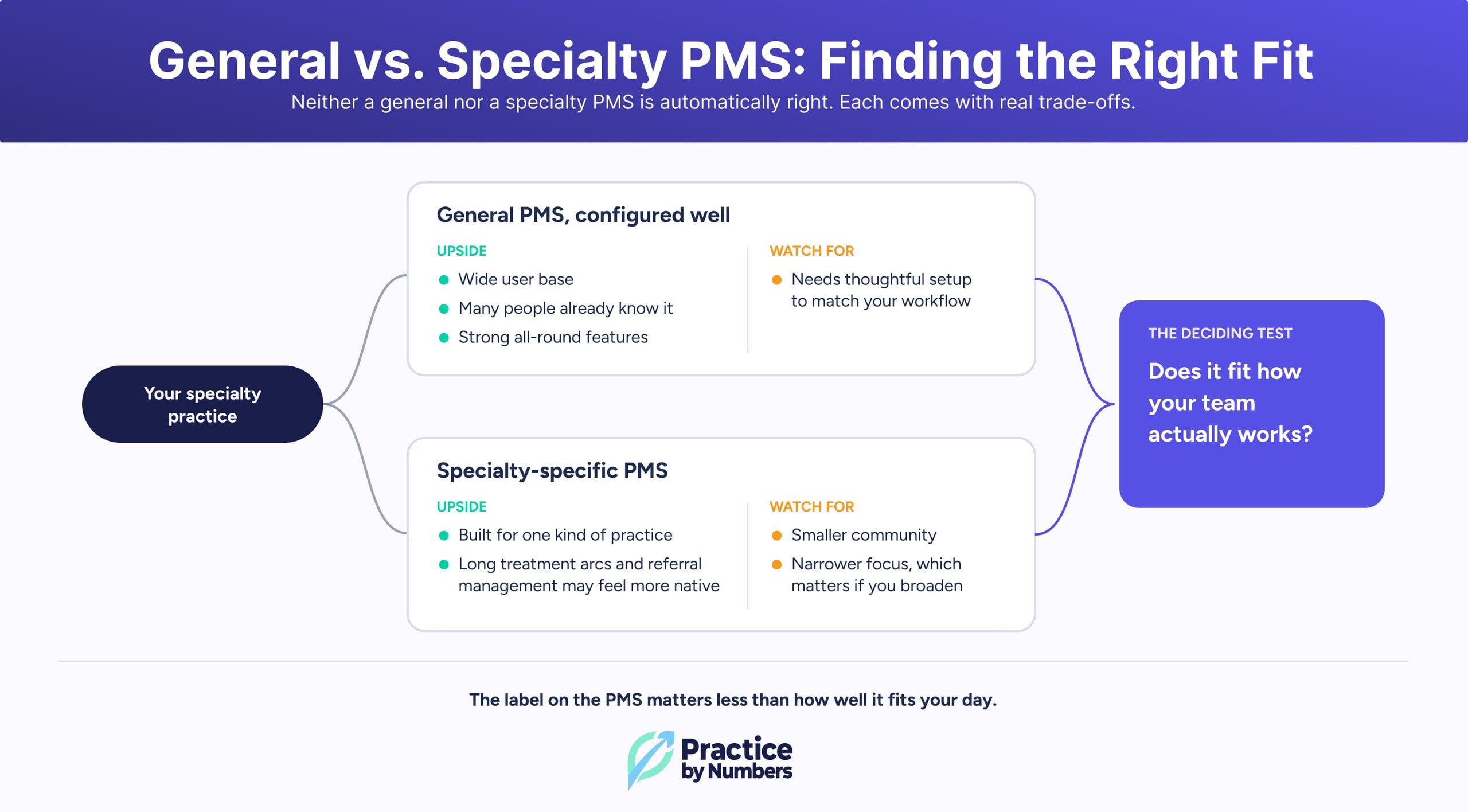
A general PMS that’s configured well can serve many specialty practices, especially when the specialty’s needs overlap with general dentistry. The upside is a wide user base, plenty of people who already know it, and strong all-round features. The catch is that you may need to set it up thoughtfully to match your workflow, rather than expecting a specialty fit out of the box.
A specialty-specific PMS is built around one kind of practice, so features like long treatment arcs or referral management may feel more native. The trade-off is a smaller community and a narrower focus, which matters if your practice ever broadens what it does. Neither path is automatically right. The best choice is the one that fits how your team actually works.
👉 See How Dental Practice Analytics Improve Revenue, Retention, and Operational Control
What to Look for Either Way
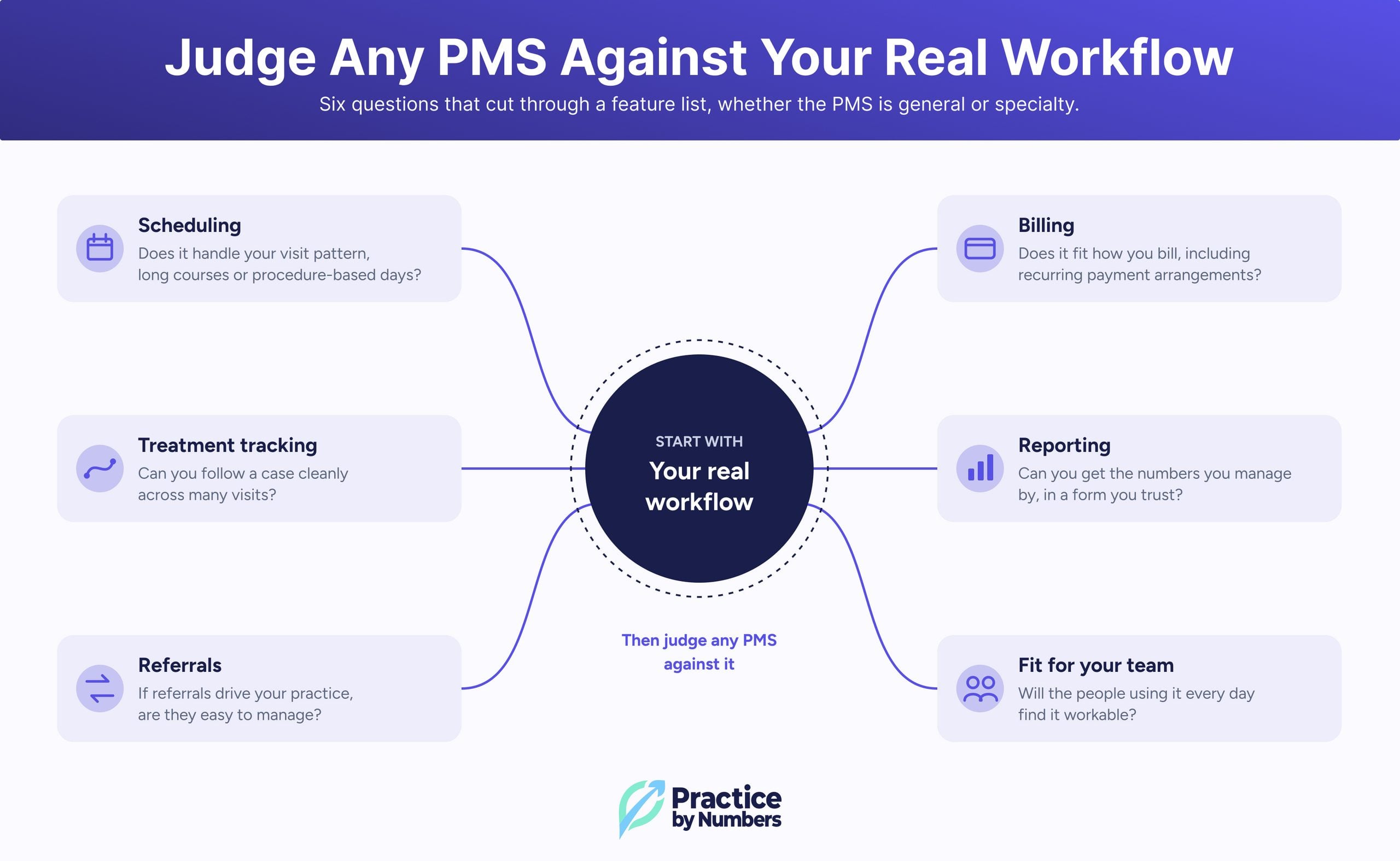
Whether you lean general or specialty, judge a PMS against your real workflow rather than a feature list. A few questions cut through most of the noise:
- Scheduling: does it handle your visit pattern, whether that’s long treatment courses or procedure-based days?
- Treatment tracking: can you follow a case cleanly across many visits?
- Referrals: if referrals drive your practice, does the PMS make them easy to manage?
- Billing: does it fit how you bill, including any recurring payment arrangements?
- Reporting: can you get the numbers you manage by, in a form you trust?
- Fit for your team: will the people using it every day find it workable?
👉 See Cloud-Based vs On-Premise Dental Software: Which One Wins?
The Real Answer
Do specialty practices need a different PMS? Not automatically. Plenty of specialists run a general Practice Management System (PMS) very well once it’s set up to match their workflow. Others find that a specialty-specific PMS saves effort on the things they do most. The deciding factor isn’t the label on the PMS, it’s how well it fits your day. Start from your workflow, then judge any PMS, general or specialty, against it.
How Practice by Numbers Supports Specialty Dental Practices
Whether you use a general or specialty-specific PMS, having clear visibility into your practice’s performance is essential. Practice by Numbers integrates with 25+ Practice Management Systems (PMS) to bring practice data into a centralized dashboard, helping specialty practices monitor performance without replacing their existing PMS.
With PbN, you can:
- Connect your existing PMS: Bring data from supported PMS platforms into one reporting solution.
- Track financial performance: Monitor production and collections to understand practice performance.
- Improve scheduling visibility: Identify appointment gaps and opportunities to optimize chair time.
- Monitor key metrics: Access reporting insights to support better operational decisions.
Your PMS should fit your specialty’s clinical workflows. PbN complements it with analytics and reporting to help you manage the business side of your practice.