A practice management system (PMS) can only be as accurate as what your team puts into it.
On a special edition of the Practice Pulse podcast, Dr. Aditi Agarwal, Co-Founder of Practice by Numbers, sits down with Eaglesoft expert Shelly VanEpps, COO of All-Star Dental Academy, to break down a theme that has nothing to do with which software you run and everything to do with how you run it: clean data.
She keeps returning to the same point: when charts and treatment plans drift out of date, the damage isn’t contained to one screen. Your reports stop meaning anything, your estimates get shaky, and, increasingly, your patients start getting messages they shouldn’t.
Shelly has spent 25 years in dental offices as an assistant, office manager, and treatment coordinator, and now coaches practices as COO of All-Star Dental Academy. Here’s her practical take on keeping Eaglesoft data clean and why it’s one of the highest-return habits a team can build.
TL;DR
- Clean data is a team-habits issue, not a software issue; every PMS depends on it.
- When a patient chooses one treatment option, reject the option they declined so it stops living on the plan.
- Unrejected treatment doesn’t just skew reports; it can trigger reminders to patients for work they never chose.
- Duplicate insurance carriers (the same plan entered dozens of times) quietly corrupt your data.
- Fee schedules have to be applied correctly, or estimates and collections go wrong.
- A quick chart audit after every visit keeps cleanup from becoming a three-year project.
- Practice by Numbers reads clean Eaglesoft data into clear analytics, and clean data is what makes that trustworthy.
Why Clean Data Matters More Than the Software You Chose
It’s common to blame the platform when the numbers look off. Shelly gently pushes back on that. A messy database is almost always a reflection of team habits, and those habits follow you to any system. The upside is that data cleanup is something a team can actually control, today, in the software they already own.
And in Eaglesoft, where the clinical and administrative sides are both strong and everyone on the team can touch both, keeping the record clean is what lets those two sides agree with each other.
👉Here’s How Eaglesoft Adapts to Specialized and Evolving Dentistry
Reject the Treatment the Patient Didn’t Choose
The single most important habit she describes is handling declined treatment. When you present options, say, a bridge or an implant, and the patient picks one, the other option can’t just sit there.
“If the doctor recommends a bridge and an implant, and the doctor and the patient choose the implant, reject the bridge. You’ve got to do that.”
– Shelly VanEpps
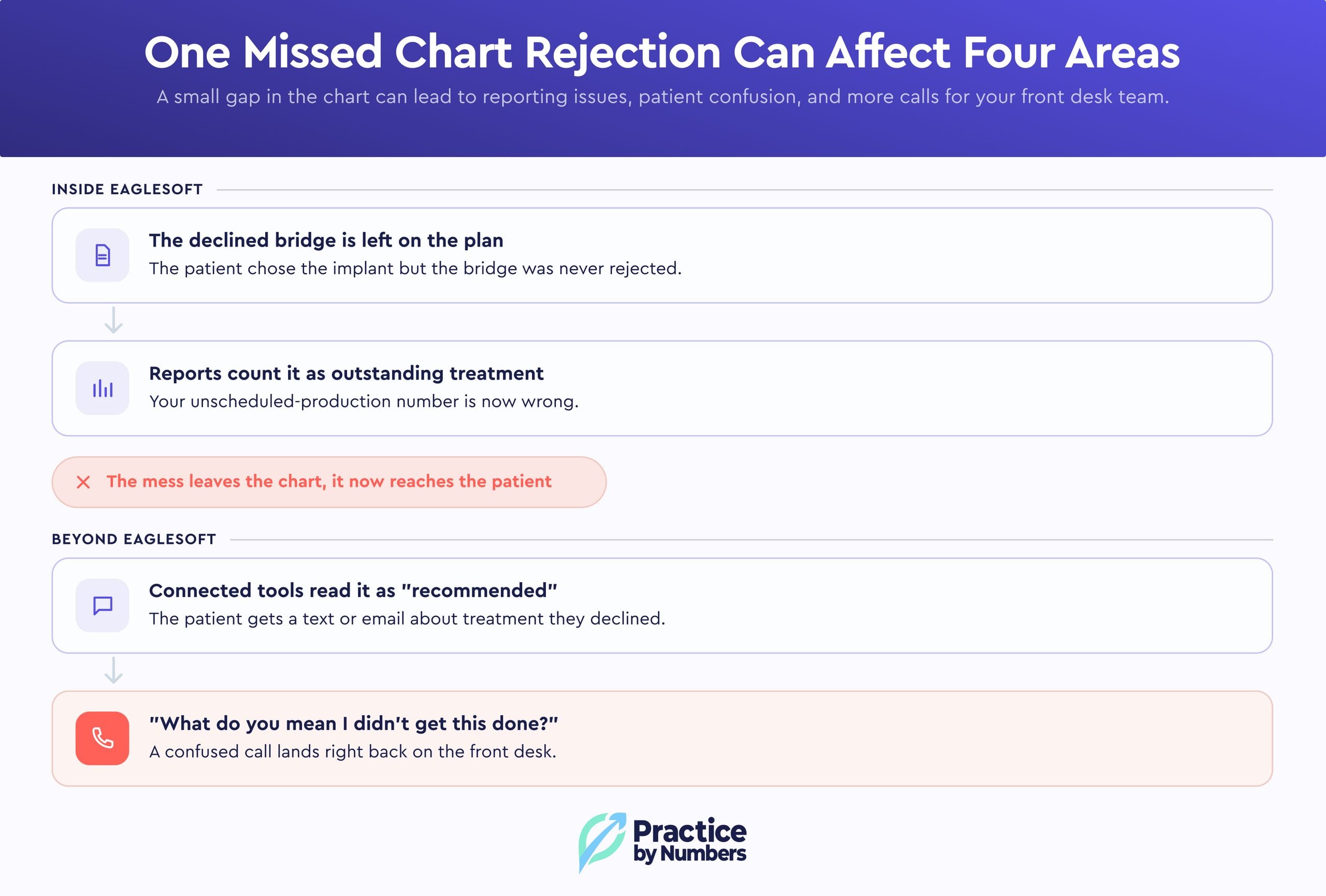
If you don’t reject the declined option, it stays on the treatment plan forever. Every report that pulls outstanding treatment now counts work the patient already said no to, and your picture of unscheduled production is wrong. Rejecting the option the patient declined is a two-second step that keeps the entire downstream picture honest.
The Mess Doesn’t Stay Inside Eaglesoft
Here’s the part that surprises teams. Messy treatment plans used to just skew internal reports. Now that practices layer patient-communication and analytics tools on top of the PMS, that same mess reaches the patient. If a declined option is still sitting on the plan as “recommended,” the connected system reads it as outstanding treatment and can send the patient email and text reminders about work they never agreed to. That’s confusing at best and annoying at worst, and it generates “what do you mean I didn’t get this done?” phone calls that land back on the front desk.
And the fix isn’t in the messaging tool. It’s in the chart.
“You can’t blame your supplemental software for garbage in, garbage out.”
– Shelly VanEpps
A communication or analytics platform is only relaying what the PMS tells it. Once treatment has been selected as something else, the old plan isn’t accurate anymore, so the cleanup has to happen in Eaglesoft, at the source.
Watch For Duplicate Insurance Carriers
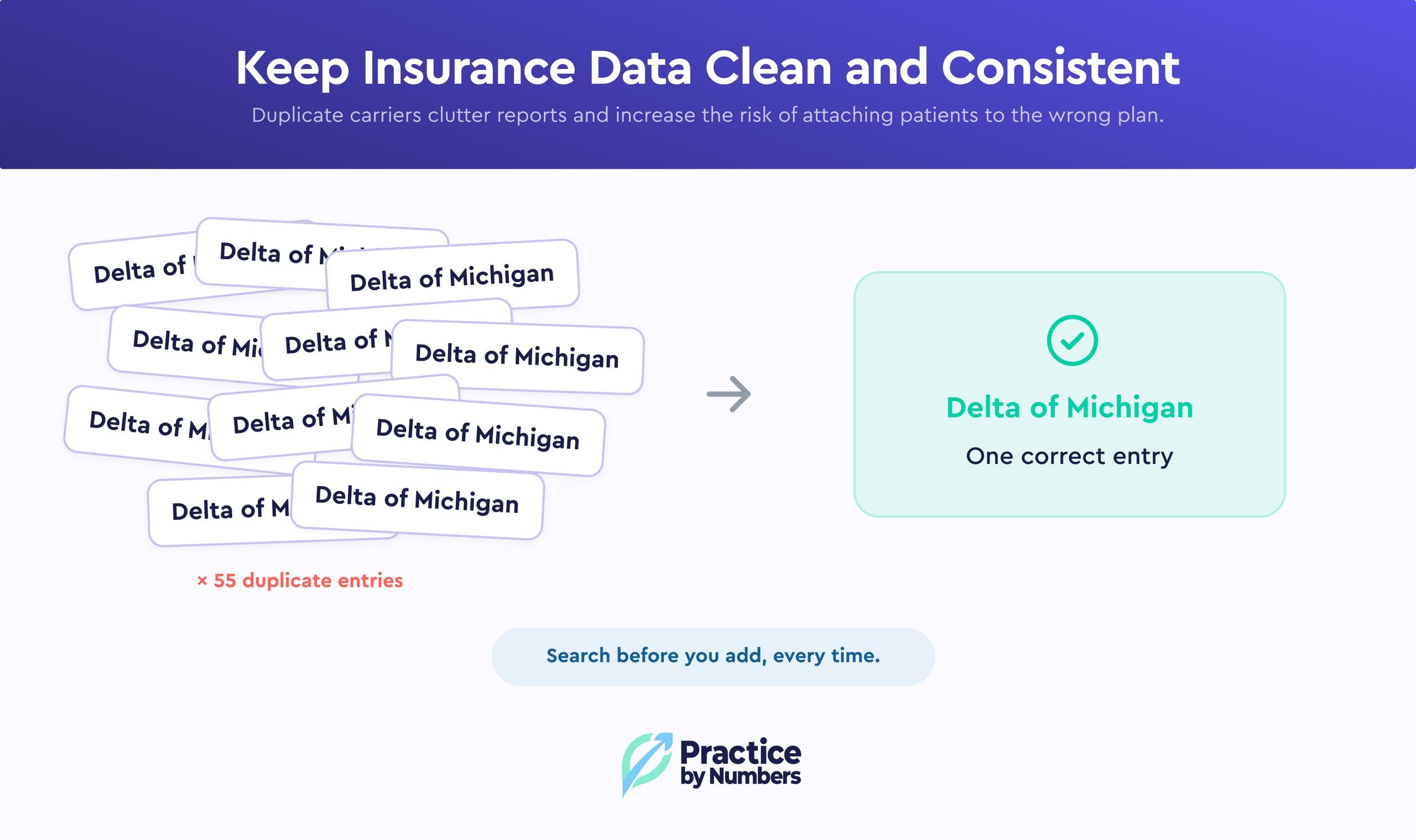
Another quiet data-killer is duplicate insurance carriers. When team members add a new carrier instead of finding the one that already exists, you end up with the same plan entered again and again. Shelly has seen it get out of hand.
“And so there’s always clearing of claims. You have to clear your claims properly. You have to apply what the insurance coverages are as you clear those claims or your estimates will not be correct.”
– Shelly VanEpps
Fifty-five copies of one carrier makes it nearly impossible to run a clean report by insurance, and it invites errors when someone attaches a patient to the wrong duplicate. The remedy is to consolidate down to one correct entry per plan and coach the team to search before they add. Once a duplicate starts multiplying, it tends to keep going until someone stops it.
👉 See How to Handle Insurance and Collections Well in Eaglesoft
Apply Fee Schedules So Estimates Hold Up
Clean data also means correct fee schedules. Shelly sees workflow confusion take root when fee schedules aren’t applied properly: is the software estimating correctly or not, and is the front desk collecting the right amount at checkout? When coverage is entered as claims are cleared and fee schedules are set up right, the estimate a patient sees is trustworthy. When they’re not, the estimate is a guess, and the practice either under-collects or has an awkward conversation later. This is true in any PMS, but it’s worth naming because it’s so often the root of “the numbers don’t add up.”
Audit Charts Every Visit, Not Every Three Years
The habit that makes all of this sustainable is a tiny, routine chart check, done at the visit, not saved up.
“I would say after every single visit. Finish your notes. You make sure everything is still accurate. You do a chart audit really quick.”
– Shelly VanEpps
Done every visit, it takes seconds. The nightmare is the version where it never happens. At that point, cleanup stops being a habit and becomes a project. A little discipline at every visit is what keeps it from ever getting there.
Decide Whose Job It Is
Because everyone in Eaglesoft can touch both the clinical and administrative sides, cleanup often falls through the cracks. Each person assumes someone else owns it.
“I hate saying it’s everybody’s job, because when it’s everybody’s job, it’s nobody’s job.”
– Shelly VanEpps
Her point isn’t that data quality is one person’s burden. It’s that the team has to decide, explicitly, when in the patient’s visit the chart gets cleaned and who confirms it. Rejecting a declined option, for instance, should sit with someone who understands what’s being rejected clinically, not handed to whoever happens to be free. Clarity about ownership is what turns “we should keep charts clean” into something that actually happens.
How Practice by Numbers Fits Alongside Eaglesoft
Clean Eaglesoft data gives an analytics and communication layer like Practice by Numbers (PbN) something reliable to work with. PbN connects with Eaglesoft and turns the data already in your PMS into actionable visibility across the practice.
With clean data, PbN can help your team:
- See performance clearly: Track production, collections, and other key practice metrics in live views.
- Identify opportunities: Surface unscheduled treatment and overdue recalls that need attention.
- Stay connected with patients: Use accurate patient and treatment data to support reminders and targeted campaigns.
- Act on what the data shows: Give your team a clearer view of where follow-up or action is needed.
Eaglesoft holds the practice data, and PbN helps your team make more sense of it and act on it. When charts, treatment plans, and patient information are kept current in Eaglesoft, the numbers and communications in PbN are more trustworthy.
👉 See the full Eaglesoft and Practice by Numbers Integration Guide