Your practice pays for its software every month, year after year. So here’s a question worth sitting with: when did anyone last look at how that software is set up, or check what it can now do that it couldn’t a year ago? On the Special Edition of the Practice Pulse podcast, Jill Nesbitt, founder of Optimize Dental, made the case that most practices leave real value on the table not by choosing the wrong system, but by never going back to shape it.
This article covers two habits that unlock value you’re already paying for: configuring your PMS to fit your practice, and reviewing new releases on a regular schedule.
- Software usually ships at a generic default that fits no practice perfectly.
- There is no single setup that is right for every practice, so yours needs configuring to how you work.
- The biggest gains come from actively managing your software, not installing it and walking away.
- Cloud-based systems add new features regularly, and those updates are usually already included in what you pay.
- Put a recurring reminder on the calendar, every quarter or every six months, to review new releases.
- Practice by Numbers helps you see whether the settings and features you turn on are actually moving your numbers.
The Quiet Mistake: Leaving It On Default
When a system goes live, most teams accept whatever setup it arrived with and move on. Jill sees this as one of the most common and costly habits in dentistry.
“Please do not leave your software at factory default.”
– Jill Nesbitt
The assumption underneath the mistake is that the installed configuration must be the right one. Jill pushes back on that directly.
“Just because it comes this way, people make an assumption that however they installed the software, that it was set up perfectly for everyone. There’s no such thing as set up perfectly for everyone.”
– Jill Nesbitt
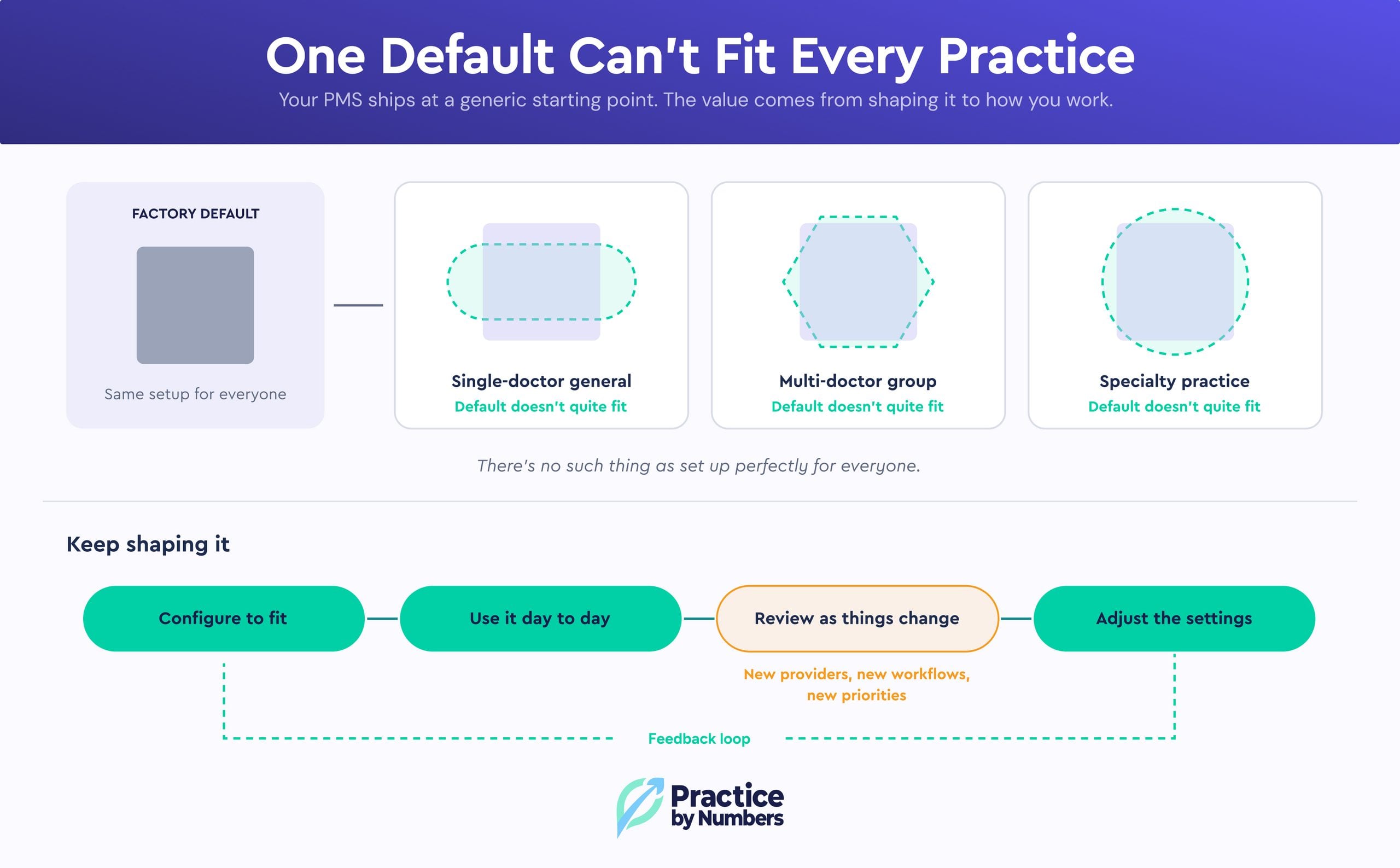
She’s right in a very practical way. A single-doctor general practice, a multi-doctor group, and a specialty practice all work differently, so a one-size default can’t fit them all. The opportunity most practices miss is that the software is far more adjustable than they assume.
“People do not realize what an incredible opportunity they have to customize their software.”
– Jill Nesbitt
Configuration Is Not A One-Time Event
Setting up the software once and forgetting it is only slightly better than leaving it on default. Jill frames getting value as an ongoing activity, not a launch task.
“You can use your software to get such incredible results, but you have to actively manage it and use it and put it on a feedback loop and things like that.”
– Jill Nesbitt
Active management means treating your settings as something you revisit as the practice changes: new providers, new workflows, new priorities. A configuration that fit last year may be quietly holding you back this year. The practices that get the most from their systems are the ones that keep shaping them.
The Free Upgrade Hiding In Your Cloud Software
The second habit is the one she calls out as a near-universal missed opportunity. Cloud-based software keeps improving, but only if someone notices.
“Go back and look over the last six to twelve months. What are the top features that have been released in your software?”
– Jill Nesbitt
This is the part that surprises teams. Those new features usually arrive at no extra cost, bundled into the subscription you already pay. They just go unnoticed because everyone is busy.
“This cost you most likely zero dollars because it’s included as an update or as a new release in your system. But you’re not paying attention because you’re busy.”
– Jill Nesbitt
The old way of buying software, install it, train once, move on, doesn’t fit cloud tools that evolve continuously. A feature released six months ago could solve a problem your practice is still working around by hand, and you’d never know unless you looked.
Make It a Calendar Habit
The fix is refreshingly simple. You don’t need a project or a budget, just a standing reminder to look.
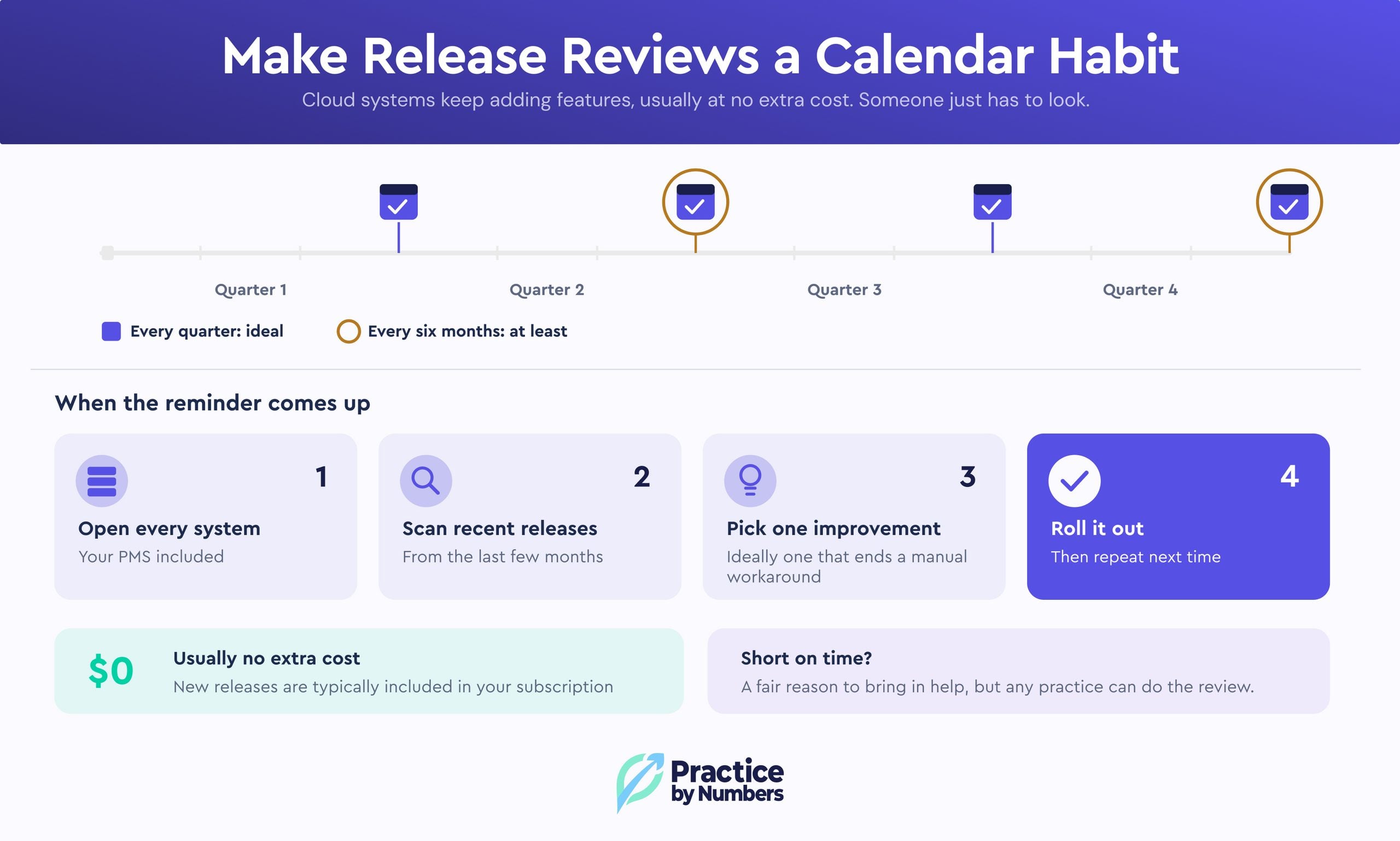
“Every quarter at minimum, for sure every six months, put it in your calendar, check and see what the releases are and continuously improve your practice.”
– Jill Nesbitt
When the reminder comes up, look at every system you use, your practice management software included, and scan the releases from the last few months. Most of the time you’ll find at least one worthwhile improvement to roll out. It’s continuous improvement that costs nothing but a little attention. If your team genuinely doesn’t have the time, that’s a fair reason to bring in help, but the review itself is something any practice can do.
From PMS Optimization to Measurable Results
Configuring your PMS and turning on new features is worth doing only if it moves the needle, and that’s where visibility matters. Practice by Numbers connects to your practice management system and brings your key numbers into one live view, so when you adjust a setting or adopt a new feature, you can see whether production, collections, scheduling, and recall actually improve. It turns “we changed something” into “we can see what the change did.”