The “best” dental software depends on the type of practice, team size, workflow complexity, and operational goals. But when dental teams talk about the software features they truly value, the same categories appear repeatedly.
The most appreciated dental software features are usually the ones that:
- Save staff time
- Reduce operational friction
- Improve visibility
- Automate repetitive work
- Make patient communication easier
This guide breaks down why practices rely on these features, what makes them effective, and how to evaluate whether your current platform delivers enough value.
TL;DR
- The most loved dental software features are the ones that reduce manual work while improving operational visibility.
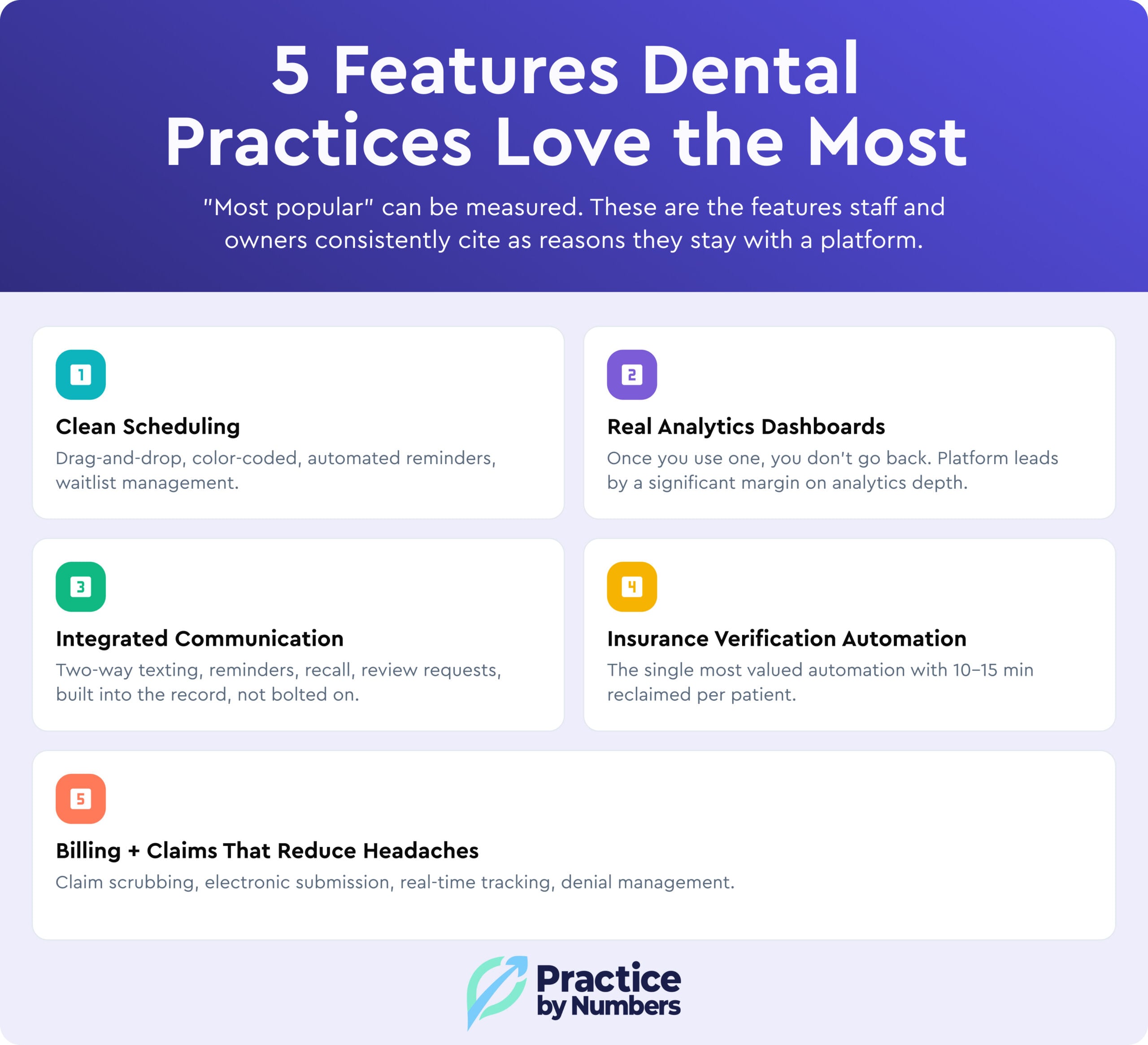
- The five feature categories that practices value most are:
- Smart scheduling and automated reminders
- Real-time analytics dashboards
- Integrated patient communication
- Automated insurance verification
- Billing and claims automation
- The features that teams consistently praise tend to share three qualities:
- Automation
- Integration
- Real-time visibility
- Practices usually outgrow software when workflows become fragmented, reporting becomes difficult, or staff spend too much time on manual tasks.
The 5 Dental Software Features Practices Value Most
The most appreciated dental software features usually solve the same operational problems of too much manual work, disconnected workflows, limited visibility, and communication gaps. Across practices of different sizes, five feature categories consistently stand out because they improve efficiency, reduce friction, and make day-to-day operations easier for both staff and providers.
1. Smart Scheduling and Automated Reminders
The scheduling module is where staff spend most of their time, so it’s the feature they have the strongest opinions about. Practices love schedulers that include:
- Drag-and-drop calendar management with provider-specific views
- Color-coded appointment types for fast visual triage
- Automated text and email reminders with response tracking
- Intelligent waitlist management that auto-fills cancellations
- Online self-booking that syncs in real time
- Predictive no-show scoring to flag high-risk appointments
Automated reminders alone reduce no-shows by 25 to 40 percent compared to manual confirmation calls. For a typical practice, that’s the difference between a half-empty hygiene schedule and a fully booked one.
The schedulers that consistently get praised aren’t just well-designed. They’re connected to communication, billing, and analytics so the schedule reflects the full operational picture, not just open slots.
2. Real-Time Analytics Dashboards
Once a practice starts using a real analytics dashboard, not just canned monthly reports, it rarely goes back. The features that win loyalty:
- Live production tracking by provider, procedure, and payer
- AR aging visualized over time, not just a static snapshot
- Case acceptance and treatment plan conversion metrics
- Scheduling utilization and capacity analysis
- Recall effectiveness and patient retention metrics
- Benchmarking against industry or peer-group averages
What makes analytics “loved” isn’t the dashboards themselves, it’s that they answer questions practice owners actually have. Why are collections lagging? Which procedures are underperforming? Where is the schedule leaking? Analytics that surface answers without manual report-building turn into daily decision tools.
3. Integrated Patient Communication
Two-way texting, automated appointment reminders, recall campaigns, and review request automation are the communication features practices love most. They reduce no-shows, improve recall response, and generate online reviews without adding manual work.
What separates loved communication tools from average ones:
- Tight connection to the patient record (no duplicate data entry)
- Multi-channel support so each patient gets reached on their preferred channel
- Personalization that goes beyond name and time
- Recall intelligence that adapts timing and message to each patient
- Built-in review automation tied to positive visit outcomes
Practices using disconnected communication tools cite integration friction as their biggest frustration. Generic messages perform worse than personalized ones. Both problems disappear when communication lives inside the same platform as the patient record.
4. Automated Insurance Verification
Manual insurance verification is universally disliked by front office staff. Tools that automate eligibility and benefits checks, pulling data directly from payers and populating it in the patient record, are among the most valued features in any dental software platform.
Why practices love it:
- 10 to 15 minutes per patient reclaimed for the front desk
- Verification completed before the patient arrives, so financial conversations happen before treatment
- Fewer billing surprises and disputes after the visit
- Reduced denials caused by inaccurate or stale benefits data
- Standardized verification across providers and payers
This is the feature that most directly buys back front desk time. Practices that have it can’t picture life without it.
5. Clean Billing and Claims Workflows
Claim scrubbing, electronic submission, real-time tracking, and denial management are the billing features that earn the most praise. Practices love tools that catch errors before claims go out and make denial follow-up systematic rather than ad hoc.
The features that separate good billing modules from great ones:
- Built-in scrubbing with payer-specific rule checks
- Real-time claim status tracking, not just submission confirmation
- Denial workflows with reason codes and follow-up assignment
- Electronic remittance advice (ERA) processing
- Automated patient statement generation
- AR aging tied to denial root cause analysis
Practices using clean billing workflows see measurable improvements in days to collect and overall AR health. Practices stuck with manual or fragmented billing tools quietly lose revenue every month.
What These Features Have in Common
Across all five categories, the loved features share three traits:
- Automation: They remove manual touches that compound across patient volume
- Integration: They live inside the same platform as the rest of the patient workflow
- Visibility: They surface information staff need without manual report-building
If a feature has those three traits, it tends to get loved. If it’s missing one, especially integration, it tends to get tolerated rather than loved.
How to evaluate whether your software delivers enough? |
Key Takeaways
- The most loved dental software features fall into five categories: smart scheduling, real-time analytics, integrated communication, automated insurance verification, and clean billing workflows
- Automation, integration, and visibility are the traits that turn a useful feature into a loved one
- Automated reminders reduce no-shows by 25 to 40 percent, often the single highest-ROI feature in any platform
- Insurance verification automation is the feature that most directly buys back front-desk time
- Real-time analytics replace monthly reports as daily decision tools
- Disconnected communication tools are a top source of frustration; integrated communication is consistently cited as loved
FAQs
Q. What’s the single most popular dental software feature?
Automated appointment reminders by text. It’s the feature most consistently used across all platforms and the one staff miss most when switching to a system that doesn’t include it. The ROI is immediate and measurable.
Q. Do user ratings actually reflect software quality?
Partially. Ratings reflect satisfaction, which correlates with but doesn’t perfectly represent quality. Ratings can be influenced by support experiences, pricing, and sample bias. Treat ratings as one input, not the final word. Look for patterns rather than individual opinions.
Q. How do I know which features my practice actually needs?
Document your team’s daily workflow for one week. Note where they waste time, encounter friction, or work around the software. The features that address those pain points are the ones that matter most for your practice.
Q. Are the most loved features the same for solo practices and DSOs?
Mostly yes, with one difference: scalability and multi-location reporting matter much more for DSOs. The core five feature categories (scheduling, analytics, communication, verification, billing) show up as loved across practice sizes, but DSOs add centralized reporting and role-based access controls as critical features.
Q. How can I tell if my current platform’s features are still competitive?
Compare against the five categories above. If your platform delivers strong capabilities in three or more, it’s still competitive. If it delivers in fewer than three, or if any one is a known weakness, that’s a signal to evaluate alternatives before pain becomes urgency.