Choosing a dental practice management system shapes your day-to-day operations for years. Once implemented, your PMS becomes the operational backbone of the practice. Scheduling, billing, patient communication, reporting, insurance workflows, recalls, and financial tracking, all depend on it.
That is why choosing the wrong system can prove expensive quickly. Poor usability slows down staff. Weak reporting limits visibility. Bad support creates operational disruptions. And a difficult data migration can make switching later even harder.
A structured evaluation process helps practices avoid impulse decisions, demo-driven hype, and expensive long-term mistakes. This checklist walks through the PMS selection process from initial requirements to implementation planning.
TL;DR
Choosing dental practice management software is not just a technology decision, it is an operational decision that impacts scheduling, collections, reporting, patient communication, and team efficiency for years.
Here’s the practical process:
- Define your must-have requirements before watching demos
- Shortlist only 3–5 platforms that match your workflows
- Demo real-life scenarios, not polished vendor presentations
- Involve front desk, billing, and providers in evaluations
- Compare the total cost of ownership, not just the subscription price
- Review cancellation, pricing, and data export clauses carefully
- Plan implementation with training and realistic timelines
The best dental practice software is not necessarily the platform with the most features. It is the one your team can consistently use efficiently every day.
How to Evaluate and Select the Right PMS
A good PMS evaluation process helps you look beyond polished demos and sales pitches to assess what matters long term: workflow efficiency, reporting visibility, team adoption, scalability, support quality, and overall operational fit.
Use the checklist below to evaluate platforms systematically, from defining requirements to planning implementation.
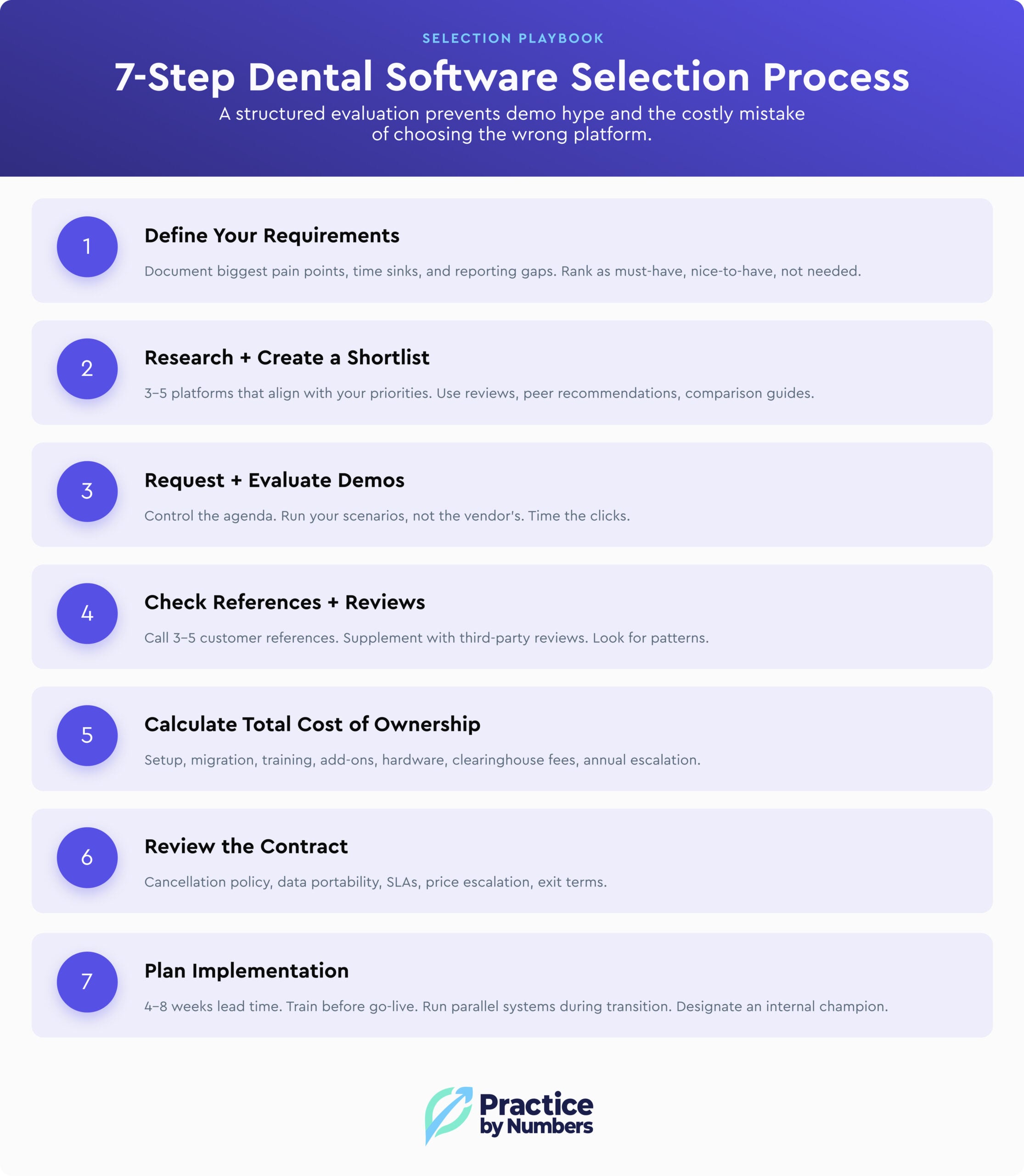
Step 1: Define Your Requirements
Before looking at any software, document what your practice actually needs. This prevents the common mistake of being dazzled by features you will never use while overlooking capabilities you need daily.
Start with these questions:
- What are your team’s biggest daily pain points with current software (or processes)?
- Which tasks consume the most staff time?
- Where does your billing process break down?
- What reporting do you need that you do not currently have?
- Are you single-location or multi-location?
- Do you need cloud access, or are you fine with on-premise?
Additional considerations:
- Which workflows still require manual workarounds?
- Do you need integrations with imaging, payments, or analytics tools?
- Are you planning to scale or add providers in the next few years?
Rank your requirements as:
- Must-have
- Nice-to-have
- Not needed
This framework prevents every feature from being treated as equally important.
Step 2: Research and Create a Shortlist
Based on your requirements, identify 3–5 platforms that align with your priorities. Use industry reviews (G2, Capterra), peer recommendations, and comparison resources to narrow the field.
Do not skip this step and go straight to demos. Vendors will demo whatever you ask for — a structured shortlist ensures you are evaluating platforms that actually fit your needs.
When researching vendors, pay attention to:
- Ease of use
- Reporting capabilities
- Support responsiveness
- Integration ecosystem
- Scalability for future growth
Look for patterns in reviews instead of isolated opinions. If multiple practices mention the same limitation, it is usually worth paying attention to.
Step 3: Request and Evaluate Demos
Schedule demos with your shortlisted vendors. But do not let the vendor control the demo agenda. Prepare a list of specific scenarios you want to see: your workflows, not theirs.
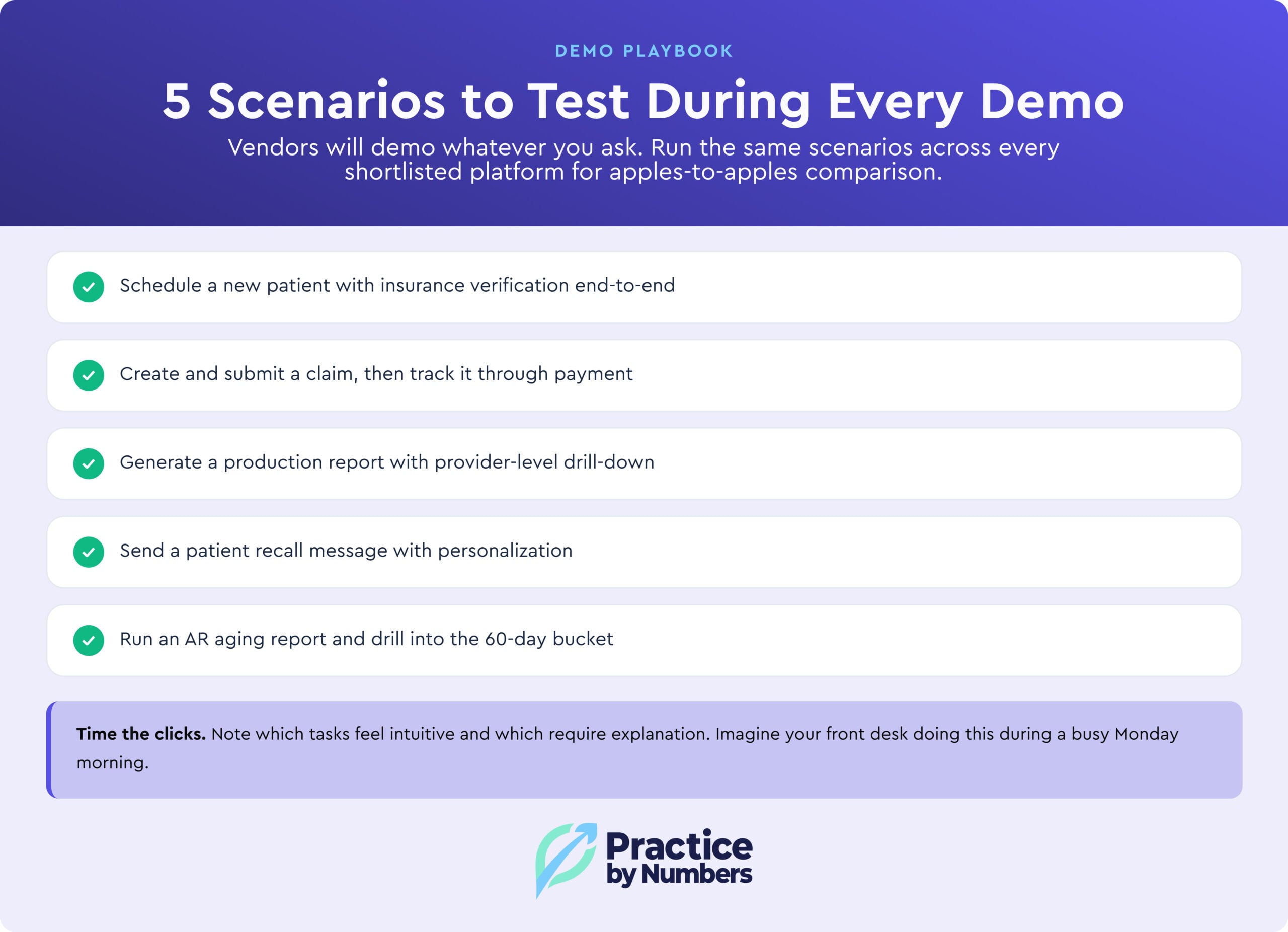
Key scenarios to test:
- Scheduling a new patient with insurance verification
- Creating and submitting a claim
- Generating a production report
- Sending a patient recall message
- Running an AR aging report
During demos, evaluate:
- How intuitive workflows feel
- How many clicks common tasks require
- Whether reports are easy to access
- How quickly staff can learn the interface
Time how many clicks each task takes. Note which tasks feel intuitive and which require explanation.
Involve your team. The front desk, billing team, and at least one provider should participate in demos. Their feedback is often more valuable because they will use the software daily.
Step 4: Check References and Reviews
Ask each vendor for 3–5 customer references, ideally practices similar to yours in size and specialty.
Call them. Ask about:
- Implementation experience
- Daily usability
- Support quality
- Training effectiveness
- Anything they wish they had known before buying
Supplement references with third-party reviews.
Look for patterns. If multiple reviews cite the same limitation (slow support, buggy billing module, difficult migration), treat that as a reliable signal.
Also, pay attention to how vendors respond to negative feedback. Strong support culture often becomes visible in review responses.
Step 5: Evaluate Total Cost of Ownership
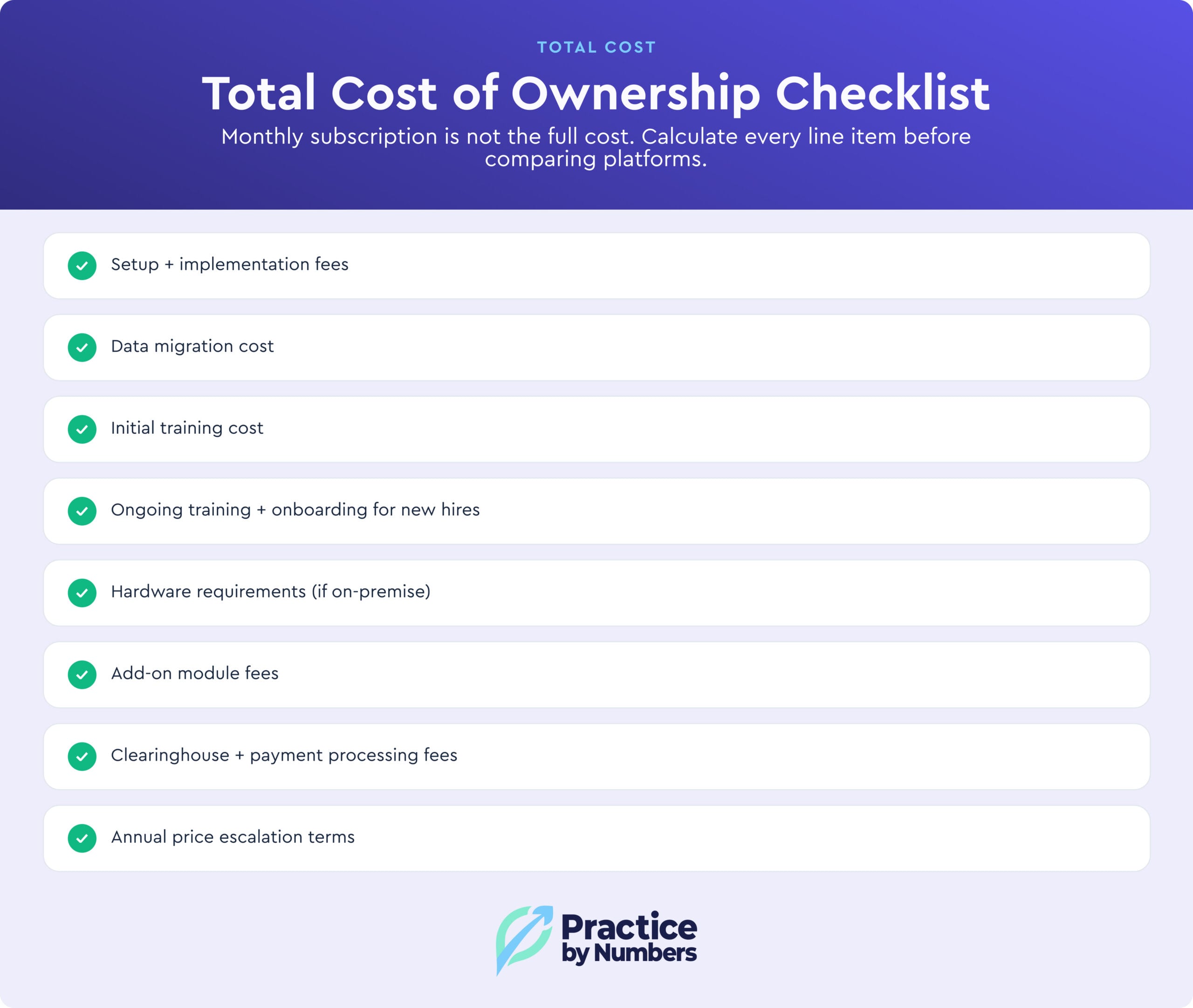
Monthly subscription cost is not the full picture. Calculate the total cost of ownership before making a decision.
Include:
- Setup and implementation fees
- Data migration costs
- Training costs (initial and ongoing)
- Hardware requirements (if on-premise)
- Add-on module costs
- Clearinghouse and payment processing fees
- Annual price escalation terms
Also consider indirect costs such as:
- Temporary productivity loss during transition
- Staff retraining
- Additional support tiers or user licenses
Compare platforms on total annual cost, not just the monthly subscription number quoted during sales calls.
Step 6: Review the Contract Carefully
Before signing, review:
- Cancellation policy and notice period
- Data portability and export provisions
- Service level agreements (uptime guarantees)
- Price increase limitations
- What happens to your data if you leave
Additional things to clarify:
- Are there hidden support or onboarding fees?
- Is there automatic contract renewal?
- How difficult is migration if you switch later?
Never sign a long-term contract without understanding the exit terms. Reputable vendors are usually transparent about cancellation and data ownership policies.
Step 7: Plan Implementation
Once you have chosen a platform, plan the transition carefully.
Key implementation steps:
- Set a go-live date with adequate lead time (typically 4–8 weeks)
- Schedule data migration well in advance
- Arrange team training before go-live, not on go-live day
- Run parallel systems during the transition period if possible
- Designate an internal champion who owns the implementation process
Also prepare for:
- Temporary workflow slowdowns
- Team adjustment periods
- Additional support needs during the first few weeks
A successful implementation depends as much on planning and training as it does on the software itself.
Key Takeaways
Start with documented requirements before looking at software. Create a focused shortlist of 3-5 platforms based on your priorities. Demo with real workflows and involve your team. Check references and reviews for patterns, not just ratings. Calculate total cost of ownership, not just the monthly subscription. Review contract terms, especially cancellation, data portability, and price escalation. Plan implementation with adequate lead time and team training.
Frequently Asked Questions
Q. How long should the entire PMS selection process take?
A thorough evaluation typically takes 4-8 weeks from requirements documentation to final decision. Rushing leads to regret. Taking longer than 8 weeks often means analysis paralysis. Set a decision deadline.
Q. Should I involve my whole team or just make the decision myself?
Involve at least one representative from each role that uses the software daily: front desk, billing, and clinical. Their input prevents choosing software that looks good to the owner but frustrates the team.
Q. What is the biggest mistake practices make when choosing a PMS?
Choosing based on the demo instead of their requirements. Demos are designed to impress. Requirements are designed to reflect reality. Let your documented needs drive the decision, not the vendor’s best presentation.