Dental patient management software affects nearly every interaction your practice has with patients, from appointment scheduling and intake forms to reminders, billing visibility, and follow-up communication. The right platform reduces friction for both patients and staff. The wrong one creates operational slowdowns that teams compensate for manually every day.
Most practices evaluate software based on demos and feature lists. The better approach is evaluating how the platform performs during real operational pressure: schedule changes, insurance questions, overdue recalls, treatment plan discussions, and front desk multitasking.
TL;DR
Dental Patient Management Software Helps Practices:
- Manage scheduling, intake, reminders, records, and communication in one workflow
- Reduce front desk inefficiencies and repetitive manual work
- Improve patient experience through faster communication and smoother visits
- Support billing visibility, treatment coordination, and recall systems
- Increase adoption when staff members are involved early in the selection process
Before Choosing a Platform, Ask:
- Can the front desk complete common tasks quickly?
- Does the system reduce manual follow-up work?
- Are communication, scheduling, and billing connected?
- Will your team actually use it consistently?
- Is onboarding and training included?
What Patient Management Software Actually Covers
Dental patient management software is designed to manage the patient journey across scheduling, communication, intake, engagement, and operational workflows. Most modern platforms include five core areas:
1. Appointment Scheduling and Booking: This includes online scheduling, appointment confirmations, waitlists, rescheduling workflows, and provider calendar management.
2. Patient Records Management: Practices need centralized access to demographics, insurance information, treatment history, consent forms, and clinical notes.
3. Patient Communication: This covers automated reminders, recall campaigns, two-way texting, email outreach, missed-call responses, and post-visit follow-ups.
4. Digital Patient Intake: Digital forms reduce manual entry, improve accuracy, and allow patients to complete paperwork before arriving.
5. Patient Engagement and Retention: Many systems now include review requests, satisfaction surveys, educational messaging, and recall automation to improve long-term retention.
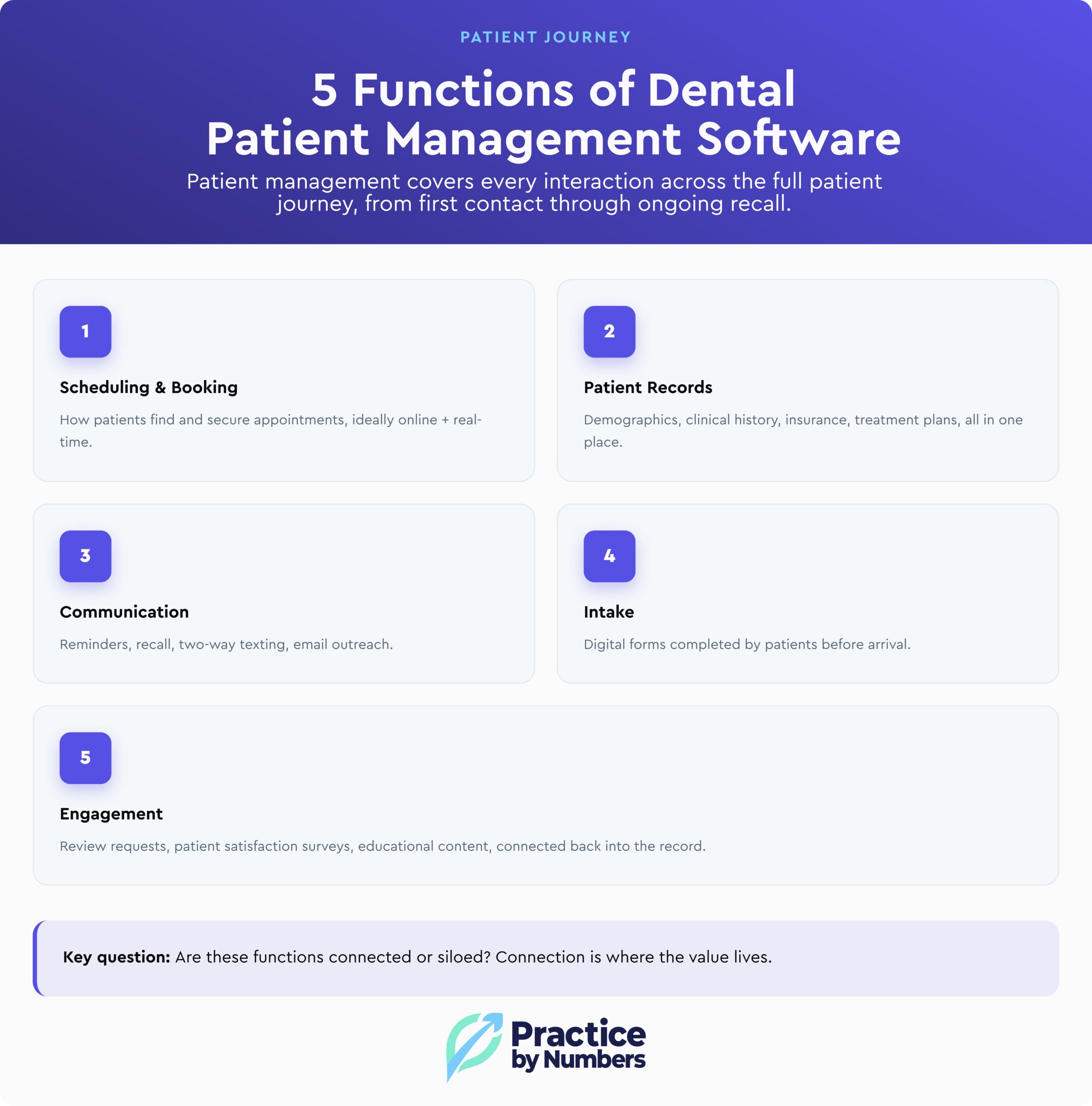
Some platforms bundle all five into a single system. Others require separate tools for each function. The key question is whether these functions are connected through shared patient data or running as silos that need manual reconciliation.
What Your Team Actually Needs
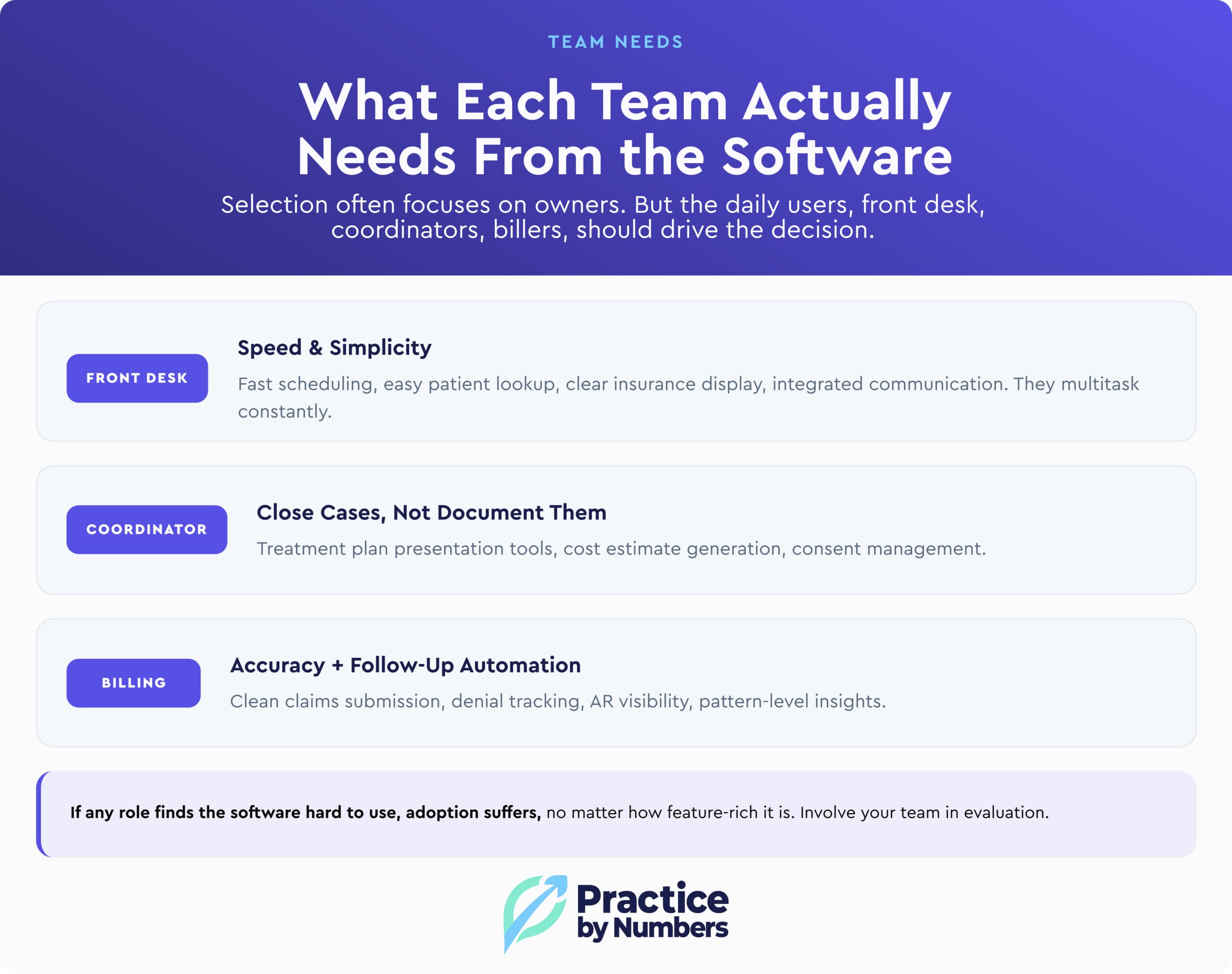
Software selection too often focuses on what the practice owner wants. The people who use the software daily, front desk, treatment coordinators, and billing, should heavily influence the decision because they spend more hours in the platform than anyone.
1. Front desk priorities
The front desk multitasks constantly. They need:
- Fast patient lookup and scheduling
- Clear insurance display at a glance
- Integrated communication so they can text or email from the same screen
- Minimal clicks for the most common tasks
If the front desk has to switch between three windows to handle one patient, that friction will show up in late check-ins, missed details, and turnover.
2. Treatment coordinator priorities
Treatment coordinators close cases. They need:
- Clean treatment plan presentation tools
- Real-time cost estimates with insurance applied
- Easy financing and payment plan options
- Consent management and documentation flow
Tools that help close cases are different from tools that just document them. Make sure your software supports the conversation, not just the record-keeping after it.
3. Billing team priorities
Billing teams care about accuracy and follow-up. They need:
- Clean claims submission with built-in scrubbing
- Visible AR aging with denial tracking
- Automation on routine follow-up tasks
- Reporting that surfaces payer-specific issues
Disconnected billing tools create the silent revenue leakage that shows up months later in cash flow reports. Tight integration with the rest of the platform prevents that.
Choosing Between All-in-One and Best-of-Breed
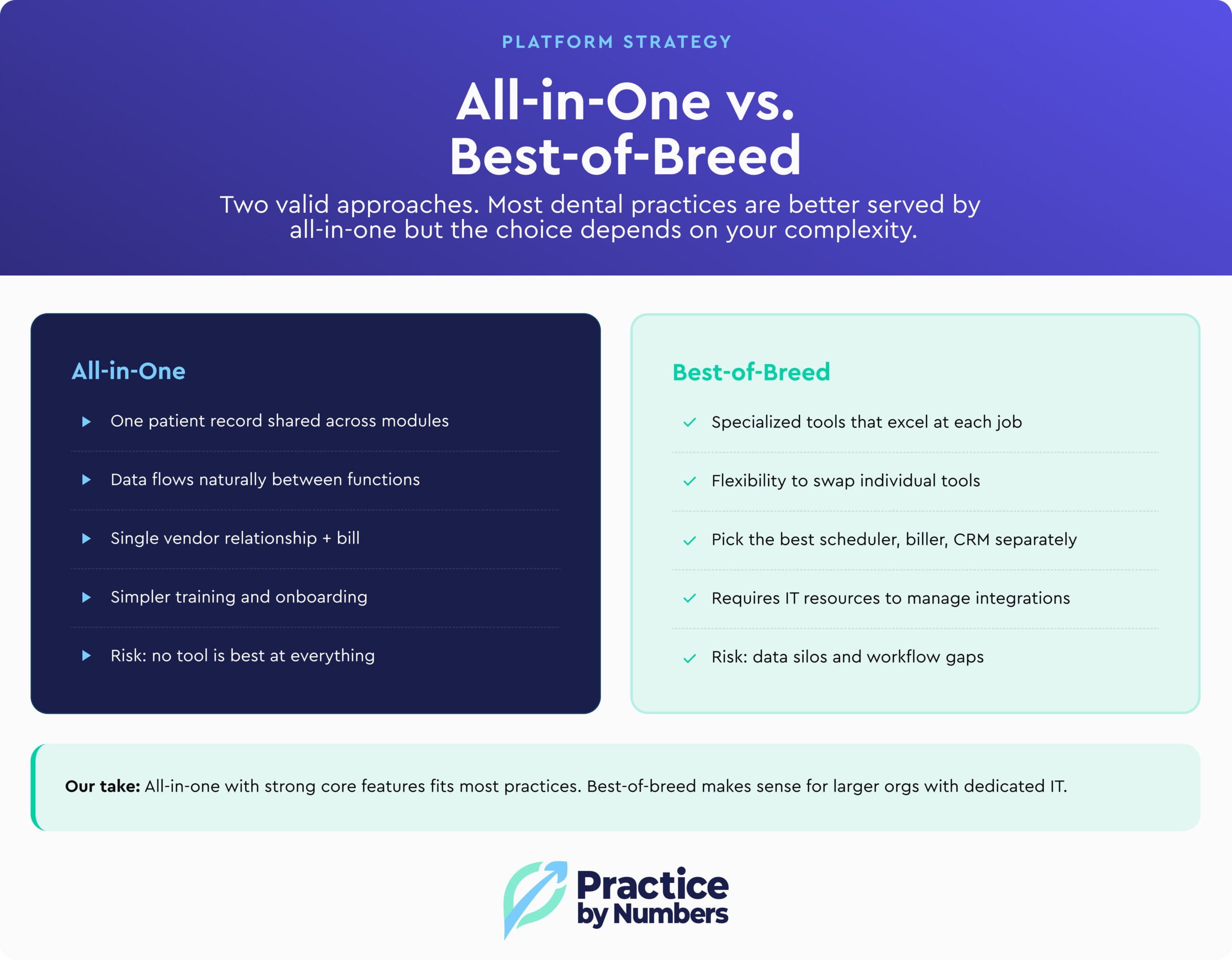
Most practices choose between two approaches when evaluating dental patient management software.
Approach 1: One Connected Platform
All-in-one platforms combine scheduling, patient communication, billing visibility, intake forms, engagement tools, and analytics into a single system.
Advantages
- Everything shares the same patient data
- Fewer logins and disconnected workflows
- Easier staff training
- Less manual reconciliation between systems
- Simpler vendor management
Potential Trade-Offs
- Some features may not be as advanced as standalone specialty tools
- Customization can be more limited in certain areas
For most dental practices, especially solo and small group offices, this is usually the more practical and manageable option.
Approach 2: Multiple Specialized Tools
Some practices prefer using separate software for different functions, such as one platform for scheduling, another for communication, and another for analytics or billing.
Advantages
- More specialized functionality in specific areas
- Greater flexibility in building your tech stack
- Ability to choose the strongest tool for each workflow
Potential Trade-Offs
- Integration and syncing issues between systems
- More vendors to manage
- Higher training complexity for staff
- Greater risk of duplicate data entry or workflow gaps
This approach tends to work better for larger organizations with internal IT support or more complex operational needs.
The Real Question to Ask
The decision usually comes down to operational simplicity versus customization. Most practices don’t fail because they lack features. They struggle because their systems don’t work together cleanly during everyday patient interactions.
How to Involve Your Team Without Slowing Down the Process
You don’t need a fifteen-person committee. A focused process looks like this:
- Document the daily friction each role experiences with current software
- Ask each role to name their three “must-haves” and their two biggest current pains
- Include one person from each role in vendor demos
- Have each role test the platform with real scenarios from their job
- Capture each role’s feedback before making the decision
This adds two or three hours of input across the decision but saves months of adoption struggle later.
Adoption Mistakes That Sink Otherwise Good Software
Even the right software can fail to land if the rollout is sloppy. Watch for these:
- Training only on go-live day instead of the week before
- No internal champion who owns the implementation
- No metrics defined for what success looks like in the first ninety days
- Treating the old system as a backup, which delays full adoption
- Skipping the front desk’s input because “they’ll figure it out”
Practices that invest in change management get measurable adoption within sixty to ninety days. Practices that don’t are still fighting the same problems a year in.
Key Takeaways
- Patient management software covers scheduling, records, communication, intake, and engagement
- Involve front desk, treatment coordinators, and billing in the evaluation because they’re the daily users
- All-in-one platforms offer simplicity; best-of-breed offers specialization but adds integration complexity
- The deciding factor is usually integration between functions, not which one has the most features
- Adoption fails when training, champions, and success metrics aren’t set up before go-live
FAQs
Q. What’s the difference between a PMS and patient management software?
They overlap significantly. A practice management system typically covers the full operational suite including billing, clinical charting, and much more. Patient management software sometimes focuses more narrowly on the patient-facing functions: scheduling, communication, intake, and engagement. In modern cloud platforms, the distinction has mostly disappeared.
Q. How do I get my team to actually adopt new software?
Involve them in the selection. Train before go-live, not on it. Designate a champion for each role who becomes the go-to resource. Set ninety-day adoption metrics and review them. And give the transition time; initial resistance is normal even with the right product.
Q. Can I switch patient management software without losing data?
Yes, with proper migration planning. Most vendors support importing patient demographics, appointment history, and financial records. Clinical data and image migration vary by platform. Always verify migration scope and timeline in writing before signing.
Q. Is patient management software worth it for a solo practice?
Yes. Solo practices benefit just as much from automated reminders, digital intake, and integrated communication, often more, because solo practices have less staff bandwidth to handle these tasks manually. The ROI shows up in time savings and reduced no-shows within the first few months.
Q. How often should I re-evaluate my patient management software?
Every two to three years is reasonable. Software capabilities, pricing models, and patient expectations all shift fast enough that staying with the same platform indefinitely creates blind spots. A short re-evaluation each year doesn’t mean switching; it just keeps you informed about what better looks like.