Patient management software has evolved far beyond basic scheduling and digital records. Today, it sits at the center of the patient experience, influencing how patients book appointments, communicate with your team, complete paperwork, receive reminders, pay balances, and return for future care.
For modern dental practices, communication is no longer just an administrative task. It directly affects production, retention, case acceptance, online reputation, and operational efficiency.
The challenge is that many platforms promise “all-in-one communication,” but not all systems actually improve workflows or patient engagement. Some create disconnected experiences, force teams into duplicate work, or overwhelm patients with generic messaging.
This guide breaks down what actually matters when evaluating dental communication and patient management software and which features create measurable operational and financial impact for your practice.
TL;DR
- Modern dental communication software goes far beyond appointment reminders.
- The best platforms combine scheduling, recalls, texting, intake forms, patient portals, and review generation into a single connected system.
- PMS integration is critical. Disconnected tools create duplicate work and communication gaps.
- Two-way texting, multi-channel outreach, and automation with personalization improve patient response rates.
- Digital intake and patient self-service reduce front desk workload and improve patient convenience.
- Intelligent recall systems help reactivate overdue patients more effectively than generic reminder blasts.
- Review automation is one of the simplest ways to increase online reputation and attract new patients.
- Mobile-friendly patient portals are no longer optional. Most patients engage from their phones.
- Practices should evaluate software based on workflow impact, not just feature count.
The Core Functions of Patient Communication Software
Modern dental patient communication software typically supports four major operational areas: appointment management, outbound messaging, inbound communication, and patient self-service.
Each of these functions affects both patient experience and practice efficiency in different ways.
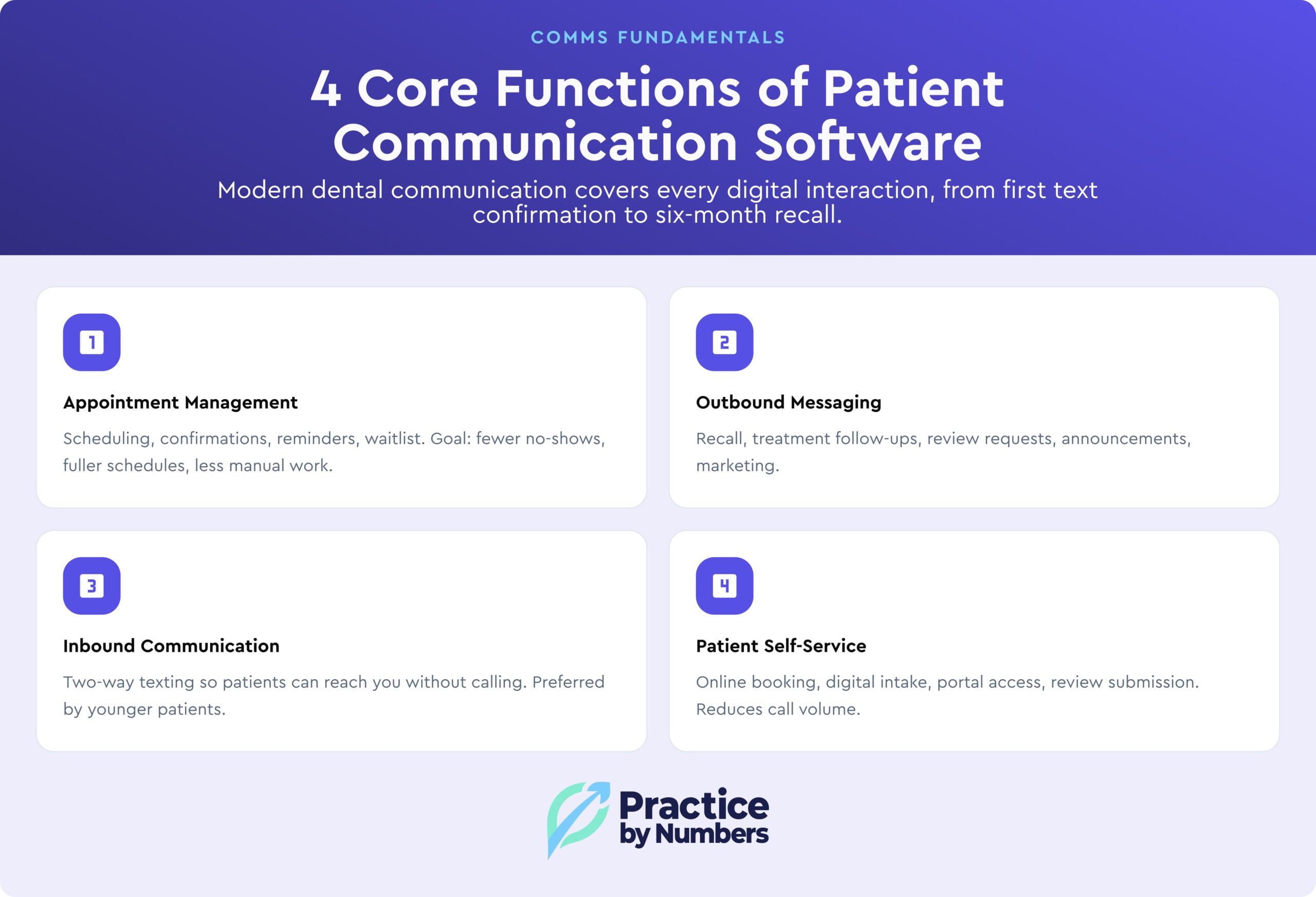
- Appointment management: Appointment management includes scheduling, reminders, confirmations, rescheduling, and waitlist handling. The goal is to reduce no-shows, recover cancellations quickly, and keep schedules full with minimal manual effort. Advanced systems also automate reminder timing and help fill last-minute openings faster.
- Outbound messaging: This keeps patients engaged between visits through recalls, treatment follow-ups, review requests, promotions, and announcements. Effective systems personalize outreach based on patient history, communication preferences, and responsiveness, helping improve retention, reactivation, and treatment acceptance.
- Inbound communication: Inbound communication enables patients to connect with the office through two-way texting and secure messaging instead of relying only on phone calls. This improves convenience, reduces missed calls, and helps front desk teams manage communication more efficiently.
- Patient self-service: Self-service tools let patients book appointments, complete forms, pay balances, review treatment plans, and access records online. These features reduce administrative workload while giving patients a faster, more convenient experience, especially on mobile devices.
What Separates Great Communication Software from Basic Ones
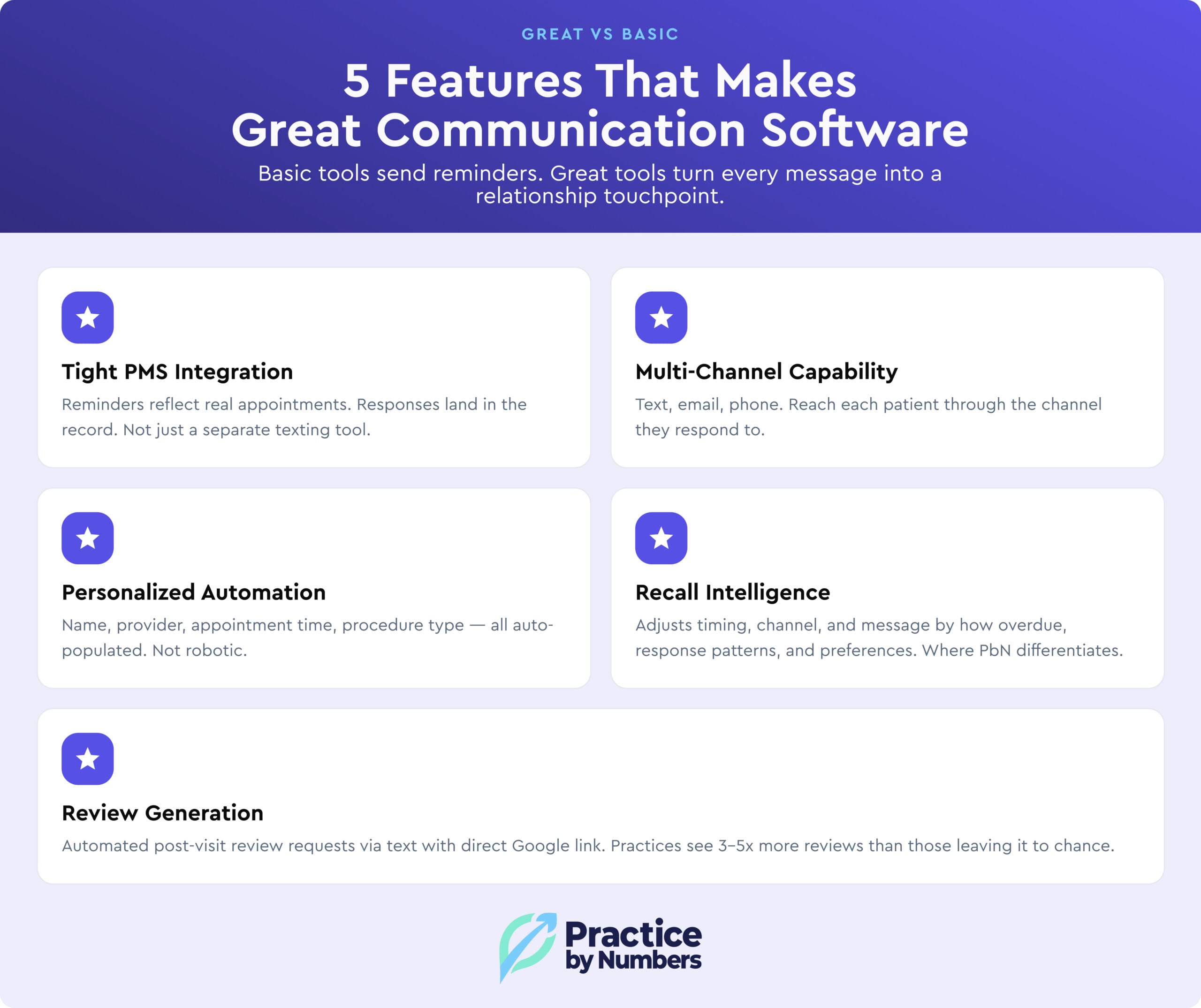
Many dental communication platforms advertise similar capabilities, but features alone do not determine operational impact. The real difference lies in how seamlessly the software integrates into everyday workflows, supports staff efficiency, personalizes patient engagement, and drives measurable outcomes.
The following capabilities typically distinguish high-performing systems from tools that simply add complexity.
1. Integration With Your PMS
PMS integration is arguably the most important factor when evaluating communication software.
Disconnected systems create:
- Duplicate data entry
- Scheduling errors
- Inconsistent patient records
- Missed communication history
- Extra administrative work
A communication platform should function as an extension of your PMS, not as a separate operational silo.
For example:
- Appointment reminders should pull directly from the live schedule
- Provider information should populate automatically
- Patient responses should sync back into records
- Recall status should update in real time
- Intake forms should flow directly into patient charts
Without tight integration, staff members often end up manually reconciling information between systems. That defeats the purpose of automation.
Practices evaluating software should ask:
- Is the integration real-time or batch synced?
- Does the communication activity write back into the PMS?
- Are schedules dynamically updated?
- Can patient communication history be viewed centrally?
- How much manual intervention is still required?
The quality of the integration often matters more than the number of features advertised.
2. Multi-Channel Capability
Patients have preferences. Patients do not all communicate the same way. Some respond immediately to texts. Others prefer email. Certain demographics still rely heavily on phone calls.
A strong dental communication system supports:
- SMS/text messaging
- Email communication
- Phone outreach
- Voicemail drops
- Automated escalation workflows
The most effective systems also track which channels patients respond to most frequently. This creates smarter communication over time.
For example:
- A patient who ignores email but responds to text should primarily receive SMS outreach.
- A patient who consistently misses texts may require voice reminders.
- High-value treatment follow-ups may benefit from multi-channel escalation.
Multi-channel communication improves:
- Response rates
- Recall effectiveness
- Appointment confirmations
- Treatment follow-through
- Overall patient engagement
Relying on a single communication channel limits effectiveness unnecessarily.
3. Automation With Personalization
Automation only works when communication still feels human. Patients can immediately recognize generic automated messaging, and generic communication tends to get ignored.
The best systems personalize messages dynamically using:
- Patient name
- Provider name
- Appointment type
- Date and time
- Location information
- Treatment details
Compare these two examples:
Generic:
“You have an appointment tomorrow.”
Personalized:
“Hi Sarah, Dr. Martinez looks forward to seeing you Tuesday at 2 PM for your hygiene appointment.”
Which message feels relevant and intentional?
Advanced platforms also personalize:
- Timing of reminders
- Recall cadence
- Follow-up frequency
- Communication channels
- Reactivation messaging
Good automation reduces administrative work without making patient communication feel robotic.
4. Recall Intelligence
Most practices underutilize recall. Basic recall systems simply send identical reminders to overdue patients at fixed intervals. Intelligent recall systems are more strategic. They adjust outreach based on:
- How overdue the patient is
- Patient responsiveness
- Preferred communication channels
- Visit history
- Appointment patterns
- Outstanding treatment needs
This creates more effective reactivation campaigns and improves schedule recovery.
For example:
- A patient overdue by two weeks may only need a friendly text.
- A patient overdue by nine months may require escalating multi-channel outreach.
- A historically unresponsive patient may need different messaging entirely.
This is where analytics-driven systems like Practice by Numbers stand out, using patient behavior data to optimize communication instead of relying on generic recall blasts.
Practices with intelligent recall workflows often see:
- Higher hygiene reactivation
- Better patient retention
- Improved production consistency
- Reduced schedule gaps
5. Review Generation
Online reputation has become a major patient acquisition channel. Yet many practices still rely on passive review collection. Automated review generation systems solve this by:
- Sending post-visit review requests automatically
- Including direct review links
- Timing outreach immediately after positive patient interactions
- Following up when appropriate
This dramatically increases review volume.
Practices that systematize review requests commonly generate several times more reviews than practices relying on manual requests alone.
Review automation also helps:
- Improve local search visibility
- Increase patient trust
- Strengthen referral conversion
- Build long-term brand credibility
The key is making the process frictionless for patients.
What Problems Does a Dental Patient Portal Solve?
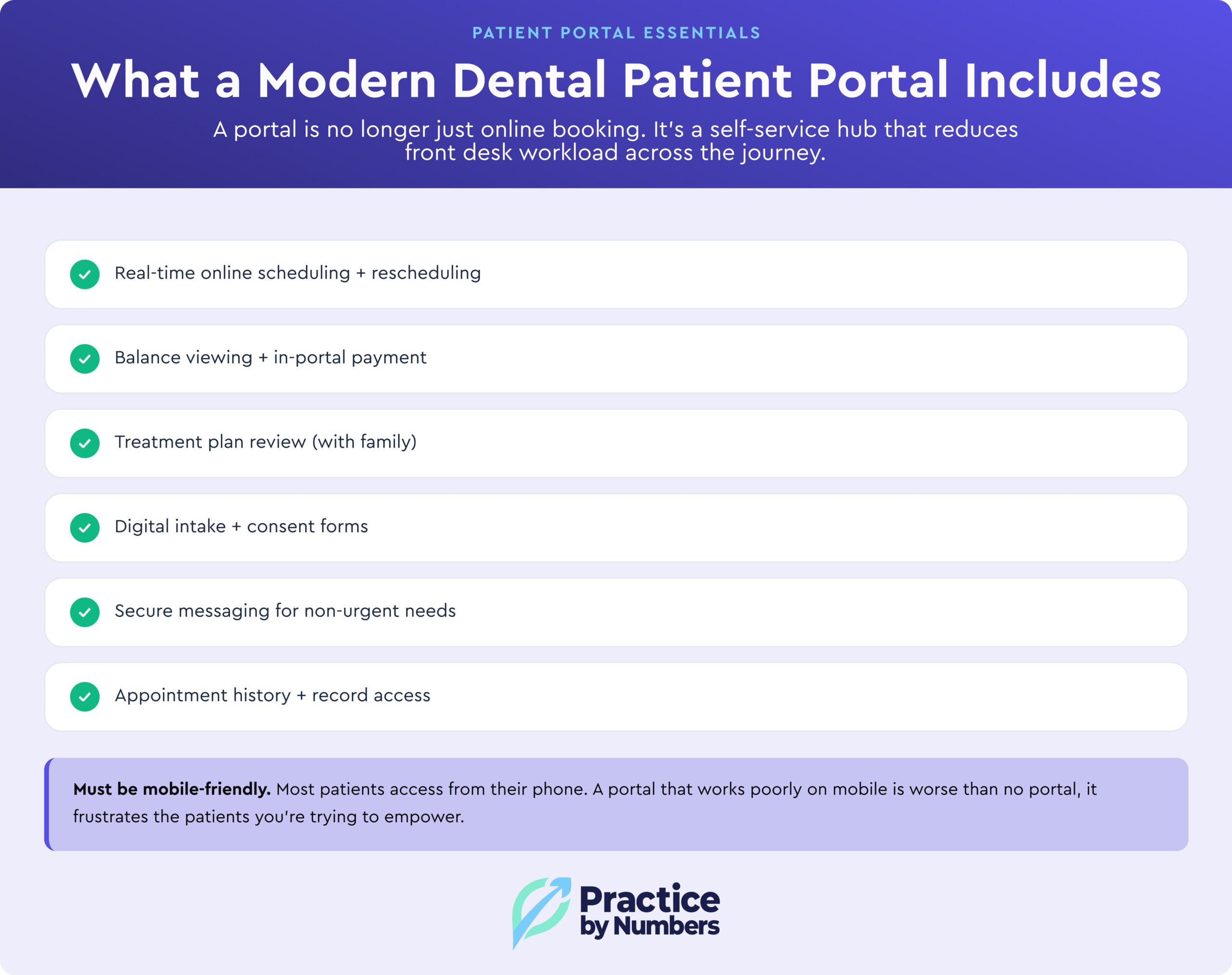
A dental patient portal reduces friction for both patients and staff by moving routine tasks online. Instead of calling the office for every interaction, patients can manage much of their experience independently.
Modern patient portals help solve:
- High front desk call volume
- Scheduling bottlenecks
- Delayed payments
- Missed paperwork
- Limited after-hours accessibility
- Poor patient communication visibility
Patients can book appointments, complete forms, review treatment plans, access records, and pay balances from their phone or computer. This creates a more convenient experience while reducing administrative workload for the practice.
Patient portals also improve responsiveness. Rather than waiting on hold or calling during business hours, patients can engage with the practice whenever it’s convenient for them.
For growing practices, portals improve scalability by helping teams manage more patient interactions without increasing manual administrative effort.
What Should Modern Dental Intake Software Include?
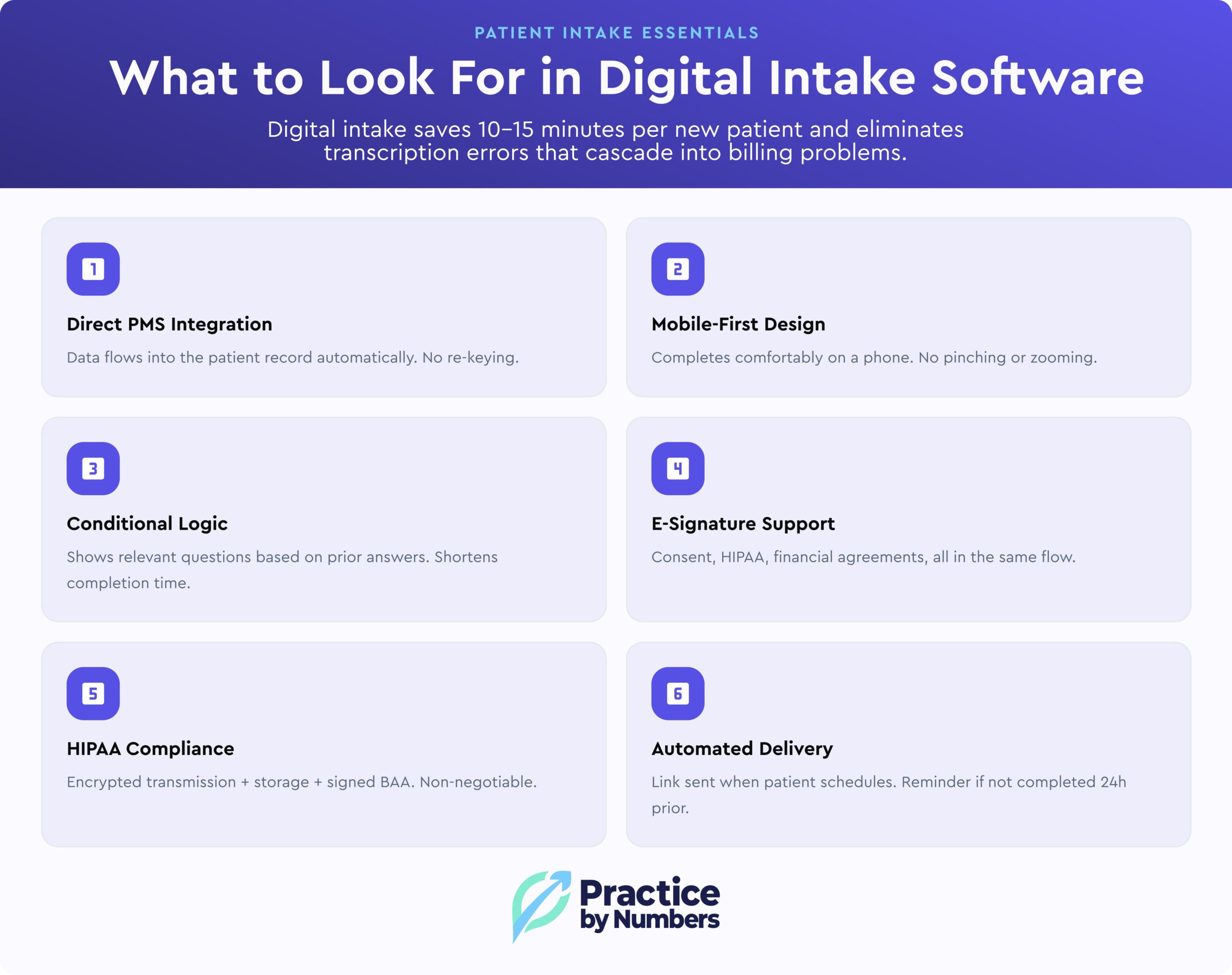
Modern dental intake software should do more than digitize paperwork. It should streamline data collection, improve accuracy, and integrate seamlessly into practice workflows.
Key features to look for include:
- Customizable digital forms
- Conditional logic for smarter questionnaires
- E-signature support
- Insurance information capture
- HIPAA-compliant storage
- Mobile-friendly completion
- Automated form delivery
- PMS integration
Conditional logic is especially valuable because it shortens forms by only showing relevant questions based on patient responses.
Strong intake systems also reduce manual errors caused by handwriting, incomplete forms, and duplicate data entry. When forms sync directly into the PMS, front desk teams spend less time managing paperwork and more time assisting patients.
The best platforms make intake fast, intuitive, and easy to complete before the patient even arrives.
How to Evaluate Dental Communication Software
When comparing platforms, practices should evaluate systems based on operational outcomes, not just feature lists.
Important evaluation questions include:
Workflow Efficiency
- Does the software reduce manual work?
- How many repetitive tasks become automated?
- Will front desk teams actually save time?
Patient Experience
- Is communication convenient and intuitive?
- Does the patient journey feel modern?
- Can patients self-serve easily?
Integration Depth
- Does the software sync bi-directionally with your PMS?
- Are records updated automatically?
- Is communication history centralized?
Scalability
- Can the system support multiple providers or locations?
- Will workflows remain manageable as the practice grows?
Reporting and Analytics
- Can you track response rates, recalls, reviews, and no-shows?
- Does the software provide actionable insights?
- Can communication performance be measured over time?
Practices should also involve the front desk and operations teams during evaluations. These are the users interacting with the software daily, and workflow adoption matters just as much as functionality.
Key Takeaways
Patient communication software covers appointment management, outbound messaging, inbound communication, and self-service. PMS integration is the most important factor, disconnected tools create work rather than saving it. Multi-channel communication (text, email, phone) with personalization outperforms single-channel generic messaging. Patient portals and digital intake reduce admin work and improve the patient experience. Recall intelligence and review automation are high-ROI features that most practices underuse.
Frequently Asked Questions
Q. Do I need separate software for patient communication or does my PMS include it?
Many modern PMS platforms include basic communication features. However, depth varies significantly. If your PMS only sends basic reminders, a dedicated communication tool or a PMS with advanced communication capabilities (like Practice by Numbers) may deliver better results.
Q. How much does dental patient communication software cost?
Standalone communication tools range from $200-500 per month. PMS platforms with built-in communication bundle the cost into the overall subscription. Evaluate the cost against the value of reduced no-shows, improved recall, and more online reviews.
Q. Is two-way texting HIPAA-compliant?
It can be, if the texting platform encrypts messages and has a Business Associate Agreement in place. Standard consumer texting (iMessage, standard SMS) is not HIPAA-compliant for messages containing PHI. Use a dedicated HIPAA-compliant texting platform.