Missed appointments create one of the biggest operational and revenue challenges for dental practices. Beyond the lost production, no-shows disrupt provider schedules, create staffing inefficiencies, and make it harder to maintain a consistent patient experience.
Modern dental office scheduling software helps practices reduce no-shows through automated reminders, easier rescheduling, online booking, and smarter patient communication workflows. The right scheduling system doesn’t just organize appointments, it helps practices keep schedules full and predictable.
TL;DR
- Dental scheduling software helps reduce missed appointments through automation and easier patient communication
- Automated reminders improve confirmation rates and help patients remember appointments
- Easy rescheduling reduces the likelihood of patients silently skipping visits
- Online booking can improve appointment commitment because patients choose times that work for them
- Automated waitlists help practices refill cancellations faster
- Predictive scheduling tools help teams identify patients who may need additional follow-up
- Scheduling analytics help practices identify recurring gaps, inefficiencies, and utilization issues
Why Patient No-Shows Happen?
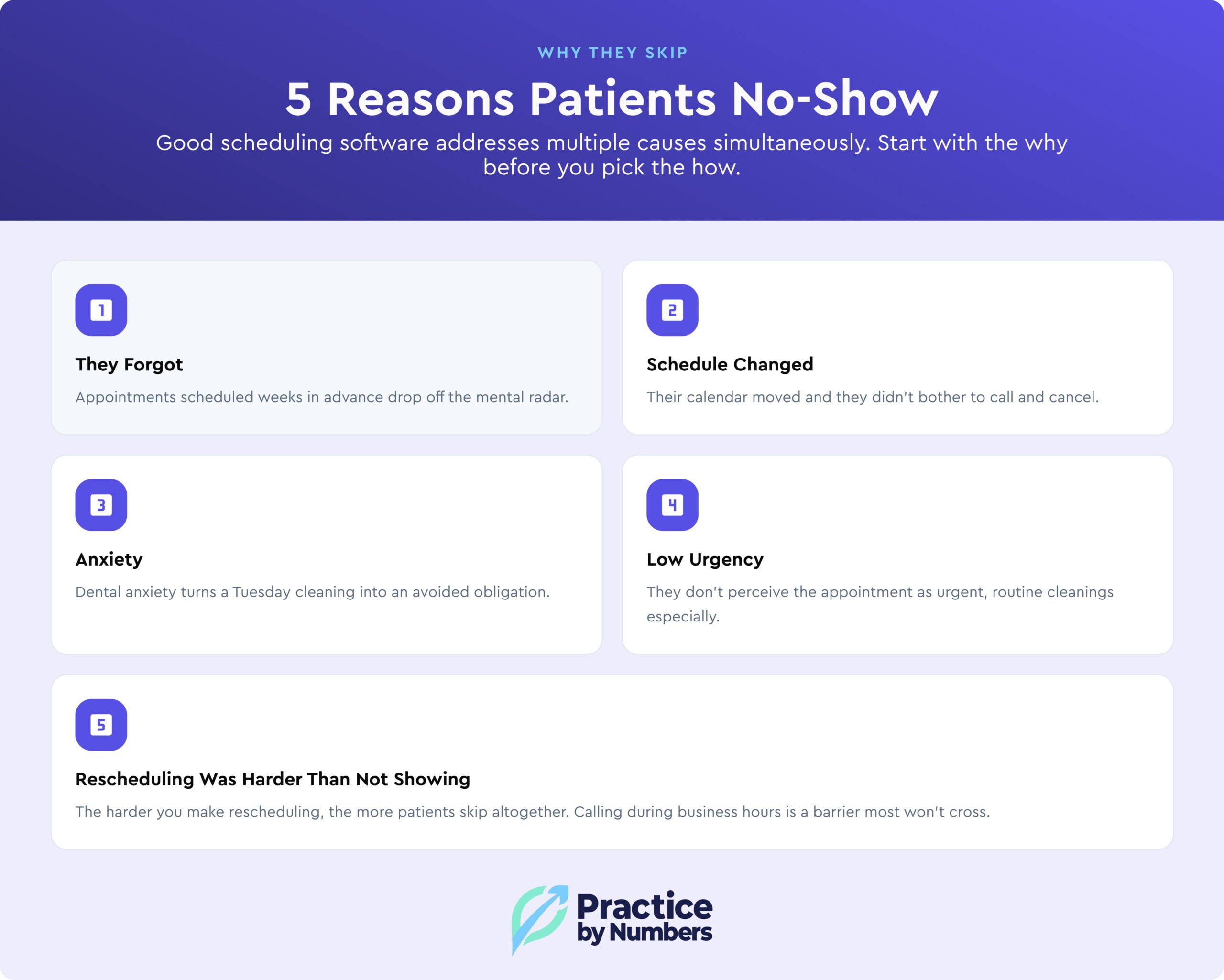
Understanding the reasons helps you pick the right software features to address them. Patient no-shows happen because:
- They forgot about the appointment
- Their schedule changed and they didn’t bother to cancel
- They feel anxious about the visit
- They don’t perceive the appointment as urgent
- The rescheduling process is harder than just not showing up
Good scheduling software addresses multiple causes at once through automated reminders, easy rescheduling, and waitlist management.
Features That Reduce No-Shows
Several scheduling features work together to improve appointment attendance and reduce gaps in the schedule.
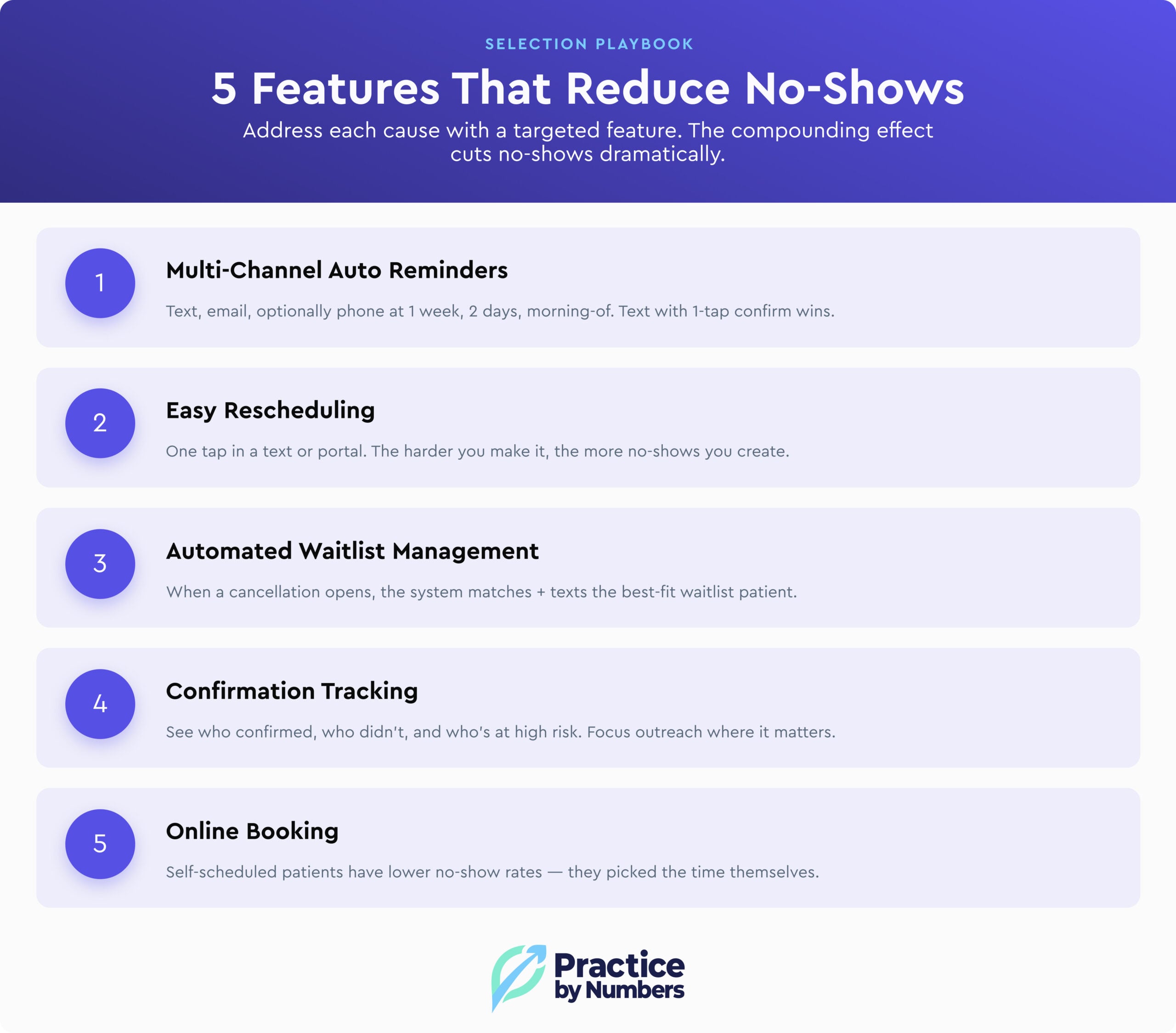
1. Multi-Channel Automated Reminders
Reminders sent via text, email, and optionally phone at multiple intervals (typically one week, two days, and the morning of the appointment). Text reminders with one-tap confirmation are the most effective single intervention.
What to look for:
- Multi-channel delivery (text, email, phone)
- Configurable timing per appointment type
- One-tap confirmation responses
- Confirmation status visible on the schedule
- Automatic escalation when patients don’t respond
Automated reminders are widely associated with lower no-show rates and improved appointment confirmations.
2. Easy Rescheduling
If a patient needs to change their appointment, it should take one text reply or one tap in a portal, not a phone call during business hours. The harder you make rescheduling, the more patients simply skip the appointment instead.
Effective rescheduling:
- Reschedule via text reply
- Reschedule through the patient portal with real-time availability
- No phone call required for routine changes
- Confirmation that the new time is captured in the schedule
This sounds like a small feature. It isn’t. It’s often the difference between a rescheduled appointment and a no-show.
👉 Here’s How You Can Streamline Dental Office Communication & Scheduling
3. Automated Waitlist Management
When a cancellation opens, the system should identify the best-fit patient from the waitlist (matching procedure type, duration, and insurance) and reach out automatically. Filling cancellations within hours instead of days protects production.
The best waitlist tools:
- Match patients to openings by procedure type and duration
- Send batch text outreach to multiple waitlist patients
- Confirm the first response and notify others that the slot is filled
- Track waitlist fill rates and identify chronic gaps
Manual waitlist management is one of the biggest sources of lost production in dental practices. Automating it recovers significant revenue.
4. Confirmation Tracking with Risk Flagging
The dashboard should show which patients have confirmed, which haven’t responded, and which are at high risk of no-showing based on history. This lets staff focus proactive outreach on the patients most likely to miss.
A good confirmation view:
- Color-coded status across all appointments
- High-risk flagging based on patient history
- Action buttons for one-click outreach to unresponsive patients
- Daily summary delivered to the front desk
👉 See How Smart Practices Keep More Revenue
5. Online Booking
Patients who book online have lower no-show rates than patients booked by phone. Self-scheduled appointments represent a higher commitment, the patient chose the time themselves rather than accepting whatever was offered.
Online booking features that matter:
- Real-time availability (no “request and confirm” flow)
- Procedure-specific scheduling rules
- Insurance verification triggered at booking
- Mobile-friendly experience
- Automatic confirmation messaging
Patients who schedule their own appointments online are often more likely to keep them because they select times that fit their schedules.
👉 See How Patient Relationship Management Boosts Practice Revenue
What Is Predictive No-Show Scoring in Dental Scheduling Software?
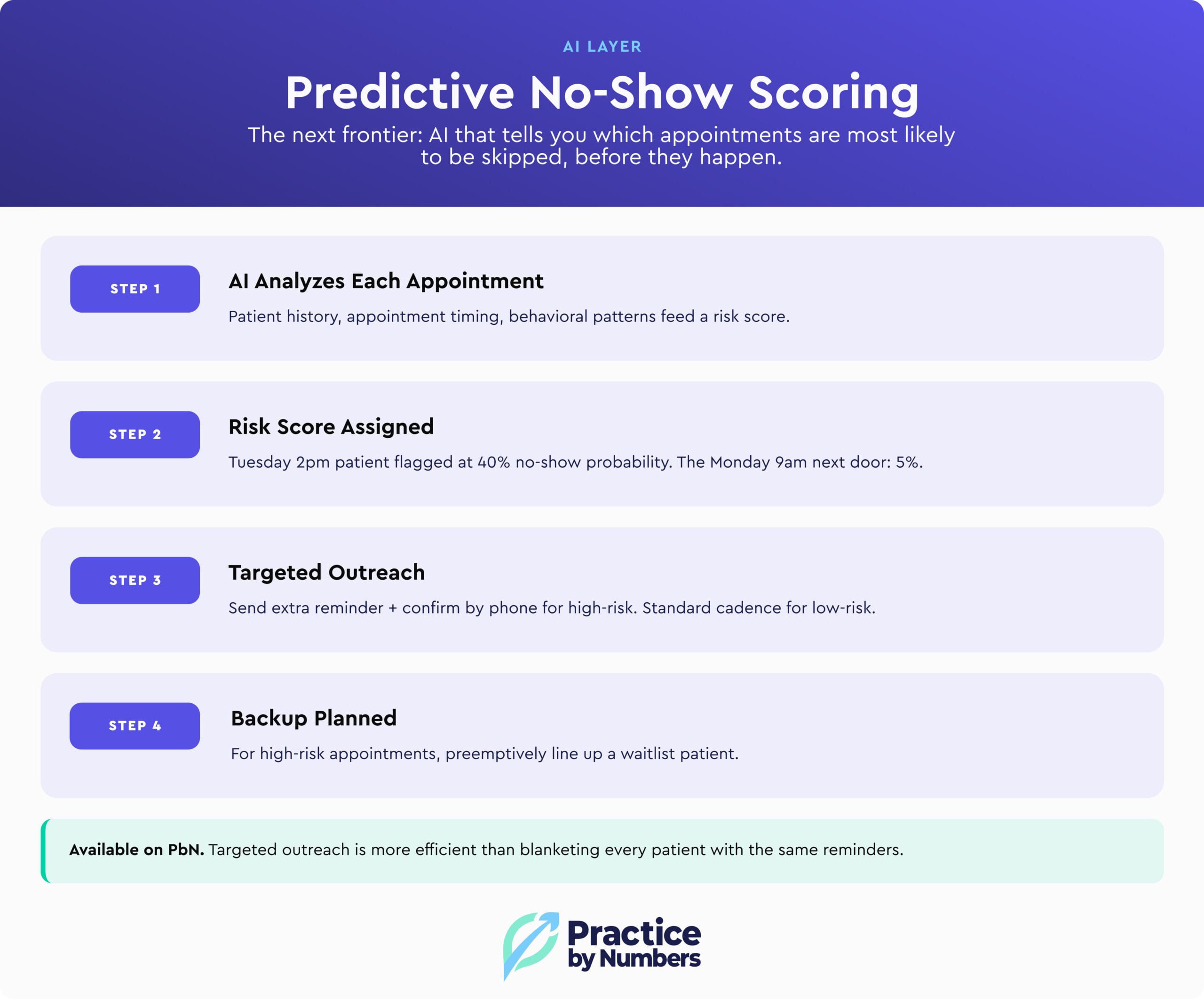
The newest evolution in scheduling software uses AI to assign a no-show probability score to each appointment based on patient history, appointment timing, and behavioral patterns. This allows staff to focus proactive outreach on high-risk patients rather than treating every appointment equally.
A practice that knows Tuesday’s 2 PM patient has a 40 percent no-show probability can:
- Send an extra reminder
- Confirm by phone instead of text
- Preemptively line up a backup patient from the waitlist
- Flag the patient for a follow-up conversation about scheduling preferences
This targeted approach is more efficient than blanketing every patient with the same reminder volume. It also catches patients who are quietly disengaging before they drop off entirely.
How Dental Practices Can Optimize Scheduling Beyond No-Shows
No-shows are one problem. Underutilized schedule capacity is another. Scheduling software should also help with:
- Provider utilization tracking: Is every chair being used optimally?
- Procedure-mix balancing: Are you scheduling enough high-production procedures alongside routine hygiene?
- Block scheduling: Reserving time for emergency and high-value cases
- Same-day fill rates: How often are cancellations being recovered the same day?
- Schedule density over time: Where are the chronic gaps showing up?
Reporting on these dimensions turns scheduling from a tactical task into a strategic lever. Practices that look at scheduling data weekly catch problems early. Practices that don’t only see them in monthly production reports, after the damage is done.
How Practice by Numbers Helps Dental Practices Reduce Scheduling Gaps
Practice by Numbers includes scheduling as part of the broader patient relationship management and analytics platform. Online scheduling syncs in real time with the practice calendar. Multi-channel automated reminders cover text and email. Two-way texting allows patients to confirm or reschedule via reply. PbN AI features support call summaries when patients call to schedule, message drafting for confirmations and reminders, and call-to-booking tracking that shows which incoming calls actually convert to scheduled appointments.
The platform’s real-time analytics layer tracks scheduling utilization, no-show patterns, provider performance, and recall effectiveness, so practice owners can see exactly where the schedule is leaking and what’s working.
PbN integrates with major dental practice management systems, so practices can layer the analytics and automation onto their existing PMS.
Key Takeaways
- Dental scheduling software helps practices reduce missed appointments and improve schedule consistency
- Automated reminders and easier rescheduling improve patient communication and appointment adherence
- Online booking and automated waitlists help reduce scheduling friction
- Predictive scheduling tools support more proactive patient outreach
- Scheduling analytics help practices identify operational inefficiencies and recurring schedule gaps
- Effective scheduling systems improve both patient experience and practice performance
FAQs
Q. How many reminders should I send before an appointment?
Three is the sweet spot for most practices: one week before, two days before, and morning of. More than three can feel excessive; fewer than two isn’t enough for forgetful patients. Adjust based on your no-show data and appointment type.
Q. Should I charge patients for no-shows?
No-show fees are controversial and can damage patient relationships. They’re most appropriate for repeat offenders. A better strategy is to reduce no-shows through automation and easy rescheduling rather than penalizing patients after the fact. Save the fee policy for chronic cases where automation hasn’t worked.
Q. Does online booking actually reduce no-shows?
Yes. Patients who book online self-select their preferred time, increasing commitment. Studies suggest online-booked appointments have 15 to 25 percent lower no-show rates than phone-booked appointments. Combined with automated reminders, the reduction can be significant.
Q. How quickly can I see results from automated scheduling features?
Most practices see measurable reduction in no-shows within 30 to 60 days of activating automated reminders. The compounding benefit from waitlist automation, online booking, and predictive scoring builds over three to six months as historical data accumulates.
Q. Will automated reminders annoy my patients?
Not when configured thoughtfully. Three reminders per appointment is widely accepted. Frequency caps prevent over-messaging during multi-appointment treatment plans. Most patients prefer the reminders because they prevent the embarrassment of forgetting an appointment.