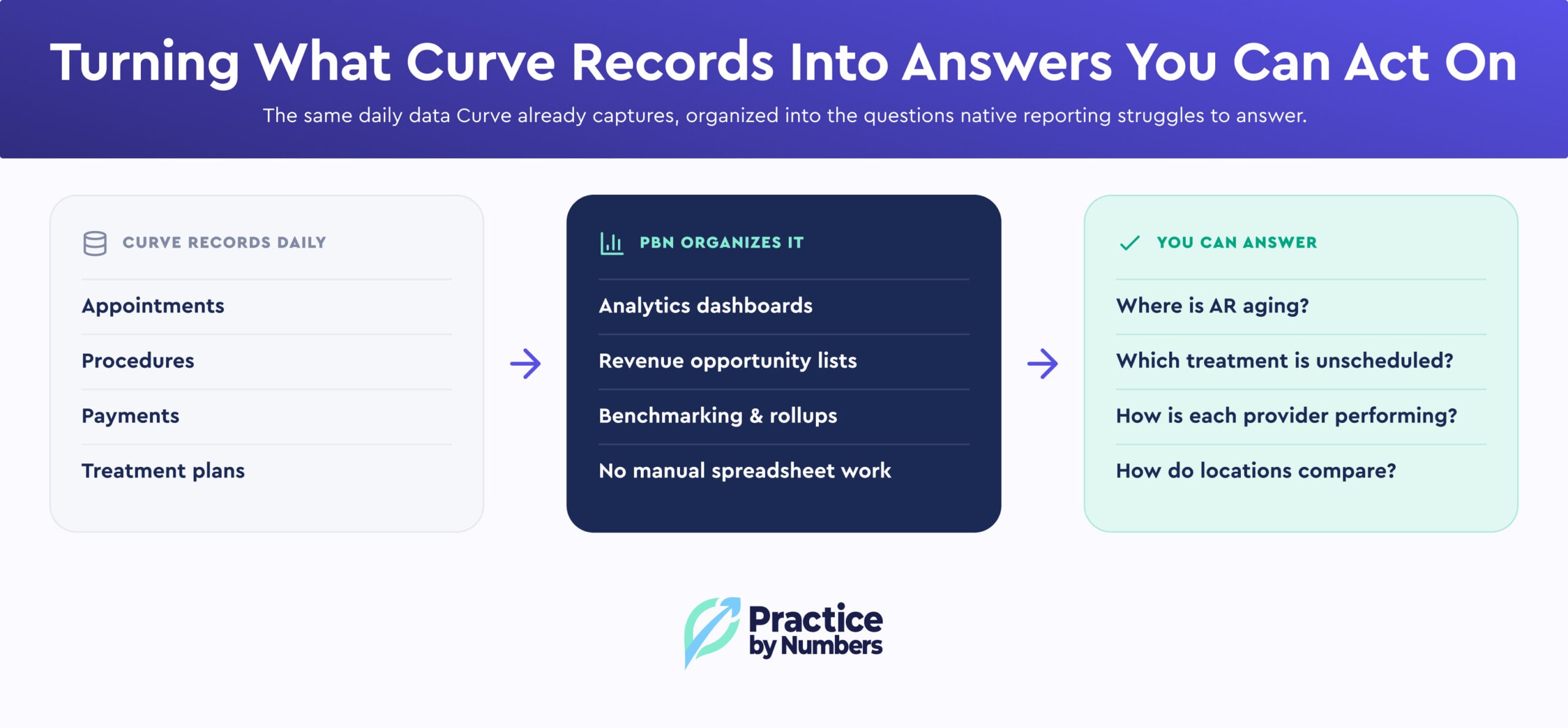
If you use Curve Dental, you already record a large amount of data every day, from appointments and procedures to payments and treatment plans. The problem most practices face isn’t a lack of data. It’s getting clear, useful answers from that data quickly enough to act on it. That’s exactly what Practice by Numbers (PbN) is built to do.
PbN connects to Curve Dental and turns your existing data into insightful dashboards and performance visibility using Practice IQ, so you spend less time chasing numbers and more time improving results.
This article explains how the two platforms work together, what you can see and do with both, and whether this setup makes sense for your practice.
- Curve Dental is a powerful cloud-based practice management system, but its native reporting is primarily designed for day-to-day operations rather than in-depth business analysis.
- Practice by Numbers (PbN) integrates with Curve Dental to transform your existing practice data into interactive dashboards, KPI tracking, revenue insights, and provider benchmarking.
- The integration securely syncs key practice data, supports writeback for select workflows, and keeps core operational data refreshed through ongoing incremental syncs.
- With tools like Practice IQ and Revenue IQ, practices can monitor production, collections, unscheduled treatment, patient retention, and multi-location performance from a single platform.
- Together, Curve Dental and Practice by Numbers give practice owners clearer visibility into performance, helping them make faster, data-driven decisions and uncover opportunities for growth.
What Curve Dental Does and Where It Stops
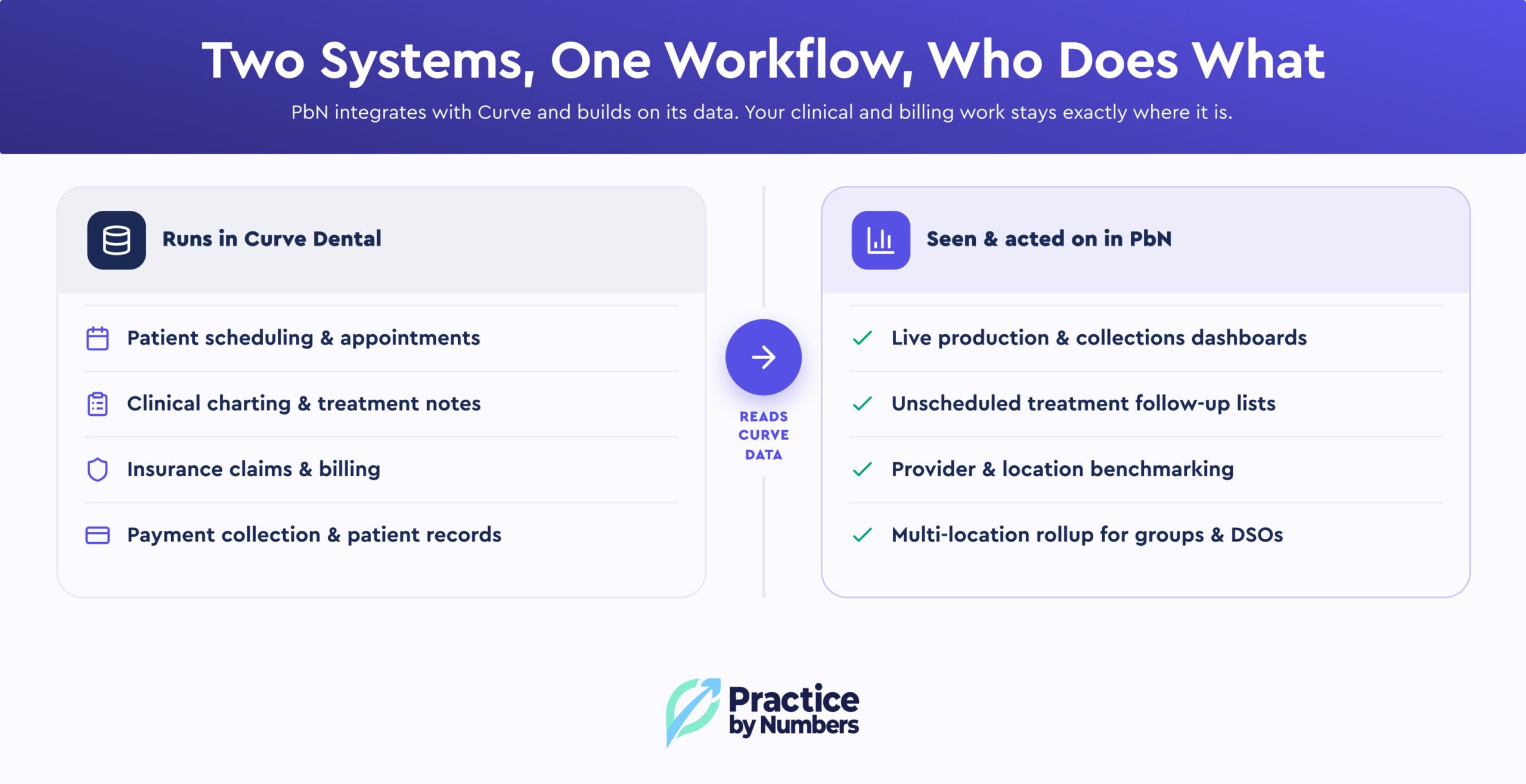
Curve Dental is a cloud-native practice management system. It handles:
- Patient scheduling and appointment management
- Clinical charting and treatment notes
- Insurance claims and billing
- Payment collection and patient records
It’s the operational backbone of your practice, recording what happens every day, reliably, in one place. But when it comes to understanding trends across production, collections, scheduling, and growth, many practices benefit from additional analytics and reporting tools, especially across multiple locations.
Questions you need answered | What typically happens in Curve Dental alone |
|---|---|
Why is production down this quarter? | Standard reporting and practice metrics |
Which providers are performing best overall? | Pull separate reports per provider, reconcile manually |
Where is revenue getting stuck? | Check ledger, claims, and AR in separate steps |
Which accepted treatment plans are still unscheduled? | No automated view. Requires manual tracking |
How does one location compare to another? | Hard to see without custom reports or spreadsheets |
Curve provides foundational analytics for managing your practice. Practice by Numbers takes that data further with advanced reporting, customizable dashboards, benchmarking, and actionable insights that help drive practice growth.
What Practice by Numbers Adds to Your Curve Setup
Practice by Numbers sits alongside Curve Dental and uses your existing practice data to give you:
- Live dashboards for production, collections, patient retention, scheduling, and treatment planning (Practice IQ)
- Revenue IQ: missed revenue opportunities surfaced as actionable patient lists
- Provider and location benchmarking
- Multi-location rollup for groups and DSOs
- Limited writeback to Curve for new patients, new appointments, and patient notes
- Task reporting, payment processing, metered insurance verification, and mobile app access
Your clinical and billing workflows stay exactly as they are. PbN simply makes the data already in Curve easier to read, track, and act on.
Think of it this way: Curve Dental is the engine. Practice by Numbers is the dashboard, the gauges that tell you how fast you’re going, where you’re running low, and which turn to take next.
How the Integration Between Curve Dental and Practice by Numbers Works
If you’re on Curve Dental, you’ll want to know exactly what this integration does before you rely on it day to day. Not every field in Curve syncs to PbN, and not every insight in PbN writes back to Curve. Understanding that boundary now saves you from chasing down a number later that was never meant to flow between the two systems in the first place.
Here’s a full breakdown: what syncs, what doesn’t, and where PbN writes information back into Curve.
1. Data Flows Mostly One Way, With a Limited, Purposeful Writeback
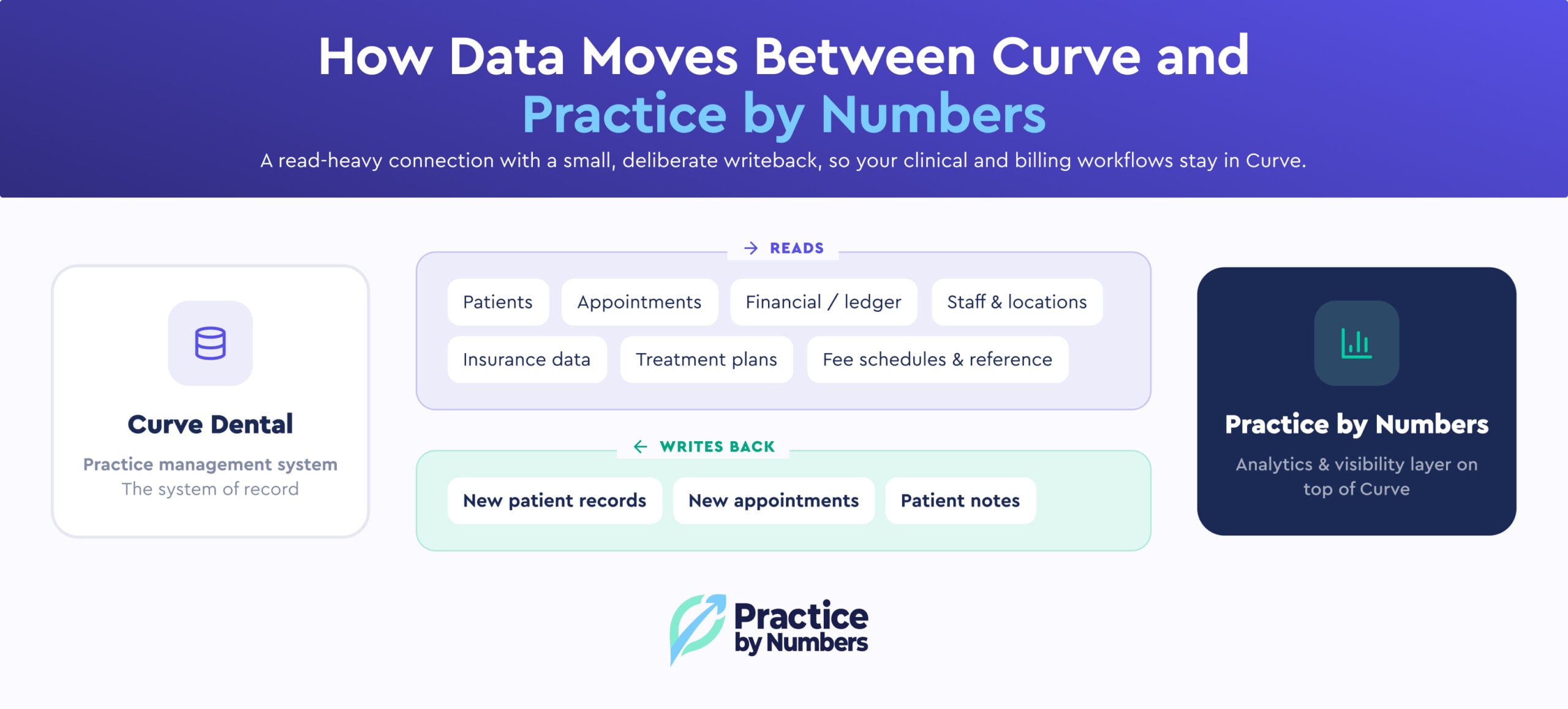
Some third-party tools only pull data out of your PMS. Others claim a full two-way sync across every workflow. The Curve integration sits in between: it’s a read-heavy integration with limited writeback, scoped to the workflows that matter most.
Curve Dental → Practice by Numbers
- Patients
- Appointments
- Financial/ledger transactions
- Staff and locations
- Insurance-related data
- Treatment plans
- Fee schedules and other reference data
Practice by Numbers → Curve Dental
- New patient records
- New appointments
- Patient notes
Everything else, such as payments, form submissions, appointment changes, and documents, stays inside Curve and is not written back by PbN. That’s a deliberate scope, not a partial rollout. It’s designed so your clinical and billing workflows in Curve stay exactly where your team expects them.
👉 Here Are 10 Dental Practice Management Tips Every Office Should Try
2. Where the Data Lines Up (and a Few Places It Doesn’t)
A common concern with any analytics platform is whether the numbers match what’s inside your PMS. For Curve, the answer is mostly yes, with a few documented exceptions worth knowing upfront:
- Insurance deductibles aren’t available through Curve’s API, so they won’t appear in PbN.
- Payment type on ledger entries (card, cheque, etc.) isn’t currently available; Curve has confirmed support is planned.
- Referral source isn’t exposed by Curve’s API, so new patients show as “unknown” for referral source.
- Your “New Patients Added” count may run slightly lower than what Curve’s own reporting shows. Curve’s API doesn’t return a patient creation date, so PbN determines new-patient status from the earliest appointment or transaction date instead, which can exclude patients missing both.
- Documents and recall types aren’t exposed by Curve’s API, so neither shows up in PbN.
- Dental conditions and patient-level dental conditions aren’t exposed by Curve’s API, so this clinical detail isn’t reflected in PbN.
- Provider custom schedules and availability overrides aren’t exposed by Curve’s API, so this scheduling detail isn’t reflected in PbN.
Unsupported for Writeback (Read-Only in PbN)
Curve doesn’t offer relevant write access for these workflows, so they stay read-only in PbN:
- Form submissions
- Appointment updates
- Patient updates
- Payments and refunds
- Documents
Any update in these areas needs to be made directly in Curve.
None of this is hidden in fine print. We’d rather tell you where the data has real limits than have you discover it after go-live.
3. How the Sync Stays Current
Practice by Numbers keeps six areas of your Curve data current on an ongoing, incremental basis:
- Patients info
- Appointments
- Transactions
- Patient notes
- Schedule blocks
- Patient alerts
Everything else, including staff, fee schedules, insurance setup, treatment plans, and other reference data, updates the next time a full sync runs.
This is different from a once-a-day batch export, but it’s also not an instant, real-time sync across every data type. Your onboarding team can walk through exactly what refreshes and how, for your specific setup.
Already Using Another Analytics Tool? What to Know Before Switching
Read Access Across the Categories Curve Exposes
Some analytics tools sync a narrow slice of your PMS data. Practice by Numbers pulls from the range of categories Curve’s API exposes, like patients, appointments, financials, staff, locations, insurance-related data, treatment plans, and fee schedules, subject to what your specific Curve tenant has enabled. If a data type isn’t licensed or permitted on your account, PbN skips it gracefully and continues with what’s available, rather than failing the whole sync.
Incremental Sync, Not a Once-a-Day Batch
Some platforms update your PMS data once daily, usually overnight, meaning you’re reviewing yesterday’s numbers. Practice by Numbers refreshes patients, appointments, transactions, patient notes, schedule blocks, and alerts on an ongoing incremental schedule rather than waiting on a single daily batch job.
A Broader Feature Set Built Around Practice IQ
Instead of paying for one tool for dashboards and another for revenue tracking, Practice by Numbers combines:
- Live production and collections dashboards
- Unscheduled treatment tracking and follow-up lists
- Provider and location benchmarking
- Task reporting
all connected directly to your Curve data.
👉 See What Might Be Quietly Draining Your Dental Practice Accounts
Setup, Sized to Your Practice
Switching platforms is only worth it if the transition is manageable. Our team handles the technical setup, a secure connection to your Curve account, followed by your initial data sync.
For larger practices, this initial sync can take considerably longer than for a single-location practice, mainly because some of Curve’s data (like patient alerts and notes) require a separate API request per patient.
Your onboarding team will walk you through a specific timeline for your practice size before you commit to a go-live date.
What You Can Actually See and Do With Practice by Numbers
Production and Collections Visibility: Instead of running separate reports for each metric, you see production and collections in one dashboard with visibility into where AR is aging and where follow-up is needed.
Unscheduled Treatment Tracking: Accepted treatment that goes unscheduled is one of the most common sources of lost revenue in dental practices. Revenue IQ tracks unscheduled treatment plans and turns them into an actionable patient list, so your front office has something concrete to work from rather than relying on memory.
Provider Benchmarking: Comparing providers fairly takes more than total production numbers. Practice IQ lets you look at production, collections, case acceptance, and patient retention side by side, so performance conversations are based on data, not impressions.
Multi-Location and DSO Dashboard: If you run more than one Curve location, Practice IQ aggregates your data into a single group-level view, so you can compare office performance and set consistent standards across the group.
👉Also Read How Dentrix Ascend and Practice by Numbers Work Together to Grow Your Dental Practice
Getting Started: What the Setup Process Looks Like
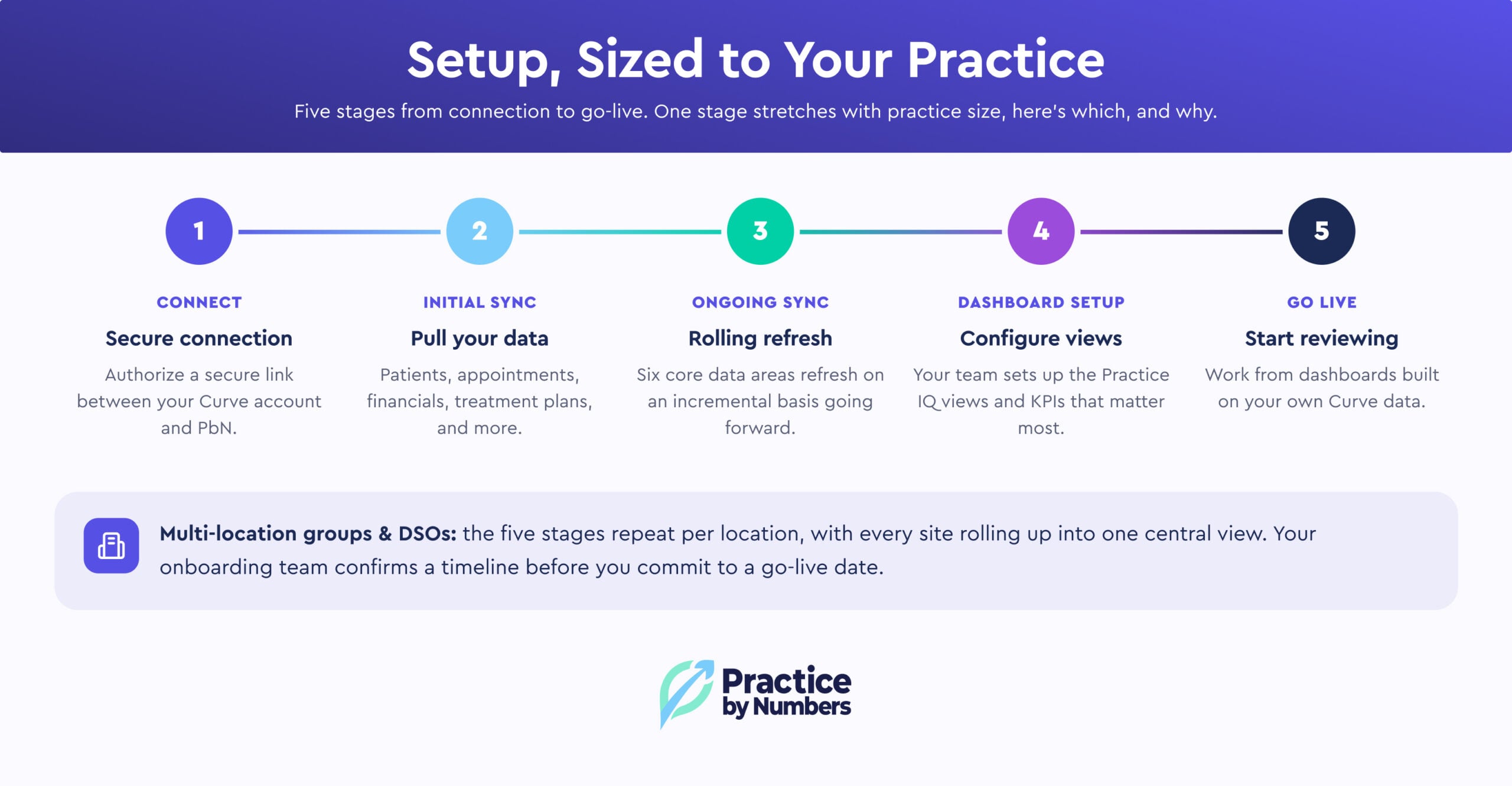
- Connect: A secure connection is authorized between your Curve account and PbN.
- Initial Sync: We pull the data Curve exposes for your practice: patients, appointments, financials, treatment plans, and more. Duration depends on your practice’s size.
- Ongoing Sync: Six core data areas refresh on a rolling, incremental basis going forward.
- Dashboard Setup: Your onboarding team configures the Practice IQ views and KPIs that matter most to you.
- Go Live: Start reviewing dashboards built on your own Curve data.
For multi-location groups, this process is repeated per location, with all sites rolling up into one central view.
The Bottom Line
Curve Dental gives you a reliable, cloud-based system for running your practice day to day. PbN equips you with the tools required to know where revenue is being left behind, how each provider is performing, and where scheduling or retention patterns need attention.
Practice by Numbers connects to Curve Dental and brings that visibility into Practice IQ, without manual spreadsheet work and without changing the system you already rely on. Whether you’re a single-location practice or a DSO comparing performance across offices, the combination gives you a clearer picture of what’s happening in your practice and where to focus next.